Top 1% Virtual Assistant Partners


About Google Workspace Tools
What does Google Workspace do for you?
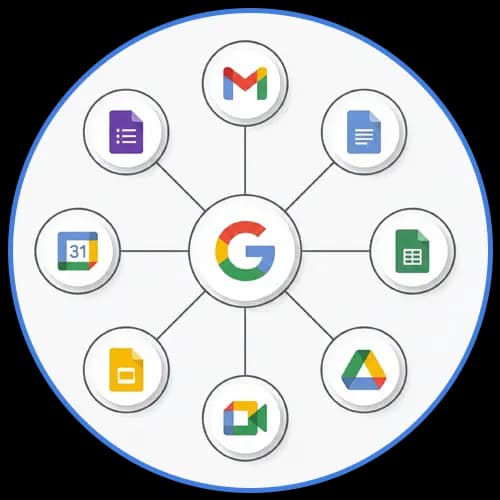
Over 8 million businesses worldwide trust Google Workspace for seamless collaboration and productivity—but managing Gmail, Drive, Docs, Sheets, and Meet across your entire team can be overwhelming. IncludeWork's expert virtual assistants handle the technical heavy lifting, implementing smart systems that boost team productivity by 35% and reduce email overload by 40%. Our VA team ensures you maximize every Google Workspace feature while saving 12-20 hours weekly on administrative work.
Gmail Management & Organization
Inbox Zero, made real, saves 10-15 hours weekly. Our VAs set up smart filters, labels, and automated responses that transform Gmail chaos into organized efficiency—drafting emails, managing priorities, and ensuring zero messages slip through.
Google Drive File Management
Organized files, instant access, saves 5-8 hours weekly. Our virtual assistants create structured folder systems with proper permissions, naming conventions, and version control—ensuring your team finds documents instantly without confusion.
Google Sheets Data Management
Automated spreadsheets, real-time dashboards, saves 8-12 hours. IncludeWork VAs build custom formulas, pivot tables, and live dashboards that turn raw data into actionable insights—eliminating manual data entry and calculation errors.
Google Docs Collaboration Support
Professional documents, seamless collaboration, saves 6-10 hours. Our VAs create templates, manage document workflows, and coordinate real-time editing sessions—ensuring brand consistency and efficient collaboration across your entire team.
Services
What Our Executive
Virtual Assistant Do For You
Google Docs Creation and Formatting
Create, edit, and format documents for reports, SOPs, proposals, and internal notes.
Google Sheets Setup and Data Entry
Build structured sheets with formulas, filters, data validation, and organized layouts.
Google Slides Presentation Support
Create clean, consistent slide decks with clear flow and professional formatting.
Gmail Drafting and Inbox Management
Draft emails, organize labels, apply filters, and manage your inbox efficiently.
Drive Organization and Shared Folder Structuring
Sort, rename, and organize Drive folders for easy access and team collaboration.
Calendar Scheduling and Meeting Coordination
Manage events, send invites, and keep your schedule aligned across teams.
Google Forms Setup and Data Collection
Create forms, surveys, and intake systems with structured response tracking.
Real-Time Collaboration and File Updates
Support shared editing, suggestions, and version tracking across Workspace.
No Talents Found
Why US?
Include Work
VS Alternatives & Agencies
FAQ
Confident Decisions
Start With Clear
Answers On
AI Virtual Assistant Support

IncludeWork is a global virtual assistant agency that helps businesses scale with skilled, reliable support. With 24/7 availability, flexible monthly plans, and a proven track record across 76 countries, we deliver fast, consistent results, without the burden of hiring full-time staff.


Industries We Serve





Bangladesh
Road # 7, Block # E, Kaderabad Housing, Mohammadpur, Dhaka 1207
India
25, Cantopher Lane, Near Cheap Store towards CIT ROAD, KOLKATA-700014
USA
1209 Mountain Road Pl Ne Ste R, Albuquerque, NM 87110
Industries We Serve

Get
the Best
Virtual Assistant
From admin to creative work we bring you the best virtual assistants ready to take care of what matters, so you can focus on scaling your business.

Home
Empowering businesses with smarter virtual solutions
About us
The story behind Include Work’s mission and mindset
Our Talents
Get to know the minds powering Include Work
Blogs
Insights, tips, and stories for growing your business smarter
Contact us
Let’s start your journey to productivity and growth
ToolKit
A central place for smart utilities and work optimization
