Top 1% Virtual Assistant Partners

Small Business Marketing Team of Two: Owner and Assistant
All topics
Big companies have marketing departments: strategists, designers, writers, analysts, social media managers. Small businesses have the owner, and maybe, if they’re lucky, an hour on Sunday night. But there’s a team size in between that works surprisingly well: one owner and one marketing assistant. It isn’t a department. It’s a partnership with a clear split of jobs. Here’s how a small business marketing team of two works, and how to make it last. The owner’s role shrinks to the parts only the owner can do. The assistant takes everything else. Clear roles: no overlap, no gaps Owner time drops without losing the owner’s voice Consistency: marketing runs during busy months Low fixed cost compared with a full-time hire The U.S. Small Business Administration suggests that a marketing plan set clear goals and a budget, and measure return. A team of two can do all three without meetings eating the week. A one-page brand voice guide Clear approval rules A shared folder and task board A fixed weekly rhythm Honest feedback, both ways The last one matters. Ask your assistant what slows them down. Often it’s late approvals or missing photos. An example. Leander runs a family farm shop near Lancaster, Pennsylvania, selling produce, preserves and baked goods in person and online. He and his marketing assistant work as a team of two. Leander records a Monday voice note about what’s in season, takes photos at the stand and approves posts on Wednesday. His assistant runs Instagram, Facebook, the weekly “what’s fresh” email, Google profile updates and online shop listings. Leander spends about 90 minutes a week on marketing, and the weekly email has become a reliable driver of Saturday visits. (Leander is an illustrative example.) Signs it’s time to add help: Your assistant is at full capacity and work slips You need specialist skills, like video, SEO or ads, more than occasionally You need strategy beyond what you can set yourself Options include more assistant hours, a second specialist assistant or a part-time strategist. See how to grow from 10 to 40 hours a week of marketing help. Two people can’t do everything. Big launches, rebrands or complex ad campaigns may need outside help. And if the owner stops supplying ideas and approvals, the team becomes a team of one again. The partnership only works if both sides keep their part. Often one owner and one marketing assistant, with freelancers or specialists brought in for projects. Usually one to two hours a week for ideas, photos, approvals and a short monthly planning call. Goals, offers, prices, sensitive replies and being the face of the business. For many, yes, combined with the owner’s direction and occasional specialist help. When your assistant is at capacity, or you need specialist skills or strategy regularly. IncludeWork’s marketing virtual assistants can be the second half of your marketing team. Start with 5 free hours with a trained marketing assistant, with no credit card and no contract. Every IncludeWork assistant signs an NDA before they start. Start your free hours.Who does what in a small business marketing team
A weekly rhythm for a team of two
Why it works
What the team needs to work
When to grow beyond two
The limits of a team of two
FAQ
What does a small business marketing team look like?
How much time does the owner spend in a team of two?
What should the owner never hand off?
Is a marketing assistant enough for a small business?
When should I hire more marketing help?
Build your team of two
Share Now




Marketing When Busy: Keep It Going Without Thinking
All topics
The cruel irony of small business marketing: when you’re busiest, you have no time to market. And when things go quiet a few months later, it’s partly because you stopped marketing while you were busy. Breaking that cycle doesn’t take more willpower. It takes a setup that keeps running without you. Here’s how to handle marketing when busy, so your quietest month isn’t a direct result of your busiest one. Agree what must happen every week, even in your busiest season. For many small businesses: Two or three social posts Replies to all reviews and messages within a day or two One Google Business Profile update The monthly newsletter, on its usual date Everything else is a bonus. Writing the minimum down makes it much harder to drop. If you know when busy season comes, prepare for it: Four to six weeks ahead: plan content for the busy period Two to four weeks ahead: create and approve posts and emails Before it starts: schedule as much as possible Your assistant can lead this, using a quarterly marketing calendar. Five to ten evergreen posts ready to go: tips, FAQs, team introductions, past customer stories. When a planned post falls through, a backup goes out. During busy periods, your only jobs: Snap photos of your work and drop them in a shared folder Answer flagged questions from your assistant Approve offers or anything sensitive Everything else waits, or your assistant handles it. The minimum routine only survives a busy season if it’s someone else’s job. SCORE’s time management tips for small businesses include prioritizing and delegating tasks to people with the right skills. Marketing upkeep is a natural thing to delegate. An example. Winifred runs a children’s party entertainment business in Des Moines. From May to August, she’s at parties every weekend and most weekday evenings, and her marketing used to stop completely. Then fall bookings would be thin. Her assistant now prepares summer content in April, schedules three posts a week and handles all review replies. Winifred’s only summer task is dropping party photos into a shared folder (with parents’ permission). Her fall calendar now fills during the summer. (Winifred is an illustrative example.) Don’t go silent on reviews and messages. That’s where busy-season customers judge you. Don’t launch big new campaigns in your busiest weeks. Don’t let posts go out unchecked if they include prices or offers. Some things still need you, even when busy: serious complaints, big decisions and the occasional photo or video only you can take. An assistant can carry the routine, but not your judgment on the hard stuff. And if every month is your busiest month, the issue may be capacity, not marketing. See how a marketing assistant can free up 15 hours a week. Set a minimum weekly routine, batch content ahead of busy periods, keep backup posts and hand the schedule to an assistant. A few social posts, prompt replies to reviews and messages, a weekly Google profile update and a regular newsletter. No. It often leads to a quiet season afterward. Keep a minimum routine running. Start planning four to six weeks ahead and have most content ready before it begins. Schedule approved content, post backups, reply to routine messages and send the newsletter on schedule. IncludeWork’s marketing virtual assistants keep your minimum marketing running through your busiest months. Start with 5 free hours with a trained marketing assistant, with no credit card and no contract. Work is checked by IncludeWork’s quality-control team before it reaches you. Start your free hours.Marketing when busy
Step 1: decide your minimum
Step 2: Batch before the rush
Step 3: Keep a backup bank
Step 4: Shrink your role to five minutes a day
Step 5: Hand the schedule to someone else
What not to do when you’re busy
The honest limit
FAQ
How do I keep marketing going when I’m busy?
What’s the minimum marketing a small business should do?
Should I stop marketing during my busy season?
How far ahead should I prepare for a busy season?
What can my assistant do without me during busy periods?
Keep the lights on while you’re busy
Share Now

Quarterly Marketing Calendar: What Your Assistant Prepares
All topics
Most small business marketing is planned a week ahead, at best. That works until a big date sneaks up: the holiday season, a busy spring, a product launch. Then everything gets rushed. A quarterly marketing calendar fixes that. Every three months, you and your assistant spend about an hour planning the next quarter: key dates, themes, campaigns and the work needed to support them. Here’s what your assistant should prepare. Holidays and seasonal moments that matter to your customers Local events, school terms, trade shows Your own launches, sales, anniversaries and closures Deadlines in your industry (tax dates, enrollment periods, busy seasons) One or two themes per month to guide content. For example: “Spring prep”, “Customer stories”, “Behind the scenes”. For each campaign: goal, dates, offer, channels and what needs to be ready when. Weekly posting rhythm for each channel Blog posts or videos for the quarter Newsletter dates and main topics Work back from each key date: when photos are needed, when drafts are due, when approvals happen. Two weeks before the quarter starts: Your assistant drafts the calendar from last quarter’s results, key dates and your goals You add anything only you know: launches, events, staffing changes A one-hour call to agree themes, campaigns and priorities Your assistant turns it into weekly tasks on your project board The U.S. Small Business Administration recommends reviewing your marketing plan based on which tactics actually work. The quarterly planning call is a natural time to do that. Plan seasonal campaigns at least six weeks ahead Leave space for news and surprises; don’t fill every day Keep evergreen backup posts ready for busy weeks Review the last quarter first: what worked, what didn’t An example. Calloway runs a landscaping and garden design firm in Greenville, South Carolina. Spring used to arrive before his marketing did. Now his assistant prepares a quarterly calendar every December, March, June and September. The winter planning session sets up a February “book your spring design” campaign, with photos chosen in January and emails drafted three weeks early. Spring bookings now start filling before the first warm weekend. (Calloway is an illustrative example.) Plans meet reality. And reality usually wins. Weather, staffing or supply problems can make a campaign pointless. Build in a monthly check to adjust. And don’t let planning become the work. One hour a quarter is enough; the rest of the time should go to doing. For the month-to-month version, see how to keep a content calendar full. A three-month plan of key dates, themes, campaigns, content and deadlines for your marketing. About two weeks before it starts, with seasonal campaigns planned at least six weeks ahead. Yes. They can draft it from your goals, key dates and past results, and you approve it in one meeting. A shared spreadsheet, calendar or project board works. Use whatever your team already opens. Detailed on key dates and campaigns, lighter on daily posts, which can be planned monthly. IncludeWork’s marketing virtual assistants can prepare your quarterly calendar and keep it running. Start with 5 free hours with a trained marketing assistant, with no credit card and no contract. IncludeWork has been running remote assistant teams since 2012. Start your free hours.What goes in a quarterly marketing calendar
1. Key dates
2. Monthly themes
3. Campaigns
4. Content plan
5. Prep deadlines
A sample quarter at a glance
The one-hour planning routine
Quarterly marketing calendar tips
What can go wrong
FAQ
What is a quarterly marketing calendar?
When should I plan the next quarter?
Can my assistant create the quarterly calendar?
What tool should I use for a marketing calendar?
How detailed should a quarterly calendar be?
Never get caught out by the calendar again
Share Now

30 Day Marketing Plan Your Assistant Can Run
All topics
Big marketing plans tend to die in a drawer. A month is different. It’s short enough to start tomorrow and long enough to see what changes when marketing happens every week. This 30 day marketing plan is built for a small business working with a marketing assistant. It assumes you can give about an hour or two a week for approvals and ideas, and your assistant does the rest. One goal for the month. For example: more quote requests, more class bookings, more email sign-ups. Two main channels. The places your customers already are, often Instagram or Facebook plus Google Business Profile. One offer or message to focus on: a seasonal service, a new product, a booking link. The U.S. Small Business Administration suggests a marketing plan should set clear goals and a way to measure results. Keep it that simple. Brand voice guide (one page) and approval rules Assistant access to each tool, as a named user Google Business Profile: correct hours, services, photos; first weekly post Website: check contact details, prices and forms work Shared folder for photos and notes Draft next week’s posts for approval Your time: about two hours. Three posts a week on each main channel Reply to all comments, messages and reviews within a day Send review requests to recent happy customers Draft the month’s newsletter Your time: about one hour (approvals and photos). Send the newsletter, focused on the month’s offer Add a sign-up link to your website and social bios Engage with local accounts, partners and customers’ posts Second Google Business Profile post with fresh photos Your time: about one hour. Two posts on the offer, one customer story or review (with permission) A reminder email or story to people who showed interest Pull the numbers: inquiries, clicks, sign-ups, reviews Prepare a one-page summary Your time: about one hour. A 30-minute call to answer: What went out, and was it on time? What got the most response? Did the goal move? What will we keep, drop and try next month? Then repeat the plan for month two, with adjustments. An example. Isadora makes and sells handmade silver jewelry from a studio in Bend, Oregon, mostly online. Her goal for the month was more newsletter sign-ups before the holiday season. Her assistant followed this plan, adding a small sign-up offer and posting behind-the-scenes clips three times a week. By day 30, the newsletter list had grown steadily and two posts about her design process had far more saves than her product photos. Month two focused on more process content. (Isadora is an illustrative example.) Thirty days is enough to build a habit and spot early signals. It usually isn’t enough to transform sales or search rankings. Treat month one as the foundation, not the finish line. And if you can’t give an hour or two a week for approvals and photos, the plan will stall. That’s the one part an assistant can’t do for you. For the bigger picture, see what to expect in the first 90 days with a marketing VA. One goal, two main channels, one focus offer, a weekly task list and a review at day 30. Mostly. You’ll still need to approve content and send photos and ideas, about an hour or two a week. Consistent activity, faster replies and early signals like more messages or sign-ups. Bigger results usually take longer. Two main channels is a good balance for a first month. Review what worked, then run a refined plan for month two. IncludeWork’s marketing virtual assistants can run this plan for your business. Start with 5 free hours with a trained marketing assistant, with no credit card and no contract. And if the fit isn’t right, IncludeWork replaces your assistant at no extra cost. Start your free hours.Before day 1: three decisions
Week 1: Set up and fix the basics
Week 2: Start the rhythm
Week 3: Email and engagement
Week 4: Push the offer and measure
Day 30: the review
30 day marketing plan checklist
What one month can’t do
FAQ
What should a 30-day marketing plan include?
Can a marketing assistant run a 30-day plan alone?
What results can I expect in 30 days?
Should I focus on one channel or several?
What happens after the first 30 days?
Start your 30 days
Share Now

Small Business Marketing Budget: $1,000 a Month Plan
All topics
A thousand dollars a month won’t buy a big agency retainer or a national ad campaign. But for a local or small online business, it can pay for steady, professional marketing every week, if you spend it on the right things.
This article shows two ways to build a small business marketing budget of $1,000 a month around a marketing virtual assistant, using prices listed on each company’s website as of October 2026. Your numbers will differ, but the structure works at most budgets.
Small business marketing budget: start with the plan, not the spend
The U.S. Small Business Administration suggests that your marketing plan should set clear goals and allocate a budget across the channels you’ll use, then measure the return. Before splitting $1,000, decide:
Your main goal for the next three months (more bookings, more online sales, more quote requests)
The two or three channels that already bring you customers
How you’ll track results
Option A: Steady execution plus paid boosts
Best for: businesses where ads already bring customers and you need someone to run the weekly work around them.
Option B: More hours, fewer ads
Best for: businesses that grow through content, email, local search and reviews more than ads.
Prices change, so check each tool’s current plans. Many tools also have free plans you can start on.
What $1,000 a month can realistically cover
With 40 to 80 hours of assistant time, most small businesses can run:
Two or three social platforms, several posts a week
A monthly newsletter and a welcome series
Weekly Google Business Profile updates and review replies
Monthly reporting
In Option B, also blog posts and short videos
What to leave out
Too many tools: pick one per job
Broad ad campaigns without tracking
Paid followers or reviews, which the FTC’s fake reviews rule bans
A big rebrand, unless you save up for it separately
An example. Horatio runs a family-owned pest control company in Little Rock. He chose Option A: a marketing VA for 40 hours a month, basic tools and $500 in local search ads. The assistant handles Google Business Profile posts, review requests after each job, a seasonal email to past customers and weekly reports on ad leads. After three months, Horatio moved $100 from ads to the photography fund because review requests and his Google profile were bringing in more calls than expected. (Horatio is an illustrative example.)
When $1,000 isn’t enough, or is too much
If you’re in a very competitive market relying on paid ads, $500 of ad spend may not go far. In that case, a specialist’s advice on where to focus is worth paying for.
And if you’re just starting, $1,000 may be more than you need. Start smaller with free tools and a few assistant hours, then scale. See how many hours of marketing help a small business needs.
FAQ
How much should a small business spend on marketing?
It depends on your goals, margins and market. Start with a plan, a budget you can sustain and a way to measure return.
What can I get for $1,000 a month in marketing?
Typically steady social posting, email, local search upkeep, reporting and a small ad or content budget, with an assistant doing the weekly work.
Should most of my budget go to ads?
Not necessarily. Many small businesses get more from consistent content, reviews and email than from small ad budgets.
Which marketing tools are worth paying for?
Usually a design tool, an email platform and a scheduler. Analytics and Google Business Profile are free.
How often should I review my marketing budget?
Monthly for spending, and quarterly for the overall split.
Make every dollar work
IncludeWork’s marketing virtual assistants can run your weekly marketing within the budget you set. Start with 5 free hours with a trained marketing assistant, with no credit card and no contract. Every IncludeWork assistant signs an NDA before they start. Start your free hours.
Share Now

Measure Marketing Assistant Performance: A Simple Review
All topics
You’re paying for marketing help every month. Posts are going out. But is it working? Busy feeds and full reports can hide a simple truth: sometimes the work is fine and the results aren’t there, and sometimes it’s the other way round.
Here’s a simple way to measure marketing assistant performance fairly, using a monthly scorecard that separates the quality of the work from the business results.
Two questions, not one
Is the work being done well? On time, accurate, on brand, with good judgment.
Is the marketing producing results? Inquiries, sign-ups, bookings, sales.
Your assistant controls the first almost completely. The second also depends on your plan, offer, prices and how quickly you follow up on leads. Judge both, but separately.
A monthly scorecard to measure marketing assistant performance
Score each line 1 to 5:
Then note three result numbers next to last month’s: for example, inquiries, email sign-ups and website visits from marketing channels.
Reading the results
The U.S. Small Business Administration suggests measuring marketing return on investment by comparing what you spend with the revenue it brings in. Add your own time saved to that picture too.
Questions to ask yourself first
Did I give clear direction and timely approvals?
Did I send photos and news?
Did I change priorities often?
Did I follow up on the inquiries that came in?
If the answer to any of these is no, fix that before judging the assistant.
An example. Rosalba runs a property management company in Jacksonville, Florida, and markets to landlords. After four months, she felt unsure whether her marketing assistant was helping. She started a monthly scorecard. The work scored high: everything on time, accurate and on brand. Results were flat. Looking closer, inquiries were coming in, but her team took three days to call back. Faster follow-up, not a new assistant, was the fix. (Rosalba is an illustrative example.)
How often to review
Weekly: a quick look at delivery and any problems
Monthly: the full scorecard and result numbers
Quarterly: a bigger review of goals, channels and hours
The limits of measurement
Not everything valuable fits on a scorecard. A good assistant might prevent a public mistake or improve your process in ways no number shows. And small businesses often have small numbers that swing month to month. Look at trends over three months.
For choosing the right metrics, see KPIs for a marketing assistant.
FAQ
How do I know if my marketing assistant is doing a good job?
Score the work (delivery, accuracy, voice, responsiveness, judgment) separately from results like inquiries and sign-ups.
What if the work is good but results are flat?
Look at the plan, offer, website and how fast you follow up on leads.
How often should I review my marketing assistant?
A quick weekly check, a monthly scorecard and a quarterly review.
Should I share the scorecard with my assistant?
Yes. It makes expectations clear and turns reviews into a conversation, not a surprise.
When should I consider a change?
When work quality stays low after clear feedback and an improvement period.
Know what’s working
IncludeWork’s marketing virtual assistants send clear reports so you can judge the work and the results. Start with 5 free hours with a trained marketing assistant, with no credit card and no contract. Work is checked by IncludeWork’s quality-control team before it reaches you. Start your free hours.
Share Now

Consistent Marketing Beats Creativity: Here’s Why
All topics
Every owner has had the burst. A free weekend, a rush of ideas, five great posts and a newsletter. Then a busy month, and nothing for six weeks. Creative bursts feel productive. But for most small businesses, consistent marketing, ordinary posts and emails that go out every week without fail, does more over a year than occasional brilliance. Here’s why, and how to make consistency the default. Most customers don’t buy the first time they see you. They notice you, forget you, notice you again. Regular posts and emails keep you in mind for the moment they’re ready. Google’s guidance on improving local ranking recommends keeping your business information accurate, adding photos and responding to reviews. Those are ongoing tasks, not one-offs. A profile that’s updated every week tells customers you’re open and active. A newsletter that arrives on the first Tuesday of every month says something about your business: you show up. One that arrives randomly says the opposite. You can’t spot patterns from five posts a year. Steady output gives you enough data to see which topics, formats and times work. Consistent marketing doesn’t mean posting every day. It means a rhythm you can keep: Three posts a week, every week, beats ten one week and none the next One monthly newsletter on the same day beats three in January and none until June Weekly Google Business Profile updates beat a big refresh once a year Pick a pace you can sustain during your busiest month, not your quietest. Creativity isn’t the enemy. It’s what makes the consistent posts worth reading. The trick is separating the two: You: ideas, stories, opinions and the occasional big creative idea Your assistant: turning them into a steady schedule, every week, busy or not Set a minimum rhythm for each channel Batch content a week or a month ahead Keep backup posts for weeks when nothing new comes in Hand the schedule to someone whose job it is to keep it going Review monthly, not daily An example. Juniper runs a candle-making shop in Santa Fe, selling online and at markets. Her Instagram used to swing between daily posting in quiet months and silence in the holiday rush, exactly when sales mattered most. Her assistant now posts three times a week all year, with the holiday posts prepared in October. Juniper still films the occasional creative video, but the feed never goes quiet. (Juniper is an illustrative example.) Consistently posting the wrong thing won’t help. If posts don’t speak to what customers want, or your offer isn’t right, steady output just repeats the problem. Review what’s working every month and adjust the content, while keeping the rhythm. And consistency takes time to pay off. Expect months, not weeks, before steady marketing shows clearly in inquiries. For keeping a calendar full week after week, see how to keep a content calendar full with a part-time assistant. It keeps you in customers’ minds, builds trust, supports local visibility and gives you enough data to learn what works. At a pace you can keep during your busiest month. Three times a week per platform is a common, sustainable starting point. Post as well as you can at a rhythm you can keep. Regular, good-enough posts usually beat rare perfect ones. Batch content in advance, keep backup posts and hand the schedule to an assistant. Usually a few months. Track inquiries and engagement trends over time. IncludeWork’s marketing virtual assistants keep your posts, emails and listings going every week. Start with 5 free hours with a trained marketing assistant, with no credit card and no contract. IncludeWork has been running remote assistant teams since 2012. Start your free hours.Why consistent marketing wins
People need repeated reminders
Platforms and search reward activity
Trust builds through reliability
You learn what works
Consistency isn’t the same as volume
Where creativity still matters
How to make consistency the default
The honest limits of consistency
FAQ
Why is consistent marketing important for small businesses?
How often should a small business post?
Is it better to post more or post better?
How can I stay consistent when I’m busy?
How long until consistent marketing shows results?
Make consistency someone’s job
Share Now

Save Time on Marketing: Free Up to 15 Hours a Week
All topics
“Fifteen hours a week” sounds like a sales promise. For some owners it isn’t even close: they spend three hours a week on marketing. For others, it’s an underestimate once you count the late-night caption writing, the scattered replies and the newsletter that takes a whole Sunday. This article doesn’t promise you 15 hours. It shows you how to find out where your marketing time goes, which parts can be handed over, and what a realistic total looks like. Here’s how to save time on marketing without losing what makes it yours. For one week, log every marketing task, however small: Writing and editing posts Finding or editing photos Replying to comments, messages and reviews Building and sending emails Updating your website or listings Checking numbers Thinking about what to post (yes, this counts) SCORE’s time management advice for small business owners includes prioritizing tasks and delegating to people with the right skills. You can’t do either until you know where the time actually goes. The third group is where most of the time savings come from. Here’s how the hours added up for one owner (an illustrative example): The example behind the numbers. Alaric runs a roofing company in Oklahoma City. His one-week log showed about 15 hours of marketing, mostly in evenings: before-and-after posts, review replies and storm-season emails. After handing the “anyone trained” tasks to a marketing assistant, his weekly marketing time dropped to about two hours of notes, approvals and a monthly planning call. (Alaric is an illustrative example.) Your numbers will be different. Many owners find a smaller total. But almost everyone finds more than they expected. Saved hours only help if you use them on purpose: Sales: quotes, calls, follow-ups Customers: better service, faster responses Operations: the jobs only you can do Rest: evenings and weekends back Block the time in your calendar, or it quietly fills with other tasks. You’re swapping your time for an assistant’s hours. Compare what an hour of your time is worth with the assistant’s rate. At IncludeWork, for example, pricing is $8 an hour pay-as-you-go, or $250 a month for 40 hours on the Professional plan. For a fuller calculation, see is a marketing virtual assistant worth it? The first few weeks won’t save much time. You’ll spend hours on a voice guide, feedback and approvals. Savings usually build in month two and three. And some owners never stop rewriting drafts, so they never get the time back. If that’s you, the fix is better feedback, not more help. It depends on how much marketing you do now. Track one week; the “anyone trained” tasks show your likely savings. Usually scheduling and designing posts, routine replies and newsletter formatting. Some right away, more after the first month once your assistant knows your voice and approvals are batched. Ideas, stories, offers, final approvals and anything where customers want to see you. Compare the value of your hour with the assistant’s rate, and use the saved time on purpose. IncludeWork’s marketing virtual assistants take over the tasks anyone trained can do. Start with 5 free hours with a trained marketing assistant, with no credit card and no contract. Work is checked by IncludeWork’s quality-control team before it reaches you. Start your free hours.To save time on marketing, first find where your hours go
Step 2: Sort tasks into three groups
A worked example
Where the saved time should go
What it costs
The catch
FAQ
How much time can a marketing assistant save me?
Which marketing tasks save the most time when delegated?
How quickly will I get time back?
What should I keep doing myself?
Is saving time worth paying for?
Find your hidden hours
Share Now
12 Marketing Assistant Mistakes Owners Make (and Fixes)
All topics
When a marketing assistant doesn’t work out, owners often blame the assistant. Sometimes that’s fair. But often the problem started on the owner’s side: an unclear brief, slow approvals, or expecting strategy from someone hired to execute.
The good news is that these marketing assistant mistakes are predictable, and each one has a simple fix. Here are the twelve we see most often.
Marketing assistant mistakes in hiring
1. Hiring on a CV instead of a test
A polished profile tells you little about how someone writes for your business. Fix: run a short, paid test task with your own brief.
2. Expecting strategy from an execution role
A marketing assistant carries out the plan. They don’t usually create it. Fix: set the plan yourself, or use a strategist for a few hours, and let the assistant execute.
3. Starting with too many channels
Seven channels on ten hours a week means none get done well. Fix: start with two, then add more once they run smoothly.
Without one, your assistant guesses, and you rewrite. Fix: write a one-page guide before day one. See the one-page brand voice guide. It’s quick, but risky and hard to undo. Fix: add your assistant as a named user in each tool and keep owner access. If every task is explained live, you’ll explain it again and again. Fix: record yourself doing each task once and turn it into a short SOP. Drafts wait for days, and the plan slips. Fix: approve in batches at a fixed time each week. Your assistant never learns what you changed or why. Fix: comment with what to change and why, and let them make the edit. Your assistant can’t invent photos of your work or news from your week. Fix: a shared folder and a five-minute weekly habit of dropping photos and notes into it. Constant pivots mean nothing gets finished. Fix: agree monthly priorities and keep a small “urgent” lane for real exceptions. Followers and likes in week three tell you very little. Fix: judge the work in month one, and look at inquiries and other business results after two or three months. Under pressure, it’s tempting to bend the rules. Fix: keep it clean. The FTC’s rule on fake reviews bans fake reviews and paying for positive ones, and its advertising guidance says claims must be truthful and backed by evidence. An example. Mirabel runs a hair salon in Reno, Nevada. Her first marketing assistant lasted two months. Looking back, she’d made mistakes 3, 4, 7 and 9: four platforms at once, no voice guide, approvals that sat for days and no photos. With her second assistant, she started with Instagram and Google only, wrote a one-page guide and set a Thursday approval slot. Three months in, the arrangement is working well. (Mirabel is an illustrative example.) No. Some assistants miss deadlines, ignore feedback or just aren’t a fit, however well you manage. If you’ve fixed your side and problems continue, it’s fair to make a change. See when it’s time to replace your marketing assistant. But check your side first. It’s usually quicker to fix a process than to hire again. Expecting strategy from an execution role, and not giving clear direction, examples and feedback. Common reasons include vague briefs, slow approvals, too many channels, no raw material and poor fit. Give specific feedback on what to change and why, and keep a rules list they can follow. Around 90 days to judge results, with clear feedback throughout. Act sooner on repeated basic problems. No. Add them as a named user in each tool and keep owner access yourself. IncludeWork’s marketing virtual assistants start with a clear onboarding plan that avoids most of these mistakes. Start with 5 free hours with a trained marketing assistant, with no credit card and no contract. And if the fit isn’t right, IncludeWork replaces your assistant at no extra cost. Start your free hours.Mistakes in setup
4. No brand voice guide
5. Sharing your passwords
6. No written process
Mistakes in day-to-day work
7. Slow approvals
8. Rewriting instead of giving feedback
9. Not sending raw material
10. Changing priorities every week
Mistakes in judging results
11. Judging too early, or on the wrong numbers
12. Letting rules slide on reviews and claims
Is it always the owner’s fault?
FAQ
What’s the biggest mistake owners make with marketing assistants?
Why do marketing VA arrangements fail?
How do I avoid rewriting my assistant’s work?
How long should I give a new marketing assistant?
Should I share my passwords with my VA?
Avoid the common traps
Share Now
Marketing Virtual Assistant Results: The First 90 Days
All topics
Most owners hire a marketing assistant hoping for two things: time back, and more customers. The first usually arrives within weeks. The second takes longer. Knowing what realistic marketing virtual assistant results look like month by month helps you judge fairly, so you don’t give up too early or keep paying for something that isn’t working. Here’s a typical 90-day picture. What happens: Access set up in your tools Brand voice guide and approval rules agreed One or two channels running, with you approving everything Lots of feedback, especially in the first two weeks What you should see by day 30: Posts and emails going out on schedule Fewer edits needed each week Replies to comments and reviews within a day What you probably won’t see yet: a jump in inquiries or sales. That’s normal. What happens: Batch approvals instead of approving one item at a time A second channel or the newsletter added First monthly report with real numbers Routine posts moving to “no approval needed” What you should see by day 60: Your weekly marketing time noticeably lower A steady, consistent presence across your channels Early signals: more profile visits, more messages, more email clicks What happens: A 90-day review: what’s working, what to drop, what to try next Content shifted toward the formats that performed best Possibly a new project: blog posts, review requests, a campaign What you should see by day 90: Clear time savings Marketing that runs without you chasing it Trends in inquiries, sign-ups or bookings you can compare with before Consistency builds slowly. And trust builds even slower. A business that posted twice a month doesn’t become a trusted local name in four weeks. Search visibility, email lists and reviews all grow gradually. SCORE describes delegation as a long-term investment in training and feedback that pays off over time, in its article on delegating tasks. The first 90 days are mostly that investment. An example. Cassius runs a home energy audit business in Eau Claire, Wisconsin. In month one, he approved every post and spent about three hours a week on feedback. By month two, routine posts went out without him and the monthly newsletter was back on schedule. At the 90-day review, the report showed audit inquiries from Google and email trending up, and Cassius’s own marketing time was down to about an hour a week. They agreed to add review requests in month four. (Cassius is an illustrative example.) Give it 90 days, but act sooner if you see: Deadlines regularly missed without warning The same mistakes after clear feedback You still rewrite most drafts in month three No improvement in consistency at all These point to a fit or direction problem. See when it’s time to replace your marketing assistant. Results also depend on things your assistant doesn’t control: your offer, prices, website and how fast you respond to inquiries. But if inquiries rise and sales don’t, look at what happens after the inquiry. For the setup that makes month one smoother, see how to onboard a marketing virtual assistant. Time savings often start within the first month. Business results like inquiries usually take two to three months or more to show a trend. Consistent delivery, fewer edits, faster replies, clear time savings and early trends in inquiries or sign-ups. No. Judge the work in month one, then look at results trends after 60 to 90 days. Review the plan, the brief and the work together. If the work itself is the problem, consider a change. More than later months, often a few hours a week for feedback and approvals. IncludeWork’s marketing virtual assistants follow a clear onboarding plan so month one counts. Start with 5 free hours with a trained marketing assistant, with no credit card and no contract. Every IncludeWork assistant signs an NDA before they start. Start your free hours.Marketing virtual assistant results
Month 1: setup and voice
Month 2: Rhythm
Month 3: Results and adjustments
Why results take time
Warning signs at 90 days
Keep expectations fair
FAQ
How long before a marketing VA shows results?
What should a marketing assistant achieve in 90 days?
Should I judge my VA on sales in the first month?
What if nothing improves after 90 days?
How much of my time does the first month take?
Start your 90 days
Share Now

Free Marketing Tools Your Assistant Can Start With
All topics
You don’t need a stack of subscriptions to start marketing well. Many of the tools small businesses rely on are free, or have free plans generous enough for the first months.
Here are free marketing tools a marketing assistant can use from day one, grouped by job, with the free plan limits each company lists. Limits are as of October 2026 and change often; we haven’t tested every tool hands-on for this article.
Free marketing tools: the quick list
Design: Canva Free
Canva’s free plan includes templates and one brand kit limited to three colors. Enough for clean social graphics. Upgrade when you need more brand kits or premium features.
Social: Meta Business Suite and Buffer
Meta Business Suite is free for scheduling, inbox and insights across Facebook and Instagram.
Buffer’s free plan covers up to 3 channels with 10 scheduled posts per channel. Good for adding LinkedIn or another platform.
Local search and analytics: Google’s free trio
Google Business Profile: posts, photos, reviews and local visibility
Google Analytics: visitors, sources and key actions on your site
Google Search Console: which searches bring people to your site
These three alone cover most of what a local business needs to measure. See Google Analytics checks your assistant should do every month.
Email: Mailchimp or Kit
Mailchimp Free: up to 250 contacts, enough for a first newsletter
Kit: a free plan aimed at creators and newsletters
Once your list grows beyond the free limits, compare paid plans.
CRM and planning
HubSpot free tools: a basic CRM for up to 2 users
Trello Free: a content board for up to 10 collaborators per workspace
Notion Free: SOPs, brand guides and content ideas
Loom Starter: 25 short screen recordings for training and feedback
SEO
Ahrefs and Semrush both list limited free access, enough for occasional checks. Google Search Console and Keyword Planner (inside a Google Ads account) cover the basics. See Semrush vs Ahrefs vs Ubersuggest for when paid tools make sense.
An example. Ezekiel runs a mobile car detailing business. His whole marketing setup is free: Canva, Meta Business Suite, Google Business Profile, Google Analytics, Mailchimp’s free plan for about 200 past customers and a Trello board shared with his assistant. He pays only for his assistant’s hours. When his email list passes the free limit, he’ll compare paid plans. (Ezekiel is an illustrative example.)
When free stops being free
Free plans have limits: contacts, channels, users, storage, features. You’ll outgrow some of them. And that’s a good sign. But watch for two hidden costs:
Your time, if free tools need lots of workarounds
Data ownership, if a free account sits in someone else’s name
Keep every account in your business’s name and add your assistant as a user.
FAQ
What are the best free marketing tools for small businesses?
Canva Free, Meta Business Suite, Buffer Free, Google Business Profile, Google Analytics, Google Search Console, Mailchimp Free and Trello Free cover most needs.
Is Mailchimp still free?
Mailchimp lists a free plan for up to 250 contacts as of October 2026.
Can I run my marketing entirely on free tools?
Many small businesses can at first. Upgrade when a limit gets in the way.
Are free tools safe to use with an assistant?
Yes, if accounts are in your business’s name and your assistant is added as a user.
Do free plans change?
Often. Check each tool’s pricing page before relying on a limit.
IncludeWork’s assistants can set up and run your free marketing stack. See the tools IncludeWork works with. Start with 5 free hours with a trained marketing assistant, with no credit card and no contract. Work is checked by IncludeWork’s quality-control team before it reaches you. Start your free hours.Start with free tools and real help
Share Now

Marketing Asset Library: Build One Your Assistant Can Use
All topics
“Do you have a better photo of the shop?” “Which logo should I use?” “Where’s the price list from last spring?”
If your assistant asks questions like these every week, you don’t have a marketing problem. You have a filing problem. A marketing asset library, one organized place for every logo, photo, template and approved piece of copy, saves time on every task and stops the wrong file going public.
What goes in a marketing asset library
Brand: logos in every version, color codes, fonts, brand voice guide
Photos and video: your premises, team, products, work in progress, events
Templates: social graphics, newsletter, flyers, presentations
Approved copy: your About text, service descriptions, bios, standard replies, boilerplate
Proof: testimonials and reviews (with permission records), case studies, awards
Past campaigns: what was sent or posted, and how it performed
Legal and rights: licenses for stock images, music, fonts; customer photo permissions
A simple folder structure
Use a shared drive your business owns, so files stay when people leave. Google explains that in shared drives, the organization owns the files rather than an individual.
Naming rules that make files findable
Agree one simple pattern:
YYYY-MM_type_description_version
For example: 2026-10_photo_storefront-autumn_final.jpg or 2026-10_post_halloween-offer_v2.png.
Also:
No spaces or special characters
“final” only for approved files
One “Best of” folder per type for the top 20 or 30 assets
Image and music rights
Not every image you can find can be used. The U.S. Copyright Office notes that whether something counts as fair use “depends on all the circumstances”, which means it’s not a safe shortcut for marketing. Your library should make the safe choice easy:
Your own photos, clearly marked
Licensed stock, with the license saved in 08 Rights
Customer photos only with written permission, logged
Music and fonts with commercial licenses
Who keeps it tidy
And give the job to your assistant:
Weekly: file new photos and approved designs
Monthly: update the “Best of” folders and remove duplicates
Quarterly: archive old campaigns, check licenses haven’t expired
An example. Thibault runs a family-owned bakery café in Portsmouth, New Hampshire, with a second location opening soon. Photos were spread across four phones, two laptops and his email. His assistant spent a few hours building an eight-folder library, renamed the best 200 photos and logged permissions for customer photos. Preparing marketing for the new location took days instead of weeks, because everything was in one place. (Thibault is an illustrative example.)
The trap to avoid
Don’t build a perfect library and then stop using it. A library that’s half-updated is barely better than none. Keep the structure simple enough that filing takes seconds, and make it part of your assistant’s weekly routine.
For setting up the shared drive itself, see setting up Google Workspace for a remote marketing team.
FAQ
What is a marketing asset library?
One organized place for your logos, photos, videos, templates, approved copy, testimonials and licenses.
Where should I store marketing assets?
In a shared drive or cloud folder your business owns, with clear folders and naming rules.
How should I name marketing files?
Use a consistent pattern with date, type, description and version, for example 2026-10_photo_storefront_final.jpg.
Only if you have the rights. Use your own photos, licensed images or customer photos with permission. Your marketing assistant, with a short weekly filing routine and a quarterly cleanup. IncludeWork’s assistants can build and maintain your marketing asset library alongside your other marketing tools. Start with 5 free hours with a trained marketing assistant, with no credit card and no contract. And if the fit isn’t right, IncludeWork replaces your assistant at no extra cost. Start your free hours.Can I use images I find online?
Who should manage the asset library?
Get your files in order
Share Now

Google Workspace for Small Business: Remote Team Setup
All topics
When a marketing assistant joins, files start flying: logos by email, photos by text, drafts in someone’s personal Google Drive. Six months later, nobody can find the final version of anything, and if the assistant leaves, some files leave with them. A little structure in Google Workspace for small business marketing prevents all of that. Here’s a simple setup for working with remote assistants: accounts, shared drives, sharing rules, calendars and what to do when someone leaves. If you use Google Workspace, create a user account on your business domain (for example, [email protected] or a named account) instead of sharing files with a personal Gmail. Why it matters: the account belongs to your business. When the work ends, you control it. Google’s pricing page lists several tiers (Business Starter, Standard, Plus and Enterprise) with different storage, from 30 GB per user on Starter to 5 TB on Plus. When we checked in October 2026, the page didn’t show US prices in a form we could confirm, so check current pricing directly. Create one shared drive called “Marketing”. Google explains that with shared drives, your organization owns the files, not an individual, so files stay when someone leaves. A simple folder structure: 01 Brand: logos, colors, fonts, brand voice guide 02 Photos and video: raw files, sorted by month 03 Content: drafts and approved posts, by month 04 Email: newsletter drafts and templates 05 Reports: weekly and monthly reports 06 SOPs: how-to guides for each task See how to build a marketing asset library for more detail. Google Drive offers sharing roles like Viewer, Commenter and Editor, plus general access settings such as “Restricted” or “Anyone with the link”. Rules that keep marketing files safe: Default to Restricted: only people you add can open files Give Editor only where needed; use Commenter for reviewers Avoid “Anyone with the link” for internal files, especially anything with customer data Never store passwords in docs or sheets; use a password manager A shared marketing calendar for launches, events, send dates and check-ins Add a secondary time zone if your assistant works elsewhere Use Google Chat or email threads by topic, not one endless thread Book the weekly check-in as a recurring event When an assistant leaves: Transfer ownership of any files in their My Drive Remove them from the shared drive Suspend or delete their account (shared drive files remain) Remove them from other tools on your access log An example. Ophelia runs a small travel gear shop with an online store. Her first assistant used a personal Gmail, and when she moved on, two years of product photos went with her. With her next assistant, Ophelia created a business account and a “Marketing” shared drive with six folders. Everything now lives there, and onboarding a backup assistant during holidays took an afternoon. (Ophelia is an illustrative example.) For a one-person business with an assistant on a few hours a week, a single shared folder might be enough at first. And that’s fine. But the moment you have more than one assistant, or files you’d hate to lose, a shared drive and business accounts pay for themselves in saved headaches. It’s safer than sharing with a personal Gmail, because your business controls the account and its files. A team-owned space in Google Drive. Files belong to your organization, so they stay when someone leaves. Restricted by default, with Editor access only for people who need to change files. It depends on the plan and billing. Check Google’s pricing page for current US prices. Transfer their files, remove them from shared drives, suspend their account and remove other tool access. IncludeWork’s assistants can set up your shared drive, folders and sharing rules, then keep them tidy. See the tools IncludeWork works with. Start with 5 free hours with a trained marketing assistant, with no credit card and no contract. Every IncludeWork assistant signs an NDA before they start. Start your free hours.Google Workspace for small business
step 1: a business account for your assistant
Step 2: Use a shared drive for marketing
Step 3: Set sharing rules
Step 4: Calendars and communication
Step 5: Offboarding
Is it worth the setup time?
FAQ
Does my virtual assistant need a Google Workspace account?
What is a shared drive?
What sharing setting should I use for marketing files?
How much does Google Workspace cost?
What should I do when my assistant leaves?
Get organized from day one
Share Now
30 AI Prompts for Marketing That Save Your Assistant Time
All topics
A vague prompt gets a vague answer. “Write an Instagram post about our bakery” produces something that could belong to any bakery anywhere.
Good AI prompts for marketing give the tool context: who you are, who you’re talking to, how you sound and what you want. Below are 30 prompts your assistant can adapt, grouped by task, plus the checks every AI draft needs before it goes anywhere near your customers.
A formula for AI prompts for marketing
Most good prompts include:
Role and business: “You’re helping a family-run bakery in a small town.”
Audience: “Our customers are local families and office workers.”
Voice: “Warm, plain, a little playful. No hype words.”
Task: “Write three Instagram captions.”
Details: the offer, date, product, link
Format: length, number of options, emoji rules
Your assistant can save a “context block” with your business, audience and voice, and paste it at the start of every prompt.
Social media (1–8)
“Using the context above, write three Instagram captions for [photo description]. Under 50 words each, one question to followers.”
“Turn this blog post into five LinkedIn posts, each with one lesson. [paste post]”
“Write 10 ideas for behind-the-scenes posts for a [business type].”
“Suggest five short video ideas we can film on a phone in under two minutes each.”
“Rewrite this caption to be shorter and friendlier: [caption]”
“Write a reply to this comment in our voice: [comment]”
“Create a two-week posting plan around [event or offer], three posts a week.”
“Give me five ways to announce [news] without sounding salesy.”
Email (9–15)
“Write a monthly newsletter from these bullet points: [bullets]. Under 250 words.”
“Give me 10 subject lines for this email. Mix curious, direct and benefit-led. [email]”
“Write a three-email welcome series for new subscribers who joined for [lead magnet].”
“Write a friendly reminder email for customers who haven’t booked in six months.”
“Shorten this email by half without losing the offer: [email]”
“Write a plain-text follow-up to people who clicked but didn’t buy [product].”
“Suggest a newsletter topic calendar for the next quarter based on these seasons and events: [list]”
Blog and website (16–21)
“Create an outline for a blog post answering: [customer question]. Include an FAQ.”
“List 15 questions customers ask before buying [product or service].”
“Write a meta description under 155 characters for this page: [page text]”
“Suggest five clearer headings for this service page: [text]”
“Rewrite this paragraph in plain English for a non-expert: [text]”
“Turn these notes from our owner into a 600-word draft. Keep their stories and opinions: [notes]”
Reviews and customer service (22–25)
“Write a thank-you reply to this positive review: [review]”
“Draft a calm, short reply to this negative review that invites them to contact us privately: [review]”
“Write a polite message asking a recent customer for an honest review.”
“Summarize the main themes in these 20 reviews: [reviews]”
Planning and reporting (26–30)
“Summarize these monthly numbers in five plain-English bullet points: [numbers]”
“From this report, suggest three things to try next month: [report]”
“Compare these three competitor homepages and list what each emphasizes: [text]”
“Turn this meeting transcript into action items with owners: [transcript]”
“Create a checklist for publishing a newsletter, including legal footer checks.”
The checks every AI draft needs
Facts: check every price, date, claim and statistic. AI tools can be confidently wrong.
Voice: rewrite anything that sounds generic.
Rules: no fake reviews or testimonials. The FTC’s rule on fake reviews specifically bans AI-generated fake reviews.
Privacy: don’t paste customer personal data into AI tools unless your business has approved that.
Quality: Google says it focuses on content quality, not how content is produced, but automation used mainly to manipulate rankings breaks its policies.
An example. Peregrine runs a small pottery studio offering classes. Her assistant built a context block (studio, students, voice) and saved the 30 prompts in a shared doc. Weekly captions and the monthly newsletter now start from AI drafts. But every draft gets a human rewrite, and class dates are checked against the booking system before anything is scheduled. (Peregrine is an illustrative example.)
Prompts speed up drafting. They don’t replace knowing your business, checking facts or judging what’s appropriate. And they can’t supply your stories. The best results come from your notes plus a careful human edit. For the full workflow, see AI plus a marketing assistant. Prompts that include your business, audience, voice, the task, key details and the format you want. It can draft them. A person should check facts, adjust the voice and approve before posting. Not unless your business has approved the tool for that use. Keep personal data out by default. Give it a context block with your voice rules and examples, then edit the output. No. Fake reviews, including AI-generated ones, are banned under the FTC’s rule. IncludeWork’s marketing virtual assistants use AI for speed and check every draft before it goes out. See more marketing tools IncludeWork works with. Start with 5 free hours with a trained marketing assistant, with no credit card and no contract. IncludeWork has been running remote assistant teams since 2012. Start your free hours.When prompts aren’t enough
FAQ
What are good AI prompts for marketing?
Can AI write my social media posts?
Should I give AI my customer data?
How do I make AI sound like my brand?
Can AI write customer reviews?
Faster drafts, human checks
Share Now
Meta Business Suite Guide: A Routine for Your Assistant
All topics
If your business is on Facebook and Instagram, Meta Business Suite is probably the most useful free tool you’re not using fully. It brings posting, messages and insights for both platforms into one place.
That also makes it the natural home for your marketing assistant’s weekly work. This Meta Business Suite guide sets out a routine your assistant can follow: how to set up access, plan and schedule posts, handle the inbox and report each month.
Meta Business Suite guide: what the tool does
The official app listing describes it as a way to “create, schedule and manage posts and stories across your Facebook Page and Instagram account”. According to the app description, it also brings messages and comments into one inbox, shows performance insights and is free to download.
Menus and names change from time to time, so this guide describes what to do rather than exact button labels.
Step 1: Set up safe access
Make sure your Facebook Page and Instagram professional account are connected to your business portfolio
Add your assistant as a person in your business settings, rather than sharing your personal Facebook login
Give them access to the Page and Instagram account with the permissions they need for content, messages and insights
Keep full control and payment settings with yourself
Turn on two-factor authentication for your own account
For more on access, see how to give a marketing VA safe access to your accounts.
Step 2: The weekly posting routine
Monday:
Check the content calendar and approved drafts
Upload images and videos from the shared folder
Create posts for Facebook and Instagram, adjusting captions for each
Schedule them for the days and times your audience is most active
Schedule stories where useful
Midweek:
Add timely posts (events, specials, news) after approval
Step 3: Inbox rules
The combined inbox is where Meta Business Suite saves the most time. Your assistant should:
Check it at set times, for example morning and mid-afternoon
Answer common questions using approved replies
Label or flag messages that need you: complaints, refunds, partnerships, press
Hide spam and obvious scams
Never argue in public comments
Saved replies for common questions (hours, prices, booking links) speed things up. Your assistant can draft them for your approval.
Step 4: Monthly insights
Once a month, your assistant pulls:
Reach and audience growth for each platform
Top posts by engagement and link clicks
Messages received and response times
Which formats worked best (photos, Reels, carousels, stories)
Then a short summary: what to do more of, what to drop. See the monthly social media report.
Rules to keep
Disclose partnerships clearly on sponsored or gifted content, in line with the FTC’s endorsement guidance
Use images and music you have the rights to
Get approval for offers, prices and anything sensitive
An example. Margarethe runs a small florist shop in Tacoma. She was posting from her phone on two different apps and missing messages on Instagram. Her assistant moved everything into Meta Business Suite: a week of posts scheduled every Monday, the combined inbox checked twice a day and a monthly insights summary. The biggest change was messages: questions about wedding flowers now get a reply the same day. (Margarethe is an illustrative example.)
Limits to know
Meta Business Suite only covers Facebook and Instagram. If you also post on LinkedIn, TikTok or Pinterest, you’ll need those platforms’ own tools or a separate scheduler. And some features can differ between the desktop and mobile versions.
But for most local businesses on Meta’s platforms, it covers the core work for free.
FAQ
Is Meta Business Suite free?
Yes. The app is free to download and use for managing your Facebook Page and Instagram account.
Can my assistant use Meta Business Suite without my password?
Yes. Add them as a person in your business settings with the right permissions.
Can I schedule Instagram posts in Meta Business Suite?
Yes. It lets you create and schedule posts and stories for Facebook and Instagram.
How often should my assistant check the inbox?
At set times, often twice a day, so customers get timely replies.
Does Meta Business Suite work for TikTok or LinkedIn?
No. It covers Facebook and Instagram only.
Hand over your Meta routine
IncludeWork’s social media virtual assistants can run your Meta Business Suite posting, inbox and reports every week. Start with 5 free hours with a trained marketing assistant, with no credit card and no contract. Work is checked by IncludeWork’s quality-control team before it reaches you. Start your free hours.
Share Now

Semrush vs Ahrefs vs Ubersuggest for Your VA (2026)
All topics
If your marketing assistant handles SEO tasks, they’ll eventually ask for a paid tool. The three names that come up most are Semrush, Ahrefs and Ubersuggest, at very different price points.
But the right choice depends on how much SEO work you actually do. Here’s how they compare, based on the features and pricing each company lists. Prices are as of October 2026 and change often; we haven’t tested the tools hands-on for this article.
Semrush vs Ahrefs vs Ubersuggest at a glance
Semrush
Best for: businesses doing regular SEO and competitor research across many areas.
Price: Semrush’s pricing lists paid plans from $139 a month on monthly billing (about $117 a month billed annually). It also lists a free plan with limited daily reports and a seven-day trial.
Strengths: keyword research, site audits, competitor research and rank tracking in one tool.
Downside: the price is hard to justify if you only check keywords occasionally.
Ahrefs
Best for: link research and seeing what’s working for competitors.
Price: Ahrefs’ pricing lists a Starter plan at $29 a month, with Lite at $129, Standard at $249 and Advanced at $449 (monthly billing). Annual billing saves up to 17%. There’s also limited free access to some tools.
Strengths: detailed backlink data and competitor analysis.
Downside: many features sit on the higher plans.
Ubersuggest
Best for: small businesses that want keyword ideas and basic audits on a tight budget.
Price: Ubersuggest’s pricing page lists the Start plan at $29 a month and Business at $99, with a seven-day free trial on monthly plans and lifetime options.
Strengths: simple interface, keyword ideas, site audits, tracking.
Downside: smaller data sets and fewer advanced features than the bigger tools.
Do you need a paid tool at all?
And many small businesses can start free:
Google Search Console shows the searches already bringing people to your site
Google’s Keyword Planner gives rough volumes inside a Google Ads account
Google search itself: autocomplete and “People also ask”
Your assistant can do a lot with these. See keyword research with a marketing VA.
How to choose
Occasional keyword checks, tight budget: free Google tools, maybe Ubersuggest
Monthly content plan and local competitors: Ubersuggest or Ahrefs Starter
Regular SEO across many pages, competitive market: Semrush or a higher Ahrefs plan
A good test: if your assistant would use the tool every week, pay for it. If it’s a few times a year, use a trial when you need it.
An example. Aurelio runs a small kitchen remodeling firm in Mesa, Arizona. His assistant asked for Semrush. They tried free Google tools first for a month, then a monthly Ubersuggest plan for keyword ideas and a site audit. Six months later, with a blog running and more competitors to watch, they reviewed the choice again. (Aurelio is an illustrative example.)
Watch out for
Paying for a tool nobody logs into. Review use every quarter.
Chasing tool metrics. Rankings and “authority scores” matter less than inquiries.
Prices changing. All three adjust plans and prices; check before you buy.
FAQ
Which is cheapest: Semrush, Ahrefs or Ubersuggest?
As of October 2026, Ahrefs Starter and Ubersuggest Start are both listed at $29 a month; Semrush’s paid plans start higher.
Is Semrush worth it for a small business?
If you do regular SEO and competitor research, it can be. For occasional checks, cheaper or free tools are often enough.
Can I do SEO without a paid tool?
Yes, to start. Google Search Console, Keyword Planner and search itself cover a lot.
Which tool is best for backlinks?
Ahrefs is known for link data. Semrush also offers backlink research.
Should my assistant have their own SEO tool account?
Keep the account in your business’s name so you own the data, and add your assistant as a user if the plan allows.
IncludeWork’s assistants can run keyword research, audits and reports with free or paid tools. See the tools IncludeWork works with. Start with 5 free hours with a trained marketing assistant, with no credit card and no contract. Every IncludeWork assistant signs an NDA before they start. Start your free hours.Let your assistant handle the SEO tasks
Share Now
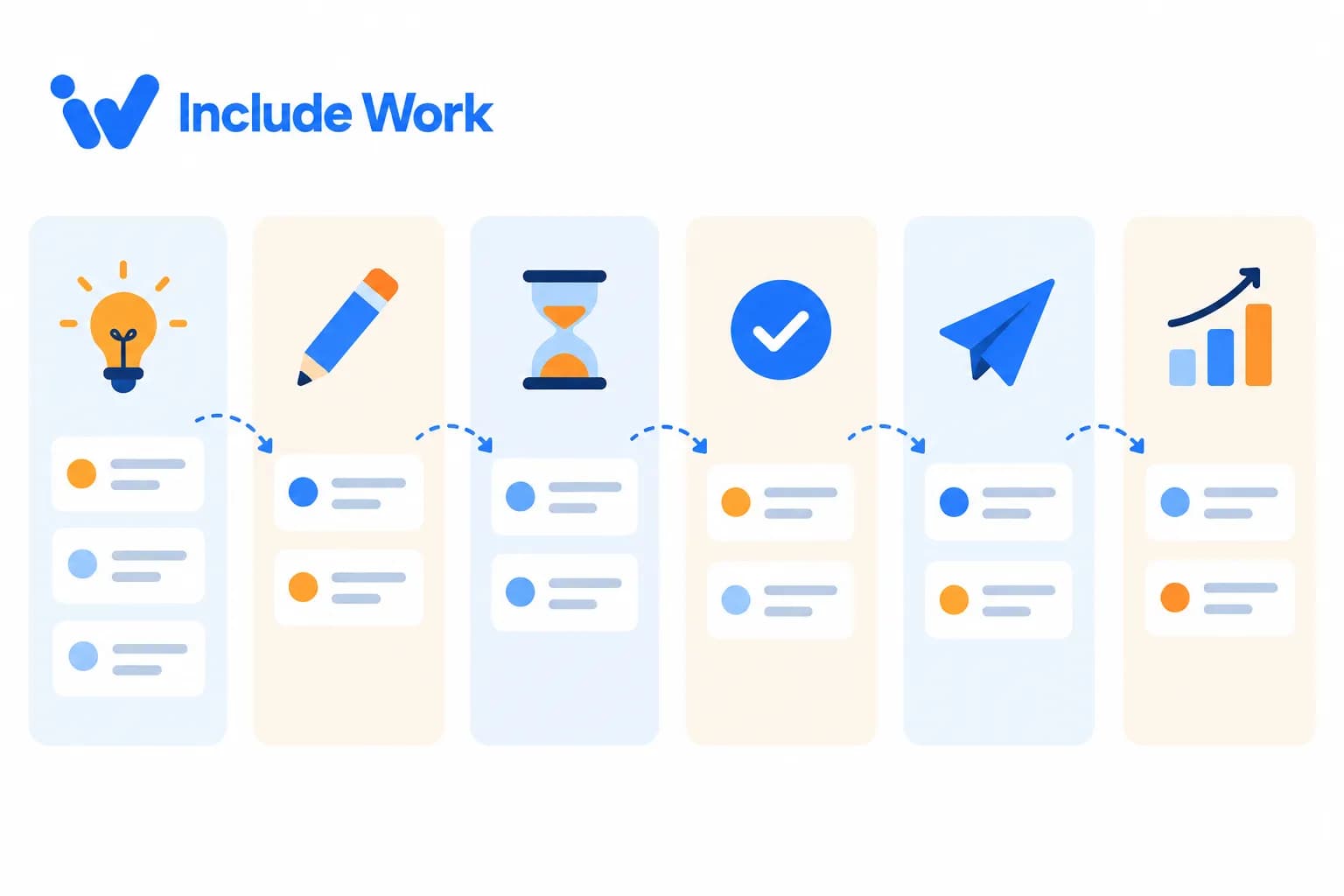
Marketing Project Management: Trello, Asana or ClickUp?
All topics
When marketing lives in your inbox, chat messages and memory, things slip. Drafts get lost, approvals stall and nobody’s sure what’s going out next week. A shared project board fixes most of that. For small businesses working with a marketing assistant, three tools come up most: Trello, Asana and ClickUp. Here’s how they compare for marketing project management, and a simple setup that works in any of them. Prices are as of October 2026, based on each company’s pricing page; we haven’t tested them hands-on for this article. Best for: owners who want a simple, visual content board. Price: free for up to 10 collaborators per workspace; Standard is $5 per user a month billed annually ($6 monthly). Calendar and timeline views come with Premium at $10 billed annually. Strengths: easy to learn; cards move across columns like sticky notes; good for a few people. Downside: fewer views and reporting options on lower plans. Best for: teams with lots of deadlines, dependencies or approvals. Price: free for up to 2 users; Starter is $10.99 per user a month billed annually ($13.49 monthly). Approvals and proofing are on the Advanced plan. Strengths: timelines, clear ownership, strong task management. Downside: the free plan is limited if more than two people need access. Best for: teams that want tasks, docs and dashboards in one place. Price: free plan; Unlimited is $7 per user a month billed annually ($10 monthly); Business is $12 billed annually. Strengths: very flexible; many views; built-in docs. Downside: so many options that setup can take longer. Set up columns (or statuses) like this: Ideas To draft Waiting for approval Approved / scheduled Published Results noted Each card or task includes: platform, publish date, draft link, image, owner and approval level. Add labels for content type (tip, offer, event) so you can see your mix at a glance. Also create: A recurring task for the weekly report A template card for the newsletter with the pre-send checklist A “Needs owner” label for anything waiting on you Just you and one assistant, simple needs: Trello’s free plan is often enough Several people and many deadlines: Asana You want docs, SOPs and tasks together: ClickUp, or a docs tool alongside Trello But whichever you pick, use only one. Two task tools is worse than none. An example. Bartholomew runs a small craft distillery with a tasting room in Knoxville, Tennessee. Marketing tasks lived in a long email thread with his assistant. They moved everything to a free Trello board with the six columns above. Approvals that used to take days now happen in one Wednesday sitting, because Bartholomew just checks the “Waiting for approval” column. (Bartholomew is an illustrative example.) A board only helps if it’s used. And habits are hard to change. If you keep sending tasks by text and email, the board goes stale within weeks. Agree a rule: if it’s not on the board, it doesn’t exist. For keeping the calendar full, see how to keep a content calendar full with a part-time assistant. For small teams, Trello is easiest, Asana is strongest for deadlines and approvals, and ClickUp is the most all-in-one. Often, yes, for a simple content board with a few collaborators. Yes. They can build the columns, templates and recurring tasks, then keep it updated. Either can work. Boards make status and approvals easier to see at a glance. Daily by your assistant, with a weekly check by you. IncludeWork’s assistants can set up and run your marketing board in the tool you prefer. See the tools IncludeWork works with. Start with 5 free hours with a trained marketing assistant, with no credit card and no contract. IncludeWork has been running remote assistant teams since 2012. Start your free hours.Marketing project management tools: quick comparison
Trello
Asana
ClickUp
A simple marketing board for any tool
How to choose
The catch
FAQ
What’s the best project management tool for marketing?
Is Trello free enough for a small business?
Can my marketing assistant set up the board?
Should I use a project board or a spreadsheet?
How often should the board be updated?
Get your marketing out of your inbox
Share Now
HubSpot Virtual Assistant: Setup and Daily Tasks
All topics
HubSpot can do a lot: contacts, forms, emails, deals, reports. That’s the appeal. It’s also why many small businesses sign up, import a spreadsheet of contacts and then barely touch it again. A HubSpot virtual assistant can turn it into a working system: clean contacts, forms that feed the right lists, emails that go out on time and a pipeline that’s up to date. Here’s how to set it up and what they can handle each day. HubSpot’s pricing page lists free tools for up to two users, with no credit card required. Paid Marketing Hub tiers (Starter, Professional and Enterprise) add more features, and the higher tiers include one-time onboarding fees. When we checked, the page also showed promotional discounts for new customers, so confirm current pricing before you upgrade. Many small businesses can start on the free tools and upgrade only when they need specific features. HubSpot’s user permissions guide explains that permissions can be set per tool. For marketing email, for example, there are separate view, edit and publish levels. Super Admins can manage users and all settings. For an assistant: Add them as a user, not with your login Give edit access to contacts, forms and marketing email Decide whether they can publish emails or only draft them Keep Super Admin and billing with you Your assistant can: Remove duplicates and fix formatting Add properties: customer type, source, location, interests Create lists or segments for newsletters and campaigns Make sure everyone on marketing lists actually opted in Website contact and sign-up forms feeding into HubSpot Automatic tagging by form and source Simple notifications so new leads reach the right person Daily Check new contacts and form submissions Log or assign new leads Update deal stages from emails and notes, if you use the sales pipeline Weekly Build and schedule the marketing email Review email results Clean up new contacts Send a short report: new leads, sources, email performance Monthly Review lists and segments Check forms and workflows still work Archive old or bounced contacts Sales conversations and pricing Decisions about automated workflows that email customers Upgrades and billing Anything involving sensitive customer data beyond what marketing needs An example. Wolfgang runs a commercial cleaning company in Cincinnati that sells to offices. He’d imported 1,800 contacts into HubSpot a year earlier, and nothing since. His HubSpot virtual assistant merged duplicates, tagged contacts by building type, connected the website quote form and set up a monthly email for office managers. Each Monday, Wolfgang gets a short list of new quote requests and where they came from. (Wolfgang is an illustrative example.) HubSpot can do more than most small businesses need, and paid tiers get expensive. It’s easy to pay for features nobody uses. Start free, use it properly for a few months, and upgrade only when a specific limit gets in your way. And remember, a CRM is only as good as its data. If nobody updates it, it becomes another abandoned spreadsheet. For email handoff more generally, see the email marketing handoff checklist. Yes. They can clean contacts, set up forms, build emails, update the pipeline and report results within the permissions you give. HubSpot offers free tools for up to two users. Paid tiers add features. Edit access to the tools they use, with publish rights only if you’re comfortable. Keep Super Admin yourself. They can build them, but you should approve any workflow that emails customers automatically. For a small business, often an hour or two of contact cleanup, lead logging and email building. IncludeWork’s assistants can set up and run HubSpot alongside your other marketing tools. Start with 5 free hours with a trained marketing assistant, with no credit card and no contract. And if the fit isn’t right, IncludeWork replaces your assistant at no extra cost. Start your free hours.What HubSpot costs (as of October 2026)
Step 1: Give the right permissions
Step 2: Clean and organize contacts
Step 3: Connect forms and lead capture
Daily and weekly tasks for a HubSpot virtual assistant
What to keep yourself
The downside of an all-in-one tool
FAQ
Can a virtual assistant manage HubSpot?
Is HubSpot free for small businesses?
What permissions should my HubSpot assistant have?
Should my assistant set up HubSpot workflows?
How much time does HubSpot upkeep take each week?
Make your CRM actually work
Share Now
Canva for Small Business: Brand Kits and Templates
All topics
Ask an assistant to “make a quick post graphic” without any setup and you’ll get something. It might use the wrong shade of blue, a font you’ve never used and a layout that looks nothing like last week’s. Ask the same assistant to make it from your Canva brand kit and a saved template, and it takes ten minutes and looks like you. A little setup in Canva for small business turns design from a guessing game into a routine. Here’s what to set up. According to Canva’s pricing page: Many small businesses start on Pro. If several people need access, compare Pro and Business carefully. Prices change, so check before you buy. A brand kit stores your: Logos (main, icon-only, light and dark versions) Colors, with exact codes Fonts for headings and body text Brand photos or graphics you reuse often Set it once, and every design starts with the right ingredients. And nobody has to hunt for the right logo file again. Templates do the heavy lifting. Start with 8 to 12 for your most common formats: Square and portrait social posts (tip, quote, offer, announcement) Story or Reel cover Facebook or LinkedIn banner Newsletter header Event flyer Price list or menu Google Business Profile post image Blog featured image Your assistant can draft these from examples you like; you approve them once. Folders by month or campaign File names like “2026-10_tip_winter-prep” so anything can be found later A “final” folder for approved designs only Separate folders for photos you own, licensed images and customer photos (with permission) New templates need your approval Designs made from approved templates follow the normal approval level for that content Any design with prices, offers or claims gets checked An example. Valeriano runs a small bike tour company in Sedona. His social graphics were made in a rush on his phone, each one different. His assistant spent four hours building a Canva brand kit and ten templates: tour announcements, weather updates, guest photo posts and a seasonal offer. Now a week of graphics takes his assistant under an hour, and his feed finally looks like one business. (Valeriano is an illustrative example.) Canva is fast and flexible, but it isn’t a full brand identity. If you don’t have a logo or clear colors yet, templates won’t fix that; a designer might be worth a one-off project first. And watch for template sameness. Many businesses use the same popular templates. Customize them with your own photos, colors and layouts so you don’t look like everyone else. Also check image rights: use your own photos or images licensed for commercial use. For organizing all your files beyond Canva, see how to build a marketing asset library. Yes, for social graphics, flyers, simple videos and consistent branding, especially with a brand kit and templates. Yes, one brand kit limited to three colors, according to Canva’s pricing page. Pro includes more. Invite them to your team rather than sharing your login, so you keep ownership of designs. Start with 8 to 12 covering your most common formats, and add more as needed. Use Canva’s licensed content under its terms, your own photos, or images you have permission to use. IncludeWork’s assistants can build your Canva brand kit and template library, then use them every week. See the tools IncludeWork works with. Start with 5 free hours with a trained marketing assistant, with no credit card and no contract. Every IncludeWork assistant signs an NDA before they start. Start your free hours.What Canva costs (as of October 2026)
Step 1: Build your brand kit
Step 2: Create a template library
Step 3: Set folder and naming rules
Step 4: Agree an approval routine
Canva for small business: the limits
FAQ
Is Canva good for small business marketing?
Does the free version of Canva have a brand kit?
Can my assistant use my Canva account?
How many templates should I create?
Can I use any image in Canva for my business?
Set up once, save hours every week
Share Now

22 Marketing Assistant Tools Every VA Should Know
All topics
When you hire a marketing assistant, one of the first questions is: which tools do they know? The answer matters, because a good assistant can step into your existing setup instead of learning everything from scratch. Below are 22 marketing assistant tools that come up again and again in small business marketing, grouped by job. Prices are as of October 2026, in US dollars, based on what each company lists on its own pricing page. We haven’t tested every tool hands-on for this article; check current pricing before you buy. Best for: social graphics, flyers, simple videos and brand kits. Price: free plan; Pro is US$144 a year for one person, with up to 5 brand kits. Strengths: templates, brand kits, easy sharing. Downside: designs can look generic without your own templates. Best for: scheduling and managing Facebook and Instagram from one place. Price: free. Strengths: built by Meta, includes inbox and basic insights. Downside: only covers Meta’s platforms. Best for: simple scheduling across several platforms. Price: free for up to 3 channels; Essentials from $5 per channel a month. Strengths: clean, simple, affordable. Downside: costs rise with each channel you add. Best for: visual planning, especially Instagram. Price: from $25 a month (Starter), less when billed yearly; 14-day free trial. Strengths: visual calendar, link-in-bio features. Downside: no permanent free plan. Best for: showing up in Google Maps and local search. Price: free. Strengths: posts, photos, reviews, insights. Downside: you can’t pay for better local rankings; it takes steady upkeep. Best for: understanding website visitors and key actions. Price: free standard version. Strengths: traffic sources, pages, key events. Downside: takes some setup to track the right actions. Best for: seeing which searches bring people to your site. Price: free. Strengths: search queries, indexing issues, links report. Downside: data only covers Google Search. Best for: rough keyword volumes and ideas. Price: free inside a Google Ads account. Strengths: data from Google. Downside: volumes are broad ranges unless you’re running ads. Best for: newsletters and simple automations. Price: free plan up to 250 contacts; Essentials from $13 a month. Strengths: easy builder, user roles for assistants. Downside: costs climb as your list grows. Best for: creators and newsletter-led businesses. Price: free plan; Creator from $33 a month. Strengths: simple automations, creator-focused features. Downside: fewer e-commerce features than some rivals. Best for: combining a CRM with marketing emails and forms. Price: free tools for up to 2 users; paid tiers vary and include promotional discounts, so check the pricing page. Strengths: free CRM, all-in-one. Downside: higher tiers get expensive and add onboarding fees. Best for: simple content calendars on boards. Price: free for up to 10 collaborators per workspace; Standard $5 per user a month billed annually. Strengths: easy to learn. Downside: limited views on the free plan. Best for: projects with deadlines and dependencies. Price: free for up to 2 users; Starter $10.99 per user a month billed annually. Strengths: timelines, approvals on higher plans. Downside: free plan is very limited for teams. Best for: teams wanting tasks, docs and dashboards in one tool. Price: free plan; Unlimited $7 per user a month billed annually. Strengths: flexible, feature-rich. Downside: can feel overwhelming at first. Best for: SOPs, brand guides and content databases. Price: free plan; Plus $10 per member a month. Strengths: flexible pages and databases. Downside: needs structure or it gets messy. Best for: recording quick screen videos to explain tasks. Price: free for 25 videos up to 5 minutes; Business $18 per user a month. Strengths: fast training and feedback. Downside: free limits fill quickly. Best for: in-depth keyword, competitor and site audit data. Price: limited free use; paid plans from $139 a month. Strengths: broad data and tools. Downside: expensive for very small businesses. Best for: backlinks and competitor research. Price: limited free access; Starter $29 a month. Strengths: strong link data. Downside: full features need higher plans. Best for: budget keyword research. Price: Start plan $29 a month; 7-day free trial on monthly plans. Strengths: simple, affordable. Downside: less data depth than bigger tools. Best for: business email, shared docs and drive. Price: several tiers; check current US pricing on Google’s page. Strengths: easy sharing and permissions. Downside: storage and features vary a lot by tier. Best for: tagging links so analytics shows where clicks came from. Price: free. See UTM links explained. Best for: sharing logins safely with an assistant. Price: varies by provider. Strengths: share without revealing passwords; revoke access later. Downside: another tool to set up. Most small businesses need five or six: a design tool, a scheduler, an email platform, Google Business Profile, Google Analytics and a shared task board. But add others only when there’s a clear job for them. An example. Seraphina runs a small gift shop. Her marketing setup is Canva, Meta Business Suite, Mailchimp’s free plan, Google Business Profile, Google Analytics and a Trello board. Her assistant knew four of the six on day one and learned the rest in a week. (Seraphina is an illustrative example.) Tools don’t do marketing. People do. And more tools can mean more confusion. A stack of paid subscriptions nobody uses is a common small business cost leak. Before adding a tool, ask what job it does that your current tools can’t. A design tool like Canva, a social scheduler, an email platform, Google Business Profile, Google Analytics and a project board cover most needs. Meta Business Suite, Google Business Profile, Google Analytics, Google Search Console and free plans of Canva, Buffer, Mailchimp, Trello and others. Only if you’ll use it regularly. Free Google tools are enough to start for many small businesses. It’s safer to keep accounts in your business’s name and add your assistant as a user. Often. Check each pricing page before buying. IncludeWork’s assistants can set up, run and tidy your marketing tools. See the tools IncludeWork works with. Start with 5 free hours with a trained marketing assistant, with no credit card and no contract. Work is checked by IncludeWork’s quality-control team before it reaches you. Start your free hours.Marketing assistant tools: quick comparison
Design
1. Canva
Social media
2. Meta Business Suite
3. Buffer
4. Later
Local search and analytics
5. Google Business Profile
6. Google Analytics
7. Google Search Console
8. Google Keyword Planner
Email
9. Mailchimp
10. Kit
11. HubSpot
Planning and collaboration
12. Trello
13. Asana
14. ClickUp
15. Notion
16. Loom
SEO
17. Semrush
18. Ahrefs
19. Ubersuggest
Everyday essentials
20. Google Workspace
21. Google’s campaign URL builder
22. A password manager
You don’t need all 22
The catch with tools
FAQ
What tools should a marketing assistant know?
Which marketing tools are free?
Should I pay for an SEO tool?
Can my assistant use their own tool accounts?
How often do tool prices change?
Get help running your tools
Share Now

Social Media Agency vs Virtual Assistant: Which to Choose
All topics
You’ve decided someone else should run your social media. Now the options: a social media agency with strategists, designers and reporting dashboards, or a virtual assistant who learns your business and posts every week. The social media agency vs virtual assistant decision isn’t about which is better. It’s about what your social media needs right now: a strategy and creative push, or consistent execution of what you already know works. You need a strategy and don’t know what will work You want original creative: photo shoots, video production, campaign concepts You’re running large paid social budgets You’re launching something big and need a team fast You know what works and need it done consistently Your main problem is time, not ideas You can supply photos, clips and news You want flexibility without long contracts Replies and community matter as much as posts For more on the role, see how a social media virtual assistant can run your accounts. What exactly is included each month: posts, platforms, creative, reporting? Who will work on my account day to day? Is ad spend included or separate? What’s the minimum term and notice period? Who owns the accounts, content and data if we part ways? How do you handle disclosures for influencer or sponsored content? (The FTC’s endorsement guidance expects material connections to be clearly disclosed.) What social media tools have they used day to day? Can they edit short videos and design graphics? How do approvals work? What happens if they’re away? How do they report results? An example. Felipe runs a family-owned taqueria with two locations in San Antonio. An agency proposed a monthly retainer with a professional shoot and campaign concepts. He realized his real problem was that nobody posted the daily specials or answered messages about catering. He hired a social media VA for 10 hours a week and booked a freelance photographer twice a year. A year later, he used an agency for one project: the grand opening of a third location. (Felipe is an illustrative example.) Agencies can be expensive for small accounts, and you may be one of many clients. And long contracts can lock you in after it’s clear the fit is wrong. VAs won’t invent your strategy, and quality depends heavily on the person and the direction you give. You’ll need to supply raw material and feedback. But if you’re unsure, start with the lower-commitment option and test it for a few months. Usually. Agencies include strategy and creative teams; VAs focus on execution, often billed by the hour. Many create captions, graphics and short videos from your material. Original shoots usually need a photographer or agency. When you need strategy, original creative or paid social expertise, or a team for a big launch. Yes. The agency can set strategy or run campaigns while a VA handles daily posting and replies. Your business, always. Agencies and assistants should be added as users. If your main problem is time, a social media VA is the lower-risk place to start. IncludeWork’s social media virtual assistants handle posting, replies and reporting. Start with 5 free hours with a trained marketing assistant, with no credit card and no contract. IncludeWork has been running remote assistant teams since 2012. Start your free hours.Social media agency vs virtual assistant: the quick comparison
Choose an agency when…
Choose a virtual assistant when…
Questions to ask an agency
Questions to ask a VA or VA provider
The honest downsides
FAQ
Is a virtual assistant cheaper than a social media agency?
Can a VA create content or only post it?
When is an agency worth the cost?
Can I use an agency and a VA together?
Who should own my social media accounts?
Start with consistency
Share Now

Marketing Team Structure: One Generalist or Two?
All topics
Once your marketing needs grow past 20 or 30 hours a week, a new question appears. Should you give all those hours to one generalist marketing assistant? Or split them between two people with different strengths, say one for social media and one for content and SEO?
There’s no single right answer. But there is a sensible way to decide your marketing team structure, based on the work you need and how much managing you want to do.
The case for one generalist
One person to brief and manage
Knows your whole marketing picture, so channels stay consistent
Simpler communication: one check-in, one report
Easier to schedule across channels
Best when your work is mostly routine and spread across several channels: posts, emails, listings, reports.
The case for two specialists
Deeper skills in areas that need them, like video editing or SEO
Higher quality on specialist tasks
Less risk: if one is away, the other can cover basics
Faster progress on bigger projects
Best when some of your work needs real specialist skill, or the total workload is more than one person can handle well.
A simple way to decide your marketing team structure
List your marketing work for a typical month. Mark each task:
R for routine (anyone trained can do it well)
S for specialist (needs specific skills or experience)
Then:
Common ways to split the work
By channel: social media and community / email, website and SEO
By function: content creation / publishing, reporting and admin
By skill: design and video / writing and research
Whatever the split, make one person responsible for the shared calendar, so the two don’t post clashing messages.
Keep the team working together
One shared content calendar and task board
One combined weekly report
A short joint check-in each week
Clear owners for each channel
SCORE notes in its guide to quality control processes that good processes, measured and improved over time, lead to better results. With two people, clear processes matter even more.
An example. Constantin runs a growing home fitness equipment store online. His single marketing assistant was working 35 hours a week and struggling with product videos and SEO alongside social and email. He split the role: the original assistant kept social, email and customer reviews, and a second assistant with video and SEO skills took on product videos and blog content, 15 hours a week. Both work from one shared calendar. (Constantin is an illustrative example.)
The downsides of splitting
Two people means more management, more coordination and a risk of inconsistent voice. If your processes and brand voice guide aren’t clear, splitting can create more work for you, not less.
And don’t split too early. Under 20 hours a week, one good generalist plus occasional freelancers is usually simpler. For scaling up in steps, see how to grow from 10 to 40 hours a week of marketing help.
FAQ
Should a small business hire one marketer or two?
Under about 30 hours a week of mostly routine work, one generalist is usually simpler. Specialist needs or bigger workloads may justify two.
What’s the best way to split marketing work between two assistants?
By channel, by function or by skill. Keep one shared calendar and a clear owner for each channel.
Is a generalist or specialist marketing assistant better?
It depends on the work. Generalists suit routine work across channels; specialists suit skilled work like video or SEO.
How do I keep two assistants consistent?
A brand voice guide, a shared calendar, one combined report and a weekly joint check-in.
Can I use freelancers instead of a second assistant?
Yes, for occasional specialist projects. Steady specialist work often suits a second assistant better.
Build the right team shape
IncludeWork offers both generalist and specialist marketing virtual assistants, so you can start with one and add another when needed. Start with 5 free hours with a trained marketing assistant, with no credit card and no contract. And if the fit isn’t right, IncludeWork replaces your assistant at no extra cost. Start your free hours.
Share Now

Fractional CMO Plus Marketing VA: A Lean Marketing Team
All topics
Growing businesses often reach a point where they need two things at once: someone senior to decide the marketing strategy, and someone to do the daily work. Hiring both full-time is a big leap. There’s a leaner option. A fractional CMO (a senior marketer who works part-time for several companies) sets the direction for a few days a month. A marketing virtual assistant carries it out every week. Together, they work like a small marketing team at a fraction of the fixed cost. A fractional CMO alone often produces great plans that nobody has time to carry out. A marketing VA alone works hard but may be guessing at priorities. Put them together and the plan gets executed: The fractional CMO sets a quarterly plan with clear goals The marketing VA turns it into weekly tasks and a content calendar The VA reports results weekly or monthly The fractional CMO reviews results and adjusts the plan For context, the Bureau of Labor Statistics puts median pay for marketing managers at $166,790 a year (May 2025), before benefits. A chief marketing officer typically costs more. Fractional CMO fees vary widely by experience, industry and time committed, so get quotes. A marketing VA is usually priced by the hour or monthly blocks; at IncludeWork, plans range from $8 an hour pay-as-you-go to $800 a month for 160 hours. The combined cost is often well below one senior full-time salary. But compare carefully for your own situation. Start with a clear brief for the fractional CMO: goals, budget, what’s been tried Agree the rhythm: for example, a monthly planning session and a quarterly review Give the VA access to the plan, calendar and tools Let the CMO and VA talk directly, so you’re not the go-between for every detail Keep final decisions on budget and offers with you An example. Leontyne runs a growing online shop selling handmade leather goods. Sales had plateaued, and she didn’t know whether to focus on ads, wholesale or email. She hired a fractional CMO for two days a month, who recommended focusing on email and wholesale outreach for six months. A marketing VA working 20 hours a week now runs the email calendar, builds wholesale prospect lists and reports results each Friday. The CMO reviews the numbers monthly and adjusts. (Leontyne is an illustrative example.) Very early businesses may not need a fractional CMO yet; the owner can set a simple plan Businesses needing daily senior leadership of a large team may need a full-time leader If the CMO and VA don’t communicate, the plan and the work drift apart And a fractional CMO is only as good as their fit with your industry. Ask for examples from similar businesses. For the difference between strategy and execution roles, see marketing assistant vs marketing manager. A senior marketing leader who works part-time for several companies, setting strategy and guiding marketing for a set number of days or hours each month. Usually not much hands-on work. They plan and guide; an assistant or team carries it out. It varies widely by experience and time committed. Get several quotes. Yes. It’s a common, lean setup: the CMO plans, the VA executes and reports. When growth has stalled or you’re unsure where to focus, and you need senior guidance without a full-time hire. IncludeWork’s marketing virtual assistants work alongside fractional CMOs and consultants to carry out the plan. Start with 5 free hours with a trained marketing assistant, with no credit card and no contract. Work is checked by IncludeWork’s quality-control team before it reaches you. Start your free hours.Fractional CMO and marketing VA: who does what
Why the combination works
What it costs compared with full-time
How to set it up
When it doesn’t fit
FAQ
What is a fractional CMO?
Does a fractional CMO do the marketing work?
How much does a fractional CMO cost?
Can a marketing VA work with a fractional CMO?
When should a small business hire a fractional CMO?
Build your lean marketing team
Share Now
DIY Marketing vs Delegating: Signs It’s Time for Help
All topics
Most small businesses start with DIY marketing. It makes sense. You know your customers, you can’t afford help yet, and nobody cares about the business as much as you do. But there’s a point where doing it yourself stops being thrifty and starts costing you: in missed posts, slow replies, unanswered reviews and evenings you don’t get back. Here are the signs you’ve reached that point, and how to hand over without losing what made your marketing work. Give yourself credit first. Owner-led marketing has real strengths: Authentic voice: nobody sounds more like you than you Deep knowledge of customers and products Low cash cost Fast decisions The goal isn’t to lose these. It’s to keep your voice and judgment while someone else handles the repetitive work. Your marketing comes in bursts. Busy weeks mean silence; quiet weeks mean a flurry. Reviews and messages wait days for a reply. You’re doing marketing at night or on weekends, regularly. The newsletter keeps getting skipped. You know what works but don’t do it. You’ve seen results from consistent posting but can’t keep it up. Your website or listings are out of date. Your hour is worth more elsewhere. You could be selling, serving customers or resting. If three or more sound familiar, it’s probably time. Cash cost is low. Time cost isn’t. Try this: Track every marketing task for one week Multiply the hours by what an hour of your time is worth (what you bill, or what you’d earn on sales) Compare that with the cost of help The U.S. Small Business Administration suggests measuring marketing return by comparing costs with revenue. Your own time belongs in that calculation. Start with work that’s repetitive and easy to check: Scheduling and posting content Making graphics from templates Formatting the newsletter Google Business Profile updates Drafting review replies For a longer list, see the marketing work owners should stop doing themselves. Your opinions, stories and ideas Offers and pricing Final approval, at least at first Sensitive replies Being the face of the business An example. Gwendolyn runs a small upholstery business in Greensboro, North Carolina. She’d done all her own marketing for six years. It worked when business was slow, but once orders picked up, her Instagram went quiet for months at a time. She tracked one week and found nearly six hours of marketing tasks, mostly late at night. She handed off posting, graphics and review replies, kept writing the occasional story about a piece she’d restored, and got her evenings back. (Gwendolyn is an illustrative example.) Maybe not at first. And for some things, like your personal stories, that’s true forever. But consistency often beats perfection. A good post every week from an assistant does more than a brilliant post every two months from you. The fear of losing quality is real, so build in protection: a brand voice guide, approvals for the first month and specific feedback. If it doesn’t work, you can always take it back. It can be early on. Once marketing slips during busy periods or takes your evenings, it’s worth getting help. Your ideas, stories, offers, final approvals and anything where customers want to see you personally. Compare the value of your time spent on marketing tasks with the cost of help. Usually scheduling posts or formatting the newsletter: repetitive and easy to check. Not if you keep supplying ideas and approving work, and give your assistant a clear voice guide. IncludeWork’s marketing virtual assistants handle the repetitive marketing work while you keep the ideas and approvals. Start with 5 free hours with a trained marketing assistant, with no credit card and no contract. Every IncludeWork assistant signs an NDA before they start. Start your free hours.What DIY marketing does well
Seven signs it’s time to delegate
The real cost of DIY marketing
What to delegate first
What to keep
“Nobody will do it as well as me”
FAQ
Is DIY marketing enough for a small business?
What marketing should I keep doing myself?
How do I know if delegating marketing is worth it?
What’s the first marketing task to delegate?
Will my marketing lose its personal touch?
Keep your voice, lose the busywork
Share Now

Marketing Assistant vs AI: What Each Does Better
All topics
“Why pay an assistant when AI can write my posts for free?” It’s a fair question. AI tools can draft captions, emails and blog outlines in seconds. But drafting is only part of marketing. Someone still has to decide what to say, check it’s true, make it sound like you, publish it, reply to people and notice what’s working. In the marketing assistant vs AI debate, the real answer for most small businesses isn’t one or the other. It’s knowing which jobs each does better. First drafts of captions, emails, product descriptions and outlines Variations: ten subject lines, three tones of the same post Summaries of long documents, transcripts or reviews Brainstorming topics and angles Editing help: shortening, simplifying, fixing grammar Speed: all of the above in seconds, at any hour Knowing your business: your customers, your history, what you’d never say Checking facts: AI can state wrong prices, dates or claims confidently Judgment: what not to post, what might offend, when to escalate Doing, not just writing: scheduling, publishing, uploading, updating listings Conversations: replying to comments, messages and reviews in context Coordination: chasing photos from your team, briefing designers, tracking results Accountability: someone owns the work and reports back AI doesn’t change your responsibilities. Google says its focus is on content quality rather than how content is made, but using automation mainly to manipulate search rankings breaks its policies. And the FTC’s rule on fake reviews specifically bans AI-generated fake reviews. Whoever or whatever writes the content, your business is responsible for what gets published. You share ideas, news and opinions Your assistant uses AI for rough drafts and variations Your assistant rewrites in your voice and checks every fact You approve Your assistant publishes, replies and reports This often gets you more output than an assistant alone, and better quality than AI alone. See AI plus a marketing assistant for a fuller workflow. An example. Theodora runs a small travel agency specializing in group trips for retirees. She tried running her social media with an AI tool alone. The posts came out quickly but sounded generic, and one gave a wrong departure date for a trip. She now has a marketing assistant who uses AI for first drafts, checks every date against her trip sheets, posts three times a week and answers inquiries. (Theodora is an illustrative example.) If your marketing is very light, a few posts a month, and you have time to edit, check and publish yourself, AI tools may be all you need for now. But if your problem is time rather than ideas, AI alone won’t solve it. You’ll still be the one checking, publishing and replying. For drafting, partly. For checking, publishing, replying, coordinating and judgment, not for most small businesses. The subscription is cheaper. But you still spend your own time editing, checking and publishing. Often yes, for drafts and ideas, with clear rules on editing, fact-checking and privacy. Google focuses on content quality. Thin content made mainly to manipulate rankings breaks its policies. Facts and claims, replies to customers, reviews and anything sensitive. IncludeWork’s marketing virtual assistants can use AI tools for speed and add the judgment, checking and publishing. Start with 5 free hours with a trained marketing assistant, with no credit card and no contract. IncludeWork has been running remote assistant teams since 2012. Start your free hours.What AI tools do well
What a marketing assistant does better
Marketing assistant vs AI, side by side
The rules still apply
The combination most businesses use
When AI alone might be enough
FAQ
Can AI replace a marketing assistant?
Is AI cheaper than a marketing assistant?
Should my marketing assistant use AI?
Is AI-written content bad for SEO?
What marketing tasks should never be left to AI alone?
Get the best of both
Share Now

In-House vs Virtual Marketing Assistant: Cost and Fit
All topics
At some point, a growing business asks: should marketing be someone on the team, sitting down the hall? Or should it be a virtual assistant working remotely? Both can work well. The in-house vs virtual marketing assistant decision comes down to four things: total cost, how much of the work needs someone on site, how many hours you really need, and how much management you can give. But salary is only part of it. The Bureau of Labor Statistics puts median pay for marketing specialists, a broader and often more senior category than “coordinator”, at $78,760 a year (May 2025). BLS data also shows benefits made up 30% of private employers’ compensation costs in June 2026. Add equipment, software seats, desk space and hiring time, and an in-house hire is a big fixed cost. Coordinator salaries are often lower than the specialist median, but the extra costs still apply. And a virtual marketing assistant is usually priced by the hour or by monthly blocks. At IncludeWork, pricing ranges from $8 an hour pay-as-you-go to $800 a month for 160 hours. You can start small and adjust. Say you need about 20 hours of marketing work a week: These are illustrative. Your local salaries, benefits and needs will change the picture. Lots of on-site work: events, daily photos, in-store displays Marketing is tightly linked to sales staff who need constant coordination You need 40+ hours a week of steady work and have budget for it You want someone who’ll grow into a marketing manager role You need fewer than 40 hours a week Most work happens in online tools You want to start quickly and flexibly Your team can send photos and updates An example. Esperanza runs a regional chain of three bike shops in Tucson. She considered hiring a full-time in-house marketing coordinator. Then she mapped the work: about 20 hours a week, nearly all online, with staff already taking great photos in each store. She hired a virtual marketing assistant instead, and set aside part of the savings for a local photographer twice a year for bigger campaigns. (Esperanza is an illustrative example.) In-house: a fixed cost that’s hard to reduce, and a long hiring process. If they leave, you start again. Virtual: no one on site, so your team must feed the content. Time zones and communication take some setup. And you’ll need clear SOPs, because you can’t just walk over and explain. For managing across time zones, see managing a marketing VA in a different time zone. Usually, especially if you need fewer than 40 hours a week, because you avoid taxes, benefits, equipment and space. On-site work: photos, events, in-store displays and in-person coordination with staff. Yes. Regular check-ins, shared tools and inclusion in team updates make a big difference. When you need full-time hours, lots of on-site work and have budget for a fixed role. Yes. Some businesses have an in-house coordinator supported by a virtual assistant for routine tasks. IncludeWork’s marketing virtual assistants let you start with the hours you need. Start with 5 free hours with a trained marketing assistant, with no credit card and no contract. Work is checked by IncludeWork’s quality-control team before it reaches you. Start your free hours.In-house vs virtual marketing assistant at a glance
The real cost of in-house
The cost of virtual help
A worked comparison
When in-house makes more sense
When virtual makes more sense
The downsides to weigh
FAQ
Is a virtual marketing assistant cheaper than in-house?
What can an in-house coordinator do that a VA can’t?
Can a virtual assistant become part of my team?
When should I hire in-house instead?
Can I combine both?
Start flexible
Share Now

Marketing VA vs Freelancer: Which Suits a Small Business?
All topics
The words get used loosely. Plenty of freelancers call themselves virtual assistants, and plenty of VAs work freelance. So what’s the actual difference, and does it matter?
It does, because the two usually suit different kinds of work. In the marketing VA vs freelancer choice, think of it this way: a marketing VA is ongoing support that becomes part of your weekly routine, while a freelancer is usually hired for a specific project or skill.
The quick comparison
Where a marketing VA fits better
Steady, repeating work: three posts a week, a monthly newsletter, review replies
Many small tasks across several tools
When you want one person who learns your business over time
When consistency matters more than a single big piece of work
Where a freelancer fits better
One-off projects: a new website, a brand refresh, a video
Specialist skills: advanced SEO, paid ads strategy, professional photography or design
Short bursts: a launch, a campaign, a seasonal push
Marketing VA vs freelancer: cost
Freelance rates vary widely by skill and experience. On Upwork, for example, the platform’s own rate guide puts virtual assistants doing marketing work at around $20 to $35 or more an hour, and specialist freelancers in areas like design or ads often charge more. Marketplace fees can be added for clients.
A marketing VA through an agency is often priced as a monthly block. At IncludeWork, for instance, plans run from $8 an hour pay-as-you-go to $250 a month for 40 hours.
But compare the work, not just the rate. A freelancer charging more per hour might finish a specialist project faster and better. A VA at a lower rate is better value for routine weekly work.
Many businesses use both
A common setup:
A marketing VA handles weekly execution
Freelancers are brought in for specific projects
The VA coordinates with freelancers: sharing briefs, collecting files, publishing the results
An example. Ambrose runs a boutique hotel with 14 rooms in Mobile, Alabama. He hired a freelance photographer for a one-day shoot and a freelance web designer to rebuild his booking page. For everything else, a marketing VA works 15 hours a week: Instagram posts from the new photos, a monthly guest newsletter, review replies on travel sites and Google profile updates. (Ambrose is an illustrative example.)
The risks of each
Freelancers can be hard to reach when you need something quickly. Many juggle several clients, and when a project ends, the knowledge of your business leaves with them.
A VA can be stretched too thin if you expect specialist work from a generalist. And if you hire one directly with no backup, holidays or sick days stop the work.
So match the role to the work. For hiring help either way, see how to hire a marketing virtual assistant.
FAQ
What’s the difference between a marketing VA and a freelancer?
A marketing VA usually provides ongoing weekly support. A freelancer is usually hired for specific projects or specialist skills.
Is a marketing VA cheaper than a freelancer?
Often for routine work, especially through monthly plans. Specialist freelancers usually charge more per hour.
Can a freelancer be my marketing VA?
Yes, if they offer ongoing weekly support. The label matters less than the working arrangement.
Should I hire a VA or freelancer for social media?
For steady posting and replies, a VA. For a one-off strategy or a content shoot, a freelancer.
Can a VA manage my freelancers?
Yes. Many VAs coordinate briefs, files and deadlines with freelancers.
Get steady weekly support
IncludeWork’s marketing virtual assistants handle ongoing marketing and can coordinate with your freelancers. Start with 5 free hours with a trained marketing assistant, with no credit card and no contract. And if the fit isn’t right, IncludeWork replaces your assistant at no extra cost. Start your free hours.
Share Now

Marketing Virtual Assistant vs Agency: Which Fits You?
All topics
You’ve decided you can’t keep doing all the marketing yourself. Now you’re stuck between two options that look similar from the outside: a marketing virtual assistant or a marketing agency. They solve different problems. In the marketing virtual assistant vs agency choice, the real question isn’t which is better. It’s whether you need someone to carry out a plan or someone to create one. Get that right and the rest follows. A marketing VA is usually the cheaper option, because you’re paying for hours of execution rather than a team and its overhead. At IncludeWork, for example, plans run from $8 an hour pay-as-you-go down to $5 an hour on the largest monthly plan. Agency fees vary too much to give one reliable range. They depend on the channels, the size of the team, whether ad spend is included and where the agency is based. So get two or three written quotes and check: What’s included each month, in deliverables, not hours Whether ad spend is separate The minimum contract length and notice period Who owns the accounts, content and data if you leave For a full cost breakdown on the VA side, see how much a marketing virtual assistant costs. With a VA, you stay in charge. You set the direction, approve the work and can change course in a week. That suits owners who have a clear voice and opinions about their brand. With an agency, you hand over more of the thinking. That’s the point. But it also means less day-to-day say, and changes may need to go through an account manager. Neither is wrong. The question is how much of your marketing you want to keep deciding. A marketing VA working set hours each week tends to be good at consistency: posts every week, a newsletter every month, reviews answered. Small, steady work is where they shine. Agencies tend to be stronger at bigger pushes: a product launch, a rebrand, a paid ads campaign that needs testing and tracking. And they often have more people to call on when something needs doing fast. Be clear on what “results” means before you hire either: A marketing VA is accountable for the work getting done well and on time. Results depend on whether your plan is right. An agency is often accountable for agreed metrics, like leads, traffic or ad return. Ask exactly which ones, and how they’ll be reported. The U.S. Small Business Administration suggests that a marketing plan should set clear goals and a budget and measure return on investment. That applies whichever route you choose. Answer these four questions: Do you know which channels bring you customers? Yes points to a VA. No points to an agency, or a strategist first. Is your main problem time, or know-how? Time points to a VA. Know-how points to an agency. Do you need specialist skills like paid ads management or video production? Yes leans agency. What’s your monthly budget for marketing help, before tools and ads? A tight budget usually points to a VA. An example. Teodora runs a two-van landscaping business outside Fort Collins. She knew her customers came from Google and neighborhood Facebook groups, but she never had time to post. An agency proposed a full rebrand and ads campaign. She hired a marketing VA for 10 hours a week instead to post project photos, update her Google profile and ask happy customers for reviews. A year later, she brought in an agency for one specific job: a spring ads campaign. The VA kept the weekly work running alongside it. (Teodora is an illustrative example.) Yes, and many businesses do. A common setup: An agency or freelance strategist sets the plan once or twice a year, or runs paid ads A marketing VA handles the weekly execution: posting, email, reviews, reporting This keeps agency hours for the work that needs expertise, and keeps the steady work affordable. A marketing VA disappoints when you expect them to invent the strategy, or you never give feedback on drafts. An agency disappoints when the contract is long, the deliverables are vague, or you’re one small account among many. If a VA isn’t working out, it’s usually a direction problem. If an agency isn’t working out, it’s often a fit or contract problem. Both are fixable, but the fixes are different. Usually, yes, because you’re paying for hours of execution rather than a full team. Agency fees vary widely, so compare written quotes. Some can help set up and monitor simple campaigns. For larger budgets, a specialist or agency managing the strategy is usually safer. If you know what works and lack time, start with a VA. If you don’t know where customers come from, get strategy help first. Check the contract before signing. Ideally, every account is in your business’s name, with the agency added as a user. Yes. The VA can handle routine posting and reporting while the agency focuses on campaigns. If time is the main problem, a marketing VA is the lower-risk place to start. IncludeWork’s marketing virtual assistants handle social media, email, local SEO and reporting. Start with 5 free hours with a trained marketing assistant, with no credit card and no contract. IncludeWork has been running remote assistant teams since 2012. Start your free hours.The short version
Marketing virtual assistant vs agency: cost
Control: who decides what goes out
Speed and consistency
Results: what each one is accountable for
A simple test to decide
Can you use both?
Where each one disappoints
FAQ
Is a marketing virtual assistant cheaper than an agency?
Can a marketing VA run paid ads?
Should a small business start with a VA or an agency?
Who owns my accounts if I leave an agency?
Can a marketing VA work with my existing agency?
Try the VA side first
Share Now

When to Replace Your Marketing Assistant (and How)
All topics
Most owners wait too long. They notice the same problems for months, fix things quietly themselves and hope it’ll improve. Meanwhile, marketing stalls and frustration grows on both sides. Deciding to replace your marketing assistant isn’t a failure. Sometimes the fit is wrong. But it should be a decision, not a drift. Here’s how to tell when it’s time, what to try first and how to switch without losing your accounts, content or momentum. The same mistakes repeat after clear, written feedback Deadlines slip regularly without warning You rewrite most drafts, even after a couple of months Communication is hard: slow replies, missed messages, surprises Judgment worries you: posts or replies you’d never approve Results haven’t moved and the work itself is the problem, not the plan One bad week isn’t a pattern. Several months of the same issues is. Check your side. Were briefs clear? Was feedback specific? Were approvals on time? Name the problem directly, with examples, in writing Agree a short improvement period, often two to four weeks, with specific goals Reduce scope if they’re stretched across too many channels Review together at the end of the period If things improve, great. If not, you’ve been fair and clear. The FTC’s guide to protecting personal information recommends a procedure for making sure people who leave no longer have access, including terminating their passwords. For marketing, that means: Remove them from every tool on your access log Revoke shared logins in your password manager Change passwords on any shared accounts Check ownership of pages, profiles, ad accounts and domains is in your business’s name See how to give a marketing VA safe access to your accounts. Content calendar, drafts and scheduled posts Design files and templates SOPs, rules lists and brand voice notes Report templates and tracking spreadsheets Logins and settings for any tools they set up for you Check scheduled posts and automations still work after access is removed Pause anything you’re unsure about Brief the new assistant with your SOPs and rules list Give clear notice, pay what’s owed and thank them for the work. A respectful exit protects your reputation and avoids messy disputes. An example. Cosima runs a small barre fitness studio in Charleston, South Carolina. Her assistant’s posts were often late and included wrong class times twice. After a written two-week improvement plan didn’t help, she ended the arrangement. Because she’d kept an access log and SOPs, removing access took 30 minutes, and her new assistant was posting on schedule within a week. (Cosima is an illustrative example.) Sometimes the problem isn’t the assistant. Vague briefs, slow approvals and shifting priorities will defeat almost anyone. If you’ve replaced more than one assistant for the same reasons, look at the process first. And switching has costs: a new person needs time to learn your voice. Using an agency that offers replacements can reduce that gap. For giving useful feedback before deciding, see how to give feedback on marketing work. Repeated mistakes after clear feedback, missed deadlines, heavy rewriting and poor communication over several months. Yes. Name the issues in writing and agree a short improvement period with specific goals. Secure your accounts: remove their access, revoke shared logins and confirm you own every account. Keep calendars, drafts, templates and SOPs in shared folders you own, and collect everything before access ends. Often a few weeks, faster if you have SOPs, a brand voice guide and a rules list. If the fit isn’t right, IncludeWork replaces your assistant at no extra cost, and SOPs and shared folders make the handover quicker. Explore IncludeWork’s marketing virtual assistants. Start with 5 free hours with a trained marketing assistant, with no credit card and no contract. Start your free hours.Signs it isn’t working
Try these before you replace your marketing assistant
How to replace your marketing assistant well
Protect your accounts first
Collect the work
Keep things running
Be decent about it
The harder truth
FAQ
How do I know if my marketing assistant isn’t working out?
Should I give my VA a chance to improve?
What should I do first when replacing an assistant?
How do I avoid losing work when switching assistants?
How long does it take a new marketing assistant to get up to speed?
Switch without starting from scratch
Share Now

Scale Marketing Support: From 10 to 40 Hours a Week
All topics
Ten hours a week of marketing help is often where owners start. It covers the basics: a few posts, a newsletter, review replies. Then the business grows, and those ten hours feel tight. Jumping straight to 40 hours is tempting. But the best way to scale marketing support is in steps, with a clear reason for each new block of hours. Here’s how to grow without paying for hours you can’t use. Your assistant’s planned work keeps slipping to the next week The backlog keeps growing: ideas, updates and projects nobody gets to Current channels run smoothly with few edits You have a clear next step, like a new channel, a blog, video or a launch Results are steady, so you know the basics work If the current hours aren’t running smoothly yet, adding more usually adds more problems. Two social platforms, review replies, Google profile updates, a monthly newsletter, a short report. A blog post or two a month Short videos from your clips More engagement and community work Email automations like a welcome series A third channel (LinkedIn, Pinterest or YouTube Shorts) Repurposing every piece of content across channels Monthly competitor and keyword research Support for paid ads within a specialist’s plan Daily posting and community management Campaign planning for launches and seasons Coordination with designers, writers or agencies Detailed weekly and monthly reporting For a detailed breakdown of each level, see how many hours of marketing help a small business needs. At 30 to 40 hours, consider whether one person can do everything well. A generalist marketing assistant may struggle with specialist work like video editing or SEO. Some businesses split the hours: one assistant for social and email, another for content and SEO. See one generalist assistant or two specialists. Write SOPs before adding new tasks Add one new area at a time, with a month to settle Keep approval rules, and add new items to them Review KPIs monthly to check new hours are paying off SCORE describes delegation as a long-term investment in training and feedback in its article on delegating tasks. Scaling is the same process, repeated. An example. Barnaby runs an online store selling specialty coffee equipment. He started with 10 hours a week for Instagram and email. After four months, both ran smoothly, so he moved to 20 hours to add a monthly buying guide and short product videos. Six months later, before the holiday season, he moved to 40 hours to cover campaign planning and daily posting. Each step had one clear reason. (Barnaby is an illustrative example.) More hours cost more, so each step should pay for itself in time saved or results. At IncludeWork, for example, monthly pricing moves from $250 for 40 hours a month to $800 for 160 hours, which lowers the hourly rate as you grow. But a lower rate only helps if the hours are well used. If an assistant often runs out of work, scale back. When planned work keeps slipping, current channels run smoothly and you have a clear next project. Add one area at a time, write SOPs first and keep approval rules and monthly KPI reviews. It depends on the skills you need. Specialist work like video or SEO may suit a second assistant. With many providers, yes. Check notice periods before you commit. Usually at least two or three months, so you can see whether the new hours pay off. IncludeWork’s marketing virtual assistants work on flexible plans you can grow or shrink. Start with 5 free hours with a trained marketing assistant, with no credit card and no contract. Work is checked by IncludeWork’s quality-control team before it reaches you. Start your free hours.How to Grow From 10 to 40 Hours a Week of Marketing Help
Signs you’re ready for more hours
How to scale marketing support in steps
10 hours: the foundation
20 hours: add content
30 hours: add depth
40 hours: a full-time marketing function
One assistant or two?
Keep quality as you grow
The cost question
FAQ
When should I increase my marketing assistant’s hours?
How do I scale marketing without losing quality?
Is it better to hire one full-time assistant or two part-time?
Can I reduce hours if things slow down?
How long should I stay at each level?
Grow your marketing at your pace
Share Now

Remote Marketing Assistant in a Different Time Zone
All topics
You send a quick question at 3pm. The answer arrives at 2am. By the time you see it, the moment has passed, and you’ve lost a day on a two-minute decision. Time zones are one of the most common worries about hiring a remote marketing assistant. But with a few simple habits, the time difference stops being a delay and starts working for you: your assistant’s day can be your night, and work moves forward while you sleep. Agree on a window when you’re both online, even if it’s short: Two to three hours of overlap is plenty for most small businesses Use it for live questions, quick approvals and calls Protect it: don’t fill it with other meetings Tools help. Google Calendar, for example, lets you show a secondary time zone on your calendar, so you always see both times at a glance. Most marketing work doesn’t need a live conversation. Make writing the default: Written briefs with everything needed: goal, examples, deadline, approval level One shared task board (Trello, Asana or similar), not scattered messages Comments on drafts instead of calls about drafts Short screen recordings for anything hard to explain in text A simple routine makes the time gap productive: End of your day: leave notes, approvals and new tasks on the board Your assistant’s day: they work through the list and draft new content End of their day: a short written update: done, waiting on you, questions Start of your day: read the update, answer questions, approve drafts Each of you starts the day with the other’s work done. Time zones make emergencies harder. Agree in writing: What counts as urgent: a hacked account, a post with a serious mistake, a public complaint growing fast How to reach you: a phone call or text, not email What they can do without you: pause scheduled posts, post a pre-approved holding reply See what your assistant should do when something goes wrong for a simple crisis plan. A remote marketing assistant may also be in a different country. Share a short local guide: your holidays, local events, spelling, date formats and phrases your customers use. Schedule posts for your customers’ best times, not your assistant’s working hours. An example. Ignatius runs a home renovation company in Stockton, California. His marketing assistant works roughly ten hours ahead. At first, every question waited a day. They set a 7am to 9am overlap on Ignatius’s side, moved all tasks to a shared board and started a daily end-of-day update. Now Ignatius approves the day’s drafts with his morning coffee, and posts are scheduled for his customers’ evening hours before he’s left the house. (Ignatius is an illustrative example.) Some work needs real-time presence: live event coverage, fast-moving customer service, or campaigns that react to the news. If that’s a big part of your marketing, choose an assistant with more overlap, or keep those tasks local. And remember that both sides have limits. Asking an assistant to be online at 3am regularly isn’t sustainable. Plan the work so it doesn’t need that. Agree overlap hours, work in writing by default, use a shared task board and set clear rules for urgent issues. Two to three hours a day is usually enough for marketing work. Often not. Scheduled posts, emails and content creation work well asynchronously. Define what’s urgent, agree how to reach you, and pre-approve steps your assistant can take alone. Yes, if posts are scheduled for your audience’s time zone, not the assistant’s working hours. IncludeWork’s marketing virtual assistants work async with clear daily updates and agreed overlap hours. Start with 5 free hours with a trained marketing assistant, with no credit card and no contract. And if the fit isn’t right, IncludeWork replaces your assistant at no extra cost. Start your free hours.Managing a Marketing VA in a Different Time Zone
Start with overlap hours
Work with a remote marketing assistant asynchronously
The daily handoff
Rules for urgent issues
Local knowledge across time zones
When a time difference really is a problem
FAQ
How do I manage a remote marketing assistant in another time zone?
How much time zone overlap do I need with a VA?
Is a big time difference a problem for marketing?
How do I handle urgent issues across time zones?
Will my assistant post at the right time for my customers?
Let the time difference work for you
Share Now

Marketing Approval Workflow: What Can Go Out Without You
All topics
There are two ways approvals go wrong. Either everything waits for you, and your assistant spends half the week idle. Or nothing waits for you, and one day a post goes out that you’d never have allowed. A written marketing approval workflow solves both. It sorts content into three levels, so your assistant knows exactly what they can publish alone and what needs you. And it changes over time as trust grows. Routine, low-risk work that follows clear rules: Scheduled posts from an approved monthly calendar Photos of your work, team or premises Reposts of customer content you have permission to share Thank-you replies to positive reviews and comments Answers to common questions from your approved list Hours, holiday closures and small website fixes Content that’s usually fine but can cost money or cause confusion if wrong: Offers, discounts and prices Event announcements and dates New post formats or series Replies to neutral or mildly negative comments Anything with a deadline or limited availability A quick thumbs-up in chat is enough. Agree a response time, like same business day. Content with legal, reputational or relationship risk: Claims about results, health, money or guarantees Posts about partners, sponsors or gifted products (these need clear disclosure under the FTC’s endorsement guidance) Replies to serious complaints or one-star reviews Anything about news, politics or sensitive events New campaigns, ads or channels Customer stories and testimonials Put the three levels on one page and share it on day one. Add examples for your business. When something new comes up, decide its level and add it to the list. Moving items from Level 2 to Level 1 is how you get your time back. An example. Rosalie runs a boutique flower farm near Lexington, Kentucky that sells at markets and online. She approved every post for a month, then wrote a one-page approval list. Market-day photos and “we’re here today” posts became Level 1. Sale prices and new bouquet subscriptions were Level 2. Anything mentioning wedding packages or partner venues was Level 3. Her daily approval messages dropped to two or three a week. (Rosalie is an illustrative example.) A looser workflow means faster posting and occasional small mistakes. A tighter one means fewer mistakes and slower posting. Neither is wrong. Choose based on your industry’s risk: a law firm or clinic should stay tighter than a bakery. And remember, approval rules don’t replace checking. Ask for a monthly list of what went out at Level 1 so you can spot drift. For the rules that never loosen, see what a marketing VA should never do without your approval. A written set of rules that says which marketing content can go out without approval, which needs a quick yes and which needs full review. Usually routine content from an approved calendar, photos of your work and simple thank-yous, once they know your voice. Claims, prices and offers, partner content, serious complaint replies and anything new or sensitive. Agree a time, often the same business day, so posts aren’t delayed. When your assistant’s drafts need few or no changes for several weeks in a row. IncludeWork’s marketing virtual assistants work within the approval levels you set. Start with 5 free hours with a trained marketing assistant, with no credit card and no contract. Every IncludeWork assistant signs an NDA before they start. Start your free hours.The three approval levels
Level 1: Publish without asking
Level 2: Quick yes needed
Level 3: Full review
Write it down
A marketing approval workflow that loosens over time
The trade-off
FAQ
What is a marketing approval workflow?
What can my assistant post without approval?
What should always need approval?
How fast should I approve Level 2 items?
When should I loosen approval rules?
Fewer approvals, same control
Share Now

Marketing Assistant KPIs: What to Measure, What to Ignore
All topics
“Is my marketing assistant doing a good job?” is a hard question to answer by feel. Some weeks the feed looks busy and nothing happens. Other weeks it looks quiet and three new customers mention a post. Clear marketing assistant KPIs make the answer simpler. The trick is measuring what the assistant actually controls, alongside the business results you both care about, and ignoring numbers that only look impressive. 1. Work KPIs: what your assistant directly controls. Did the work happen, on time, to the standard agreed? 2. Result KPIs: what the marketing produces. Inquiries, sign-ups, bookings, sales. Your assistant is fully responsible for the first kind. The second depends on your plan, offer and market too. Judge both, but don’t blame an assistant for a weak offer. Pick three or four that connect to sales: Inquiries from marketing channels (calls, forms, DMs) Email sign-ups and newsletter clicks Website visits from social, email and search Bookings or sales that mention a channel or campaign Reviews received each month The U.S. Small Business Administration suggests measuring marketing return on investment by comparing costs with the revenue they generate. Your result KPIs are the early signs of that return. Follower counts on their own Likes without comments, shares or clicks Impressions with no clear link to action Hours logged as a measure of value Number of posts if quality drops to hit it These can be useful clues. But they shouldn’t be targets. Measure for a month first to get a baseline Set work targets your assistant fully controls Set result goals as shared goals, reviewed together Review monthly, and adjust when your plan changes An example. Leopoldina runs a small interior design studio in Wichita, Kansas. She used to judge her assistant by Instagram follower growth, which was slow, and she felt unsure the work was helping. They switched to four KPIs: posts delivered on schedule, replies within a day, consultation inquiries from Instagram and newsletter sign-ups. Within two months, Leopoldina could see inquiries rising, even though followers were barely growing. (Leopoldina is an illustrative example.) KPIs simplify. They can’t capture everything an assistant does, like spotting a broken form, suggesting a better idea or handling a tricky comment well. Use them for clarity, not as the whole picture. And small numbers swing. Look at trends over three months before drawing conclusions. For a fuller performance review, see how to tell if your marketing assistant is actually working. Work KPIs like on-time delivery, response time and error rate, plus shared result KPIs like inquiries, sign-ups and bookings. Track sales as a shared goal, but judge the assistant mainly on work they control. Not on their own. Inquiries, clicks and bookings tell you more about real results. Monthly, with a quick weekly look at the work KPIs. Track a baseline for a month, then set realistic targets together. IncludeWork’s marketing virtual assistants report on agreed KPIs every month. Start with 5 free hours with a trained marketing assistant, with no credit card and no contract. Work is checked by IncludeWork’s quality-control team before it reaches you. Start your free hours.Two kinds of KPI
Marketing assistant KPIs for the work itself
Result KPIs to track
Numbers to mostly ignore
How to set targets fairly
The limits of KPIs
FAQ
What KPIs should a marketing assistant have?
Should I measure my marketing assistant on sales?
Are follower counts a good KPI?
How often should I review KPIs?
How do I set targets for a new assistant?
Measure what matters
Share Now

Feedback on Marketing Work Without Rewriting It Yourself
All topics
Your assistant sends a draft. It’s not quite right. So you fix it yourself: rewrite the caption, tweak the email, swap the image. Five minutes, done.
Then next week’s draft has the same problems. And the week after. You’ve become the editor of every post, and the assistant hasn’t learned anything, because the fixes happened silently in your head. Good feedback on marketing work breaks that loop. Here’s how to give it quickly.
Why rewriting doesn’t work
Your assistant doesn’t see the change, or doesn’t know why you made it
The same issue comes back every week
You stay the bottleneck, and save no time at all
Your assistant feels second-guessed, without knowing how to do better
SCORE describes delegation as an ongoing investment in training and feedback that pays off over time, in its article on delegating tasks. Rewriting skips the training part.
A simple formula for feedback on marketing work
For each draft that needs changes, give:
What to change: specific, not general
Why: the rule behind it
An example: what you’d prefer, if it’s quick to show
Turn every piece of feedback into a rule
Ask your assistant to keep a “rules” list or add to your brand voice guide each time you give feedback. After a few weeks, that list covers most of what you’d otherwise fix.
See the one-page brand voice guide for a place to keep those rules.
Give feedback in batches
Review drafts in one sitting, not as they trickle in
Comment directly on the draft (a comment in the doc, a note in the scheduling tool)
Pick the top two or three issues, not every tiny preference
Approve “good enough” posts. If it’s accurate and on brand, it can go out.
Say what’s working, too
Positive feedback is information. “The Monday tip posts get great replies. Keep that format.” tells your assistant what to repeat. And it makes the corrections easier to hear.
An example. Henrike owns a small wedding photography studio in Green Bay, Wisconsin. She was rewriting nearly every caption her assistant drafted. She stopped and, for two weeks, left a comment on each draft instead: what to change and why. Her assistant added each point to a rules list: no “magical”, always credit the venue, one emoji maximum. By the third week, Henrike was approving most captions as written. (Henrike is an illustrative example.)
“It’s faster if I just fix it”
For one draft, yes. Over a year, no. Two minutes of clear feedback today saves you hundreds of small edits later.
But be realistic about what feedback can do. If an assistant still repeats the same mistakes after clear, written feedback for several weeks, the issue may be fit rather than feedback. See when it’s time to replace your marketing assistant.
FAQ
How do I give feedback to my marketing assistant?
Say what to change, why, and show an example if possible. Keep feedback specific and in writing.
Should I edit my assistant’s drafts myself?
Only for urgent fixes. Otherwise, comment and let them make the change, so they learn the rule.
How much feedback is too much?
If you’re commenting on every word, focus on the top two or three issues per batch.
How long until drafts need fewer edits?
Often a few weeks with consistent, specific feedback. It depends on the assistant and how clear your rules are.
What if I can’t explain why I don’t like something?
Show two examples you do like and ask your assistant to spot the difference. The rule often becomes clear.
Approve more, edit less
IncludeWork’s marketing virtual assistants keep a rules list from your feedback, so the same fix never needs making twice. Start with 5 free hours with a trained marketing assistant, with no credit card and no contract. IncludeWork has been running remote assistant teams since 2012. Start your free hours.
Share Now

Marketing Assistant Check-In: A 20-Minute Weekly Agenda
All topics
Without a regular check-in, small questions pile up in chat, priorities drift and you only hear about problems when something goes wrong. With a badly run one, you lose an hour a week to status updates you could have read. The answer is a short, fixed weekly marketing assistant check-in: 20 minutes, the same agenda every time, with most updates handled in writing before you meet. Ask your assistant to send a short update the day before: What went out last week Key numbers (see the weekly marketing report) What’s planned this week Questions or decisions needed Read it before the call. And then the call is for decisions, not reading out numbers. End by confirming the top three priorities in writing. The weekly call is a good moment for feedback, while examples are fresh. “The Tuesday carousel worked well because it answered a real question. Do more of that.” beats “Good job this week.” SCORE’s advice on quality control processes includes regularly reviewing performance and gathering feedback to keep improving. A weekly check-in is a light version of that loop. For how to give useful feedback, see how to give feedback on marketing work. Read through every post together. Approve in batches instead. Brainstorm for 45 minutes. Book a separate monthly planning session. Cancel it repeatedly. If you must skip, ask for the written update and reply in writing. Save all feedback for the call. Urgent issues shouldn’t wait a week. Monthly (30 to 45 minutes): review the monthly report, plan next month’s content, adjust hours Quarterly (one hour): what’s working, what to stop, new channels or projects, goals for next quarter An example. Evander runs a family-owned landscape supply yard in Fort Worth. His check-ins with his marketing assistant used to run an hour and wander. They switched to a Thursday written update and a 20-minute Friday call with a fixed agenda. Most weeks, they make two or three decisions, agree three priorities and finish early. Evander also does a monthly planning session on the first Friday. (Evander is an illustrative example.) If your assistant works just a few hours a week on a steady routine, a written weekly update with replies may be enough, with a call once a month. Time zones can also make live calls hard; in that case, a short recorded video update works well. But don’t drop contact completely. Assistants who never hear from you start guessing. Fifteen to 30 minutes is enough for most small businesses, with a written update beforehand. Wins and problems, decisions needed, this week’s priorities, feedback and upcoming dates. Not always. For a small, steady routine, written updates plus a monthly call can work. Pick a slot within your overlap hours, or swap the call for a short recorded video update. Use a fixed agenda, read the written update beforehand and move brainstorming to a separate session. IncludeWork’s marketing virtual assistants send written updates and keep check-ins short. Start with 5 free hours with a trained marketing assistant, with no credit card and no contract. Work is checked by IncludeWork’s quality-control team before it reaches you. Start your free hours.Before the call: the written update
The 20-minute marketing assistant check-in agenda
Keep feedback specific and regular
What not to do in the check-in
Monthly and quarterly add-ons
When a weekly call isn’t needed
FAQ
How long should a weekly check-in with a VA be?
What should I discuss with my marketing assistant each week?
Do I need a weekly call if I get written reports?
What if we’re in different time zones?
How do I stop check-ins running long?
Spend 20 minutes, not two hours
Share Now
Virtual Assistant Account Access: A Safe Setup Guide
All topics
The fastest way to give an assistant access is to send your password. It’s also the riskiest. You lose track of who can log in, you can’t tell who did what, and if the relationship ends badly, you’re changing every password at midnight. But there’s a better way, and it doesn’t take long. Here’s how to set up virtual assistant account access so your assistant can do their job without having the keys to everything. Add them as a named user in each tool, never with your own login Give the lowest role that does the job Keep owner, admin and billing access yourself Have a plan to remove access the day the work ends The FTC’s guide to protecting personal information puts the second rule plainly: each person should have access only to the resources they need for their job. It also warns against sharing passwords and recommends turning off access when someone leaves. Some tools don’t support multiple users. In that case: Use a password manager that lets you share a login without revealing the password, and revoke it later Turn on two-factor authentication with a method you control Change the password when the assistant leaves Two-factor login can block your assistant if codes come to your phone. Options: Use their own named account, with their own two-factor login For shared logins, use a password manager that supports shared authentication codes, if you’re comfortable with that Never turn off two-factor login to make access easier A one-page list: tool, who has access, what level, date added. Update it whenever anything changes. It takes five minutes and saves hours when someone leaves. An example. Clarimond runs an independent bookstore and café in Chattanooga, Tennessee. When his first assistant left, he discovered they’d been using his personal Facebook login and the shared admin account on the website, and he spent a weekend changing passwords. With his new assistant, he set up named accounts in seven tools, kept owner access himself, put two shared logins in a password manager and kept an access log. The setup took about an hour. (Clarimond is an illustrative example.) On the last day: Remove the user from every tool on your access log Revoke shared logins in your password manager Change passwords for any shared accounts Check that scheduled posts and automations still work under your accounts Transfer ownership of any files they created Small businesses are often easier targets because they skip these steps. And most of this is a one-time setup. The bigger cost is the weekend you’d lose after a falling-out, a hacked account or a lost password. For writing all of this into a repeatable process, see marketing SOPs to document before you hand off. No. Add them as a named user wherever possible, and use a password manager for anything that can’t support multiple users. The lowest level that lets them do the work. Keep owner, admin and billing access yourself. Many password managers let you share access to a login and revoke it later without revealing the password. Remove them from every tool, revoke shared logins, change shared passwords and check that automations still work. Many do. Ask for an NDA before giving access to any business accounts. IncludeWork’s marketing virtual assistants work as named users in your tools. Every IncludeWork assistant signs an NDA before they start. Try it with 5 free hours with a trained marketing assistant, with no credit card and no contract. Start your free hours.The four rules
Virtual assistant account access, tool by tool
For tools that only allow one login
Two-factor authentication without lockouts
Keep a simple access log
Removing access when work ends
“Isn’t this overkill for a small business?”
FAQ
Should I give my virtual assistant my passwords?
What access level should a marketing VA have?
How do I share a login without sharing the password?
What should I do when my assistant leaves?
Do virtual assistants sign confidentiality agreements?
Safe access from day one
Share Now
Marketing SOP Guide: 10 Processes to Document First
All topics
The first time you hand a marketing task to someone, you explain it. The second time, you explain it again. By the fourth assistant or the third time someone’s on holiday, you realize the process only exists in your head. A marketing SOP (standard operating procedure) is a short written guide to doing one task the same way every time. It doesn’t need to be formal. A one-page checklist and a screen recording is usually enough. Here are the ten processes worth writing down first. Consistency: posts and emails look and sound the same, whoever does them Faster training: a new assistant reads the SOP instead of shadowing you for a week Fewer mistakes: checklists catch the broken link or wrong date Less dependence on one person: holidays and staff changes don’t stop the work SCORE’s guide to quality control processes makes the same point for any business: create good processes, measure them and keep improving them. Keep every SOP to this shape: Task name and goal: what it is and why it matters When and how often Tools and logins needed (never write passwords in the SOP) Steps, numbered, with screenshots where useful Quality checklist before it goes live Who approves and how Example of the task done well Last updated date and owner Add a two- to five-minute screen recording of you doing the task. It often explains more than the written steps. Where drafts live, how to schedule, image sizes, hashtag rules, approval steps. Approved answers to common questions, tone, what to escalate and to whom. Templates for positive, mixed and negative reviews; what always needs your approval. Template, sections, pre-send checklist (links, address footer, unsubscribe, test send), send time. Weekly post format, photo uploads, hours changes, holiday hours. Formatting, headings, images and alt text, internal links, meta description, categories. Brand colors, fonts, templates, where to save files, naming conventions. Which numbers, from which tools, in which template, sent on which day. When to ask, the message, permission logging. How to add a new assistant to each tool, which role to give, and how to remove access when they leave. For the access side, see how to give a marketing VA safe access to your accounts. Don’t write them all up front. Instead: Record yourself doing the task once, talking through the steps Ask your assistant to write the SOP from the recording Review and correct it Update it whenever the process changes This way, SOPs are built as part of the handover, not as a separate project. An example. Perpetua runs a small chain of two dry cleaners in Hartford. Her first marketing assistant left after a year, and the handover took weeks because nothing was written down. With her second assistant, she recorded each task once, and the assistant turned the recordings into ten one-page SOPs in a shared folder. When the assistant took two weeks of leave, a backup assistant picked up the work in a day. (Perpetua is an illustrative example.) SOPs fail when they’re too long, out of date or never opened. A 15-page document nobody reads is worse than a one-page checklist people use. And not everything should be scripted. Judgment calls, like how to handle an unusual complaint, need guidelines and examples, not rigid steps. Keep SOPs for repeatable tasks. A short written guide for doing one marketing task the same way every time, usually with steps, a checklist and an example. Start with the tasks you hand off most often: social posting, comment replies, review replies, the newsletter and reporting. One or two pages, plus a short screen recording if helpful. Yes. Record yourself doing the task and have your assistant write it up, then review it. Whenever the process or tools change, and at least once a year. IncludeWork’s marketing virtual assistants can turn your recordings into clear SOPs and follow them every week. Start with 5 free hours with a trained marketing assistant, with no credit card and no contract. And if the fit isn’t right, IncludeWork replaces your assistant at no extra cost. Start your free hours.Why SOPs matter for marketing
A simple marketing SOP template
The 10 marketing SOPs to write first
1. Scheduling social media posts
2. Replying to comments and messages
3. Replying to reviews
4. Building and sending the newsletter
5. Google Business Profile updates
6. Publishing a blog post
7. Creating graphics
8. Monthly reporting
9. Requesting reviews and testimonials
10. Onboarding and offboarding access
How to write SOPs without losing a week
When SOPs go wrong
FAQ
What is a marketing SOP?
Which marketing SOPs should I write first?
How long should an SOP be?
Can my assistant write the SOPs?
How often should SOPs be updated?
Make your marketing run without you
Share Now

How to Onboard a Marketing Virtual Assistant in 14 Days
All topics
You’ve hired a marketing assistant. Now comes the part that decides whether it works: the first two weeks. Most hires that fail don’t fail on skill. They fail because the assistant never got clear direction, safe access or quick feedback. This plan shows you how to onboard a marketing virtual assistant in 14 days, with about four to six hours of your time spread across the fortnight. A one-page brand voice guide: who your customers are, how you sound, words to avoid A list of channels they’ll work on, starting with one or two A shared folder for photos, logos, briefs and past posts you liked A list of tools and who’ll add them as a user One communication channel (email, Slack or WhatsApp) and the hours you’ll reply If you skipped the brand voice guide, write it now. But keep it short. One page you actually use beats ten pages no one reads. Day 1: welcome and access (about 1 hour of your time) A 30-minute video call: your business, your customers, what success looks like in 90 days Add them as a user in each tool, never with your own password Keep owner and billing access with you On Google Business Profile, for example, Google’s help page on owners and managers explains that managers can edit the profile, post and reply to reviews, but can’t add or remove users or remove the profile. That’s the right level for most assistants. Day 2: watch and learn They review your last three months of posts, emails and reviews They write a short summary: what’s working, what’s missing, questions Day 3: first small task Something low-risk: draft five social captions for next week, or reply drafts for recent reviews You give feedback the same day They run one channel end to end: drafting, scheduling, replying You approve everything before it goes out Give specific feedback: “too formal”, “use our phrase ‘same-day fix’”, not just “change this” They start a notes doc with every rule you mention And keep a short daily check-in, by message, for these first days. It catches small problems before they become habits. Add channel two, such as the monthly newsletter or Google Business Profile posts Switch to batch approvals: they send drafts once or twice a week They draft a simple content calendar for the next month Day 12: they prepare a one-page report: what went out, what got responses, any problems. Day 14: a 30-minute review call. Cover four questions: What’s working well? What needed the most edits, and why? What can they now do without approval? What’s next for weeks 3 to 8? Then update the notes doc and brand voice guide with anything you learned. An example. Kwame runs a family flooring and tile store in Toledo, Ohio. His previous marketing helper quit after a month, mostly from guessing what he wanted. This time he followed a two-week plan. On day 3, the assistant’s captions were too salesy. Kwame said so, with two examples of what he liked. By day 10 he was editing one caption in five. At the day-14 review, they agreed she’d post routine project photos without approval from then on. (Kwame is an illustrative example.) Starting with every channel at once Sharing your passwords instead of adding them as a user Vague feedback like “make it better” No set approval process, so posts wait days for you Skipping the day-14 review, so problems carry on for months For the hiring steps before this, see how to hire a marketing virtual assistant. Plan on two weeks to get one or two channels running, and around a month before approvals become light. Usually four to six hours across the first two weeks, mostly calls and feedback. The lowest level that lets them do the work, as a named user in each tool. Keep owner and billing access yourself. That’s normal. Give specific examples of what to change and add each rule to the notes doc. Many owners move routine posts to “no approval needed” after two to four weeks, keeping approval for offers and sensitive topics. IncludeWork’s marketing virtual assistants are trained before they start, and the Professional plan includes a project manager and quality checks. Try it with 5 free hours with a trained marketing assistant, with no credit card and no contract. Start your free hours.Before day 1: get these ready
How to onboard a marketing virtual assistant: days 1–3
Days 4–7: one channel, full approval
Days 8–11: add the second channel
Days 12–14: report and review
A 14-day onboarding checklist
Common onboarding mistakes
FAQ
How long does it take to onboard a marketing VA?
How much of my time does onboarding take?
What access should a marketing assistant have?
What if their first drafts don’t sound like me?
When can I stop approving every post?
Skip the guesswork
Share Now

Nonprofit Marketing Assistant on a Small Budget
All topics
Small nonprofits run on a few staff and a lot of goodwill. Marketing often falls to the executive director at night, or to a volunteer who moves on after six months. Yet communication is how nonprofits raise money, recruit volunteers and show impact. A nonprofit marketing assistant, even for a few hours a week, can keep donors informed, volunteers engaged and events full without a full-time hire. A monthly or quarterly newsletter showing impact: stories, photos, simple numbers Thank-you emails after donations, drafted from your templates Year-end and campaign appeals, built from staff-written messages Keeping donor lists tidy and segmented Volunteer opportunity posts and sign-up reminders Shift reminders and thank-you messages Volunteer spotlights (with permission) Regular posts about programs, events and community Event pages and registration reminders Keeping the website’s “get involved” and “donate” pages current Promote fundraisers and community events Manage registrations, reminders and follow-ups Post photos and thank-yous afterward Political activity. The IRS explains that 501(c)(3) organizations are prohibited from participating in political campaigns for or against any candidate for public office. That includes public statements on behalf of the organization. Your assistant should never post endorsements or opposition to candidates, and should flag anything election-related for leadership review. Privacy and dignity. Stories about the people you serve need informed, written consent. Change names and details when needed, and avoid images that could embarrass or identify vulnerable people. Fundraising claims. Be accurate about how donations are used. This is general information, not legal advice. Focus on donors you already have. Thanking and updating them well often matters more than finding new ones. Repurpose impact stories across newsletter, social and website. Use free and discounted tools. Many software companies offer nonprofit discounts; your assistant can check eligibility. Keep a content bank of photos and stories so volunteers’ work isn’t lost when they leave. An example. Ondine directs a small food pantry in Eugene, Oregon with two staff and dozens of volunteers. Their newsletter went out twice a year, and volunteer sign-ups relied on word of mouth. A nonprofit marketing assistant now sends a monthly impact email, posts volunteer shifts every Monday, sends reminders the day before each shift and spotlights a volunteer each month, with permission. Ondine writes a short note for each newsletter and approves the rest. (Ondine is an illustrative example.) Paying for marketing help can feel hard to justify when every dollar matters. But consider the time it frees: if your director spends six hours a week on posts and emails, that’s time not spent on programs, partners or major donors. And some work should stay in-house: relationships with major donors, sensitive stories and anything involving the people you serve. Start with the routine tasks and measure whether volunteer sign-ups, event turnout and donations improve. For newsletters in more depth, see how a marketing VA can run your email newsletter. Donor newsletters, thank-you emails, volunteer updates, social posts, event promotion and website updates. 501(c)(3) organizations must not support or oppose candidates for public office. Some non-partisan voter education may be allowed; check IRS guidance. Many start with 5 to 10 hours a week, focused on donors and volunteers. Only with informed, written consent, handled with care for privacy and dignity. It can be if it frees staff time for programs and donor relationships. Track results for a few months. IncludeWork’s marketing virtual assistants can run donor emails, volunteer updates and social posts for small nonprofits. Start with 5 free hours with a trained marketing assistant, with no credit card and no contract. Work is checked by IncludeWork’s quality-control team before it reaches you. Start your free hours.What a nonprofit marketing assistant can handle
Donor communication
Volunteer engagement
Social media and website
Events
Rules nonprofits need to know
Make the budget go further
The honest trade-offs
FAQ
What can a marketing assistant do for a nonprofit?
Can a nonprofit post about elections?
How many hours of marketing help does a small nonprofit need?
Should a nonprofit share stories of the people it serves?
Is a marketing VA worth it for a small charity?
More time for your mission
Share Now

Gym Marketing Assistant: Tasks for Gyms and Studios
All topics
January fills the gym. February empties it. Summer is quiet, then September brings a second wave. Gym and studio owners live with that rhythm every year. Good marketing smooths it out: steady reminders to members, follow-ups with people who took a free trial, and campaigns planned before each busy season rather than during it. A gym marketing assistant can run that rhythm while you and your coaches focus on members. Weekly posts of the class schedule, new classes and coach spotlights Stories and reminders for classes with open spots Keeping your Google profile, website and booking app schedules matching Collect member stories and photos, with written permission Celebrate milestones: first class, 100th class, competition entries Reply to comments and messages; flag questions about pricing or injuries to staff Send follow-up messages after free trials or intro offers Log leads and remind front-desk staff to call Re-engage people whose memberships lapsed, with approved offers Plan New Year, spring, back-to-school and summer campaigns months ahead Prepare emails, posts and landing page updates in advance Track sign-ups from each campaign Transformation photos are popular in fitness. But they come with rules. The FTC’s endorsement guidance covers testimonials, and in general businesses shouldn’t present unusual results as typical. Your assistant should: Only post real members’ photos and stories, with written permission Avoid suggesting everyone will get the same results Flag any claims about weight loss, health or medical benefits for your review Also check what your members are comfortable sharing. Many prefer progress stories about strength, energy or confidence over body photos. This is general information, not legal advice. An example. Lysander owns a strength and conditioning gym in Las Cruces, New Mexico. He got plenty of free-trial sign-ups in January but followed up with only a few. His gym marketing assistant now sends a welcome message the same day as each trial, a check-in after the second visit and a membership offer at the end of the week, and logs every lead for the front desk. In quieter months, the assistant posts member milestones and coach tips three times a week. (Lysander is an illustrative example.) Pricing, offers and membership terms Health and injury questions, which need qualified staff Cancellations and billing disputes In-person sales conversations Yes, but keep it small. A one-room studio doesn’t need daily content across four platforms. Two or three posts a week, trial follow-ups and a monthly email often make the biggest difference. But someone at the studio still has to send photos and news; without that, the content goes stale. For handling comments and messages, see community management for small business. They promote classes, share member stories, follow up with trial sign-ups, reply to messages and plan seasonal campaigns. Yes. Your team sends photos and updates; the assistant writes, schedules, follows up and reports. Only with written permission, and without implying everyone will get the same results. Quickly and personally: a welcome on day one, a check-in after a visit or two, then a clear offer. Start in October or November, so everything is ready before January. IncludeWork’s social media virtual assistants can run class promotion, trial follow-ups and seasonal campaigns for gyms and studios. Start with 5 free hours with a trained marketing assistant, with no credit card and no contract. And if the fit isn’t right, IncludeWork replaces your assistant at no extra cost. Start your free hours.What a gym marketing assistant can handle
Class and schedule promotion
Member stories and community
Trial and lead follow-up
Seasonal campaigns
Before-and-after posts: be careful
A gym marketing calendar
What stays with your team
Will it work for a small studio?
FAQ
What does a gym marketing assistant do?
Can a remote assistant market a local gym?
Can we post member transformation photos?
How should gyms follow up with free trial members?
When should a gym plan its New Year campaign?
Smooth out the seasons
Share Now

Law Firm Marketing Assistant: What They Can and Can’t Do
All topics
Small law firms often know they should market more. But lawyers are trained to be careful, and legal marketing comes with professional rules that make many partners hesitant to hand anything over.
That caution is healthy. Still, much of a firm’s marketing workload is routine: updating bios, formatting articles, posting announcements, sending a newsletter. A law firm marketing assistant can handle that work under clear rules, while lawyers keep control of anything that touches advice, claims or clients.
This article is general information, not legal or ethics advice. Check your state bar’s rules.
The professional rules come first
The American Bar Association’s Model Rule 7.1 says, “A lawyer shall not make a false or misleading communication about the lawyer or the lawyer’s services.” The rule explains that a communication is misleading if it contains a material misrepresentation, or leaves out a fact needed to make it not misleading.
States adopt their own versions, and some add rules on testimonials, results, specialization claims and disclaimers. Your firm is responsible for marketing done on its behalf, whoever drafts it.
What a law firm marketing assistant can handle
Website upkeep: attorney bios, practice area pages (lawyer-approved), office details
Formatting and publishing articles and alerts written or approved by attorneys
Social posts about firm news, events, publications and community involvement
A client newsletter built from attorney-written content
Directory profiles: keeping listings accurate
Event logistics: webinar registrations, reminders and follow-up emails
Reporting: website visits, inquiries and newsletter results
What must stay with lawyers
Anything that could be legal advice
Claims about results, experience or specialization
Testimonials and case results, which many states regulate closely
Responding to reviews, since replies can risk revealing confidential information
Intake decisions and any conversation with a prospective client about their matter
Confidentiality and access
Your assistant doesn’t need case files. Keep marketing work in marketing tools: the website editor, email platform, social accounts and a shared folder of approved content. Use NDAs and named user accounts, and never share client details for “stories” without informed consent and a lawyer’s review.
A simple approval workflow
Attorney writes or outlines the content
Assistant formats, adds links and prepares social versions
Responsible attorney approves the final version
Assistant publishes and logs what went out and who approved it
That log helps if questions ever come up.
An example. Philomena is a partner at a four-lawyer estate planning firm in Roanoke, Virginia. The firm’s website still listed an attorney who had retired, and their newsletter hadn’t gone out in a year. Their law firm marketing assistant updated every bio, now formats a quarterly newsletter from articles the attorneys draft, and posts event announcements for their free estate planning seminars. Every item gets partner approval before publishing, and review replies stay with the partners. (Philomena is an illustrative example.)
Is it worth the extra steps?
The approval workflow adds time. For very small firms, a lawyer may spend 30 minutes a week reviewing. But that’s usually less time than doing the formatting, posting and logistics themselves. If your firm can’t commit to reviewing marketing before it goes out, keep marketing minimal rather than publishing unchecked content.
For more on approvals, see what a marketing VA should never do without your approval.
FAQ
Can a virtual assistant do marketing for a law firm?
Yes, for routine tasks like website updates, formatting articles and newsletters, social posts and event logistics, with lawyer approval.
Are there advertising rules for lawyers?
Yes. ABA Model Rule 7.1 bars false or misleading communications, and each state has its own rules. Check your state bar.
Can my assistant reply to online reviews?
It’s safer to keep review replies with lawyers, because replies can risk revealing confidential information.
Can we post case results and testimonials?
Many states regulate these closely. A lawyer should check your state’s rules before anything is published.
Does a marketing assistant need access to client files?
No. Keep marketing work separate from client matters.
Marketing support that respects the rules
IncludeWork’s marketing virtual assistants can handle routine law firm marketing within your approval process. Start with 5 free hours with a trained marketing assistant, with no credit card and no contract. Every IncludeWork assistant signs an NDA before they start. Start your free hours.
Share Now

Accounting Firm Marketing: What an Assistant Can Do
All topics
Accountants have a marketing timing problem. The months when you’d most like new clients, just before tax season and at year-end planning time, are the months you have no time to market. And in the quieter months, marketing feels less urgent. A marketing assistant fixes the timing. They keep accounting firm marketing running all year, including during deadline crunches, with you approving rather than producing. A monthly or seasonal email with deadlines, reminders and plain-English tips Draft from your notes; you check every tax date and figure Segment lists: individuals, small businesses, specific industries Accounting has a built-in content calendar: tax deadlines, estimated payment dates, year-end planning, new rules. Your assistant can plan posts and emails around it months ahead. They should always link to the official source, like IRS.gov, rather than restating rules from memory. Turn your answers to common client questions into posts Keep service pages, team bios and fees pages up to date Publish short blog posts on recurring questions Send review requests to satisfied clients (where your professional rules allow) Run a simple referral thank-you process Keep testimonials current, with written permission Log new inquiries, send intake forms and book consultations Accounting firms have professional rules on top of general advertising law. Accuracy: the FTC says advertising claims must be truthful, not deceptive or unfair, and evidence-based. Be careful with phrases like “maximum refund” or “guaranteed savings”. Professional standards: if you prepare returns or represent clients before the IRS, Circular 230 sets rules of conduct for tax professionals such as CPAs, attorneys and enrolled agents. State boards of accountancy also have their own rules. Check how they apply to your marketing. Confidentiality: no client names, numbers or stories without written consent. This is general information, not legal or professional advice. Your marketing assistant doesn’t need access to client records. Keep them in marketing tools only: email platform, social accounts, website editor and a shared folder for approved content. That keeps confidential data out of the marketing workflow. An example. Mathilde runs a three-person bookkeeping and tax practice in Albany, New York. Her marketing used to stop entirely from February to April. Her assistant now plans the year’s content each December around key deadlines, schedules tax-season reminders in January, and keeps LinkedIn and the newsletter going while Mathilde is buried in returns. Mathilde checks every date and figure before anything goes out. (Mathilde is an illustrative example.) Technical accuracy: every figure, date and rule Advice for specific situations, which shouldn’t be given in marketing at all Client relationships and engagement letters Fee decisions Not if the content is yours. Clients value plain-English reminders that save them a penalty. The assistant handles drafting and scheduling; your expertise and checking make it trustworthy. But if you can’t spare 20 minutes a month to check content, don’t publish tax content at all. Errors cost more than silence. For using AI drafts safely, see AI plus a marketing assistant. A useful newsletter, deadline-driven content, an up-to-date website, LinkedIn and a steady referral and review process. They can draft from your notes and official sources. You must check every date, figure and rule before it’s published. No. Keep marketing work in marketing tools and away from client records. All year, planned ahead, so tax-season reminders go out on time even when you’re busiest. Yes. General advertising law applies, plus professional rules like Circular 230 for tax practice and your state board’s rules. IncludeWork’s marketing virtual assistants can plan and run your firm’s newsletter, LinkedIn and website updates year-round. Start with 5 free hours with a trained marketing assistant, with no credit card and no contract. Every IncludeWork assistant signs an NDA before they start. Start your free hours.What a marketing assistant can run for an accounting firm
A useful client newsletter
Deadline-driven content
LinkedIn and website
Reviews and referrals
Lead follow-up
Accounting firm marketing: the rules to keep in mind
Keep marketing separate from client files
What should stay with the accountant
Will clients find it impersonal?
FAQ
What marketing works for accounting firms?
Can a marketing assistant write tax content?
Does a marketing assistant need access to client files?
When should accounting firms do their marketing?
Are there advertising rules for accountants?
Keep your marketing running through tax season
Share Now

White Label Marketing Virtual Assistant: How It Works
All topics
Small marketing agencies hit the same wall. You win new clients, but the delivery work grows faster than your team. Hiring full-time is slow and risky. But turning work away hurts too. A white label marketing virtual assistant gives you extra hands for delivery, working under your agency’s name. Your clients see your agency’s work, on your schedule, through your account managers. Here’s how it works and how to set it up well. The assistant works behind your agency. They: Use your agency’s processes, templates and tools Communicate through your team, or with clients only as “part of the agency” if you allow it Never contact your clients to sell their own services Keep client information confidential You stay responsible for strategy, client relationships and final quality. Social media production: creating, scheduling and posting from approved calendars Community management: replying to comments and messages with approved answers Content formatting: uploading blog posts, adding images, alt text and links Email builds: building campaigns in the client’s email platform from your copy Local listings: Google Business Profile posts, listings checks, review reply drafts Reporting: pulling data into your agency’s report templates Research: competitor snapshots, keyword lists, influencer lists Document your process for each service: steps, checklists, examples of good work Start with one client and one service Give access the safe way: named user accounts in each client’s tools, never shared passwords Set a review step: your account manager checks work before it goes to the client, at least at first Agree turnaround times that fit your client promises Add more clients once quality is steady Your agency’s name is on everything, so quality control matters. And legal responsibility doesn’t disappear when work is outsourced. The FTC says advertising claims must be truthful, not deceptive or unfair, and evidence-based. Build checks for claims, disclosures and permissions into your process, whoever does the work. An example. Marcelline runs a five-person social media agency in Colorado Springs. Each new client meant weeks of overtime. She added a white label marketing assistant for 40 hours a month to handle post scheduling, community replies and monthly report building for four clients. Her account managers review everything before it reaches clients. The agency took on two more retainers without hiring, and the account managers moved their time to strategy and client calls. (Marcelline is an illustrative example.) “Will clients find out?” White label means the assistant works as part of your team. Whether you tell clients you use outside support is your decision; some agencies mention it in contracts. “What about confidentiality?” Use an NDA, named user accounts and limited access. Remove access promptly when work ends. “What if quality slips?” Keep your review step, use clear checklists and give fast feedback. Choose a provider that can replace an assistant if needed. “Will it really save money?” Only if your processes are clear. Vague processes create rework that eats the savings. For pricing models, see hourly vs monthly retainer. An assistant who does delivery work for an agency’s clients under the agency’s brand and processes. Social media production, community management, content formatting, email builds, listings, reporting and research. Only if you allow it. Many agencies keep all client communication with their account managers. NDAs, named user accounts, limited permissions and removing access when work ends. Document one service, start with one client, review all work at first, then expand. IncludeWork provides white label VA support for marketing agencies. Start with 5 free hours with a trained marketing assistant, with no credit card and no contract. Every IncludeWork assistant signs an NDA before they start. Start your free hours.What “white label” means
Tasks agencies commonly hand to a white label marketing virtual assistant
How to set it up
Quality and responsibility
Common concerns
FAQ
What is a white label marketing virtual assistant?
What tasks can agencies outsource to a white label VA?
Do white label assistants talk to clients directly?
How do agencies protect client data with outsourced help?
How should an agency start with white label support?
Add delivery capacity without hiring
Share Now

SaaS Marketing Assistant: What Startups Should Hand Off
All topics
In an early SaaS startup, the founder is usually the marketing team. Between shipping features, talking to customers and fundraising, marketing becomes a burst of activity before each launch and silence in between. A SaaS marketing assistant won’t replace a head of growth. But they can take over the repeatable work that eats founder hours, so the marketing you’ve already decided on actually happens every week. Format, publish and add internal links to blog posts Turn each post into LinkedIn and X posts Maintain the content calendar and a backlog of ideas from customer calls Update old posts when features change Google’s guidance on helpful, people-first content emphasizes first-hand expertise. In SaaS, that’s your product knowledge and customer insight. Your assistant can turn your notes and call recordings into drafts; you supply the substance. Write up each release in plain language Publish to your changelog, help center and social channels Send a monthly “what’s new” email Draft and set up welcome and onboarding sequences in your email tool Check that links, screenshots and steps match the current product Report open and click rates by email Post on LinkedIn and X from founder notes Monitor mentions and comments; flag feature requests and complaints Keep review profiles on software directories up to date, and ask happy users for reviews A weekly snapshot: website visits, sign-ups, trial-to-paid if you share it, top content Positioning and messaging: who it’s for and why it’s different Pricing Customer conversations and sales calls Big launch plans Anything technical that needs real product depth Onboarding and product-update emails can mix transactional and promotional content. Your email setup should follow the CAN-SPAM rules for any commercial messages: the FTC’s compliance guide covers a clear opt-out, your physical address and honoring opt-outs within 10 business days. Ask your assistant to keep marketing and account emails clearly separated. This is general information, not legal advice. An example. Anneliese is the solo founder of a scheduling app for dog walkers. She wrote one strong blog post a month but never repurposed it, and her changelog hadn’t been updated since spring. A SaaS marketing assistant now turns each post into a week of LinkedIn content, writes up every release for the changelog and monthly update email, and keeps her listing on two software review sites current. Anneliese spends about an hour a week on marketing instead of a scattered half day. (Anneliese is an illustrative example.) If you haven’t found product-market fit, more content and emails won’t save you. Early SaaS marketing often needs founder-led experiments: talking to users, testing messages, trying channels. An assistant supports that work; they can’t decide it. And deeper technical content, like integration guides or developer docs, may need someone with engineering knowledge. Start your assistant on operations, not strategy. For startup operations beyond marketing, see IncludeWork’s support for startups. They run content operations, changelogs, onboarding emails, social posting, review profiles and weekly reporting from the founder’s direction. When you know which channels work and the founder’s time is the bottleneck. They can draft from your notes and recordings. Deep technical content usually needs your review or an expert writer. They can set up and maintain them. You should approve the content and any changes to the flow. Many start with 10 to 20 hours a week. IncludeWork’s marketing virtual assistants can run your content operations, changelogs and lifecycle emails. Start with 5 free hours with a trained marketing assistant, with no credit card and no contract. Every IncludeWork assistant signs an NDA before they start. Start your free hours.Hand these to a SaaS marketing assistant first
1. Content operations
2. Changelog and product updates
3. Onboarding and lifecycle emails
4. Community and social
5. Reporting
What to keep as founder
Rules for SaaS marketing emails
Where this falls short
FAQ
What does a SaaS marketing assistant do?
When should a SaaS startup hire marketing help?
Can a VA write technical SaaS content?
Should a marketing assistant handle our product emails?
How many hours does an early-stage startup need?
Get marketing out of the founder’s to-do list
Share Now

Home Service Business Marketing: Plumbers, HVAC, Cleaners
All topics
In home services, the phone rings when something breaks. Customers search, pick one of the first few names they trust, and call. The decision often takes minutes. That makes home service business marketing different from most. It’s less about clever campaigns and more about being findable, trusted and easy to book at the exact moment someone needs you. A marketing assistant can handle most of that work while you and your crews are out on jobs. Showing up in local search, especially the map results Reviews: lots of recent, real ones, with replies Photos of real work: before and after, clean vans, real technicians Fast, easy booking: a working phone number, form or online scheduler Staying in touch with past customers for seasonal and repeat work Weekly posts with job photos Accurate hours, service areas and services Matching details across directories Google’s guidance on local ranking points to complete information, accurate hours, photos and responding to reviews. Send a review request by text or email after each completed job Reply to every review, with your approval on negative ones Track recurring compliments and complaints The FTC’s rule on fake reviews bans fake reviews and undisclosed staff reviews, so ask every real customer, not just the happiest ones. Before-and-after photos from the crew’s phones Seasonal tips: “check your sump pump before spring rain”, “change your furnace filter” Team introductions, so customers know who’s coming to their door Maintenance reminders to past customers (HVAC tune-ups, gutter cleaning, deep cleans) Membership or service plan renewals Holiday hours and emergency service notices An example. Desmond runs a four-van plumbing company in Tulsa. His techs took great before-and-after photos but nobody posted them. His marketing assistant now collects photos from a shared folder every Monday, posts them to Google and Facebook, and sends a review request text after each completed job. A seasonal “winterize your pipes” email goes to past customers each fall. Desmond’s only weekly task is approving replies to any review below four stars. (Desmond is an illustrative example.) Pricing and quotes Warranty and guarantee promises Serious complaints and disputes Hiring messages and anything legal A remote assistant can’t take photos on site. If techs don’t snap a before and after, there’s nothing to post. But you can make it part of the job checklist. Keep it simple: two photos, dropped into one shared folder. And marketing works best when the basics are right. If calls go to voicemail or quotes take three days, more visibility just means more missed jobs. For a deeper look at local search tasks, see local SEO tasks to hand to an assistant. Local search visibility, recent real reviews, photos of real work and reminders to past customers usually matter most. Yes. They can request reviews after jobs, reply with approved wording and flag complaints to you. Yes, mainly to build trust: real jobs, real team and helpful seasonal tips. Add two photos to the job checklist and make uploading easy with one shared folder or app. Many start with 5 to 10 hours a week. IncludeWork’s marketing virtual assistants can run reviews, listings and posts for home service businesses. Start with 5 free hours with a trained marketing assistant, with no credit card and no contract. IncludeWork has been running remote assistant teams since 2012. Start your free hours.What matters most in home service business marketing
What a marketing assistant can handle
Google Business Profile and listings
Reviews
Social media
Seasonal email and reminders
A simple weekly routine
What stays with you
The catch: your crew has to help
FAQ
What marketing works best for home service businesses?
Can a virtual assistant manage reviews for my plumbing or HVAC business?
Should home service businesses post on social media?
How do I get my technicians to send photos?
How many hours of marketing help does a home service business need?
Get found when something breaks
Share Now

Restaurant Marketing Assistant: What to Hand Off
All topics
Restaurant owners don’t lack marketing ideas. They lack the hour between lunch service and prep to post the new special, update the online menu and answer last night’s reviews. So the special sells out without anyone knowing it existed. The online menu still lists last season’s dishes. And three reviews from the weekend sit unanswered. A restaurant marketing assistant takes over that steady work so your marketing keeps up with your kitchen. Keep menus accurate on your website, Google Business Profile and delivery apps Update hours, holiday closures and special events Upload fresh food and dining room photos Google’s help page on improving local ranking recommends complete, accurate business information, current hours, photos and responding to reviews. For restaurants, that profile is often the first thing a diner sees. Daily or weekly specials, posted on time Short videos of dishes being plated (from your kitchen team’s phone clips) Behind-the-scenes posts: deliveries, prep, the team Event and holiday announcements Reply to every review, using approved wording for common situations Flag complaints about food safety, staff or billing to you immediately Track review themes: what diners love and what they complain about Promote special nights, tastings, holiday menus and private dining Send a monthly email to regulars Manage RSVPs for ticketed events Local food bloggers and creators can bring in new diners. If you give them a free meal, the FTC’s endorsement guidance says that connection should be clearly disclosed. Your assistant can research creators, send invitations and track posts, while you decide who to invite. An example. Giacomo runs a 40-seat trattoria in New Haven, Connecticut. His online menu was eight months out of date, and he posted only when a regular reminded him. His restaurant marketing assistant now updates menus across his website, Google profile and two delivery apps every time the kitchen changes a dish. Line cooks send short plating clips to a shared folder, and the assistant posts specials by 11am. Giacomo approves review replies to anything below four stars. (Giacomo is an illustrative example.) Menu and pricing decisions Replies to serious complaints, especially about health or safety Relationships with suppliers, partners and the local community Final say on any promotion or discount Your assistant isn’t in the building. They depend on your team for photos, menu changes and news. If nobody sends anything, posts dry up. So assign one person, often a manager, to send photos and updates on set days. And marketing can’t fix the dining experience. If reviews keep mentioning slow service, the answer is in the restaurant, not on Instagram. For community replies in more depth, see community management for small business. They keep menus and listings accurate, post specials and events, reply to reviews and send emails to regulars. No, but they can edit and post photos and videos your team takes on their phones. Calmly and briefly, without arguing. Invite the guest to contact you directly. Serious complaints should go to the owner or manager. Many independent restaurants start with 5 to 10 hours a week. Not necessarily. A few well-timed posts a week, especially before busy days, can work better. IncludeWork’s social media virtual assistants can run menus, posts and reviews for restaurants and cafes. Start with 5 free hours with a trained marketing assistant, with no credit card and no contract. Work is checked by IncludeWork’s quality-control team before it reaches you. Start your free hours.What a restaurant marketing assistant can handle
Online menus and listings
Social media
Reviews
Events and email
Working with food creators
A weekly restaurant marketing routine
What to keep in the restaurant
The hard part for restaurants
FAQ
What does a restaurant marketing assistant do?
Can a remote assistant take food photos?
How should a restaurant reply to bad reviews?
How many hours does a restaurant marketing assistant need?
Should restaurants post every day?
Keep your marketing as fresh as your menu
Share Now

Dental Marketing Assistant: What to Delegate Safely
All topics
Dental and medical practices need marketing like any other business: new patients, steady recall visits, good reviews. But they work under rules most businesses never think about. One careless review reply can disclose patient information. One “before and after” post can break privacy rules. A dental marketing assistant can still take a lot off your plate, as long as the work is designed around those rules from day one. Here’s what to hand over, what to keep and the guardrails to set. This is general information, not legal advice; check with your compliance lead or attorney. Most practice marketing doesn’t need patient information at all: Social posts about your team, office, technology and general oral health tips Google Business Profile updates: hours, services, photos of the office, weekly posts Website updates: service pages, team bios, insurance information, FAQs Blog posts and newsletters on general topics, reviewed by a clinician Review requests sent through approved systems Monthly reporting: calls, website forms, new patient sources The U.S. Department of Health and Human Services says HIPAA generally requires a patient’s written authorization before their protected health information is used or disclosed for marketing. So: No patient photos, names or stories without a signed authorization No “before and after” images without authorization No confirming someone is a patient, even in a friendly reply HHS also explains that some communications aren’t treated as marketing, such as refill reminders and communications about a practice’s own services. Your compliance lead should decide which category each campaign falls into. If an outside assistant will handle protected health information, for example in your scheduling or recall system, HHS guidance on business associates says you need a written business associate agreement first. Many practices avoid this by keeping marketing work fully separate from patient systems. Patients often share health details in reviews. Your reply must not confirm they’re a patient or add any details. Your assistant can draft generic replies from an approved list. Anything beyond that goes to your office manager. Health claims get extra scrutiny. Avoid “painless”, “guaranteed results” or “best dentist in town” unless you can support them. Your state dental or medical board may also have advertising rules. Your assistant should flag any claim for clinician review. An example. Dr. Okonkwo runs a three-dentist family practice in Macon, Georgia. His office manager had no time for marketing. Their assistant now posts team spotlights and general oral health tips three times a week, updates the Google profile weekly and sends review requests through the practice’s approved patient communication system, without ever logging into patient records. Review replies follow a short approved script; anything unusual goes to the office manager. (Dr. Okonkwo is an illustrative example.) Anything involving patient records or identities Responses to complaints about care Clinical content approval Decisions about authorizations and compliance It can be. Most of the marketing workload, like social posts, profile updates, website content and reports, involves no patient data at all. But setup takes more time than for other businesses: written rules, approved reply scripts, clinician review and, if needed, a business associate agreement. If you can’t commit to that setup, start with the lowest-risk tasks only. For local search tasks in more depth, see local SEO tasks to hand to an assistant. Yes, for tasks that don’t involve patient information, like social posts, website updates and Google profile management, within clear rules. Only with the patient’s signed authorization. Check with your compliance lead first. Don’t confirm the person is a patient or mention any details. Thank them and invite them to contact the office privately. If they’ll handle protected health information, yes. If marketing is kept separate from patient data, it may not be needed. Ask your compliance advisor. Anything involving patient records, care complaints and clinical content approval. IncludeWork’s marketing virtual assistants can run social, website and Google profile work for practices, kept separate from patient data. Start with 5 free hours with a trained marketing assistant, with no credit card and no contract. Every IncludeWork assistant signs an NDA before they start. Start your free hours.What a dental marketing assistant can safely handle
The HIPAA rules that shape the work
Patient information in marketing
If your assistant will see patient data
Review replies: the trickiest part
Advertising claims
What to keep inside the practice
Is it worth the extra care?
FAQ
Can a virtual assistant do marketing for a dental practice?
Can we post patient before-and-after photos?
How should we reply to reviews under HIPAA?
Does a marketing assistant need a business associate agreement?
What marketing tasks should a practice keep in-house?
Marketing help that respects the rules
Share Now

Marketing Assistant for Coaches: A Practical Guide
All topics
Coaches and consultants have a strange problem. The thing you sell is your time and expertise. So every hour spent on marketing is an hour you’re not billing, and every quiet week of marketing shows up as an empty calendar two months later.
That “feast and famine” cycle is common. But it isn’t inevitable. A marketing assistant for coaches helps break it by keeping your marketing running steadily, even during your busiest client months.
What a marketing assistant for coaches can run for you
Content
Turn your voice notes or session insights (anonymized) into LinkedIn and Instagram posts
Format and publish blog posts or articles
Cut short clips from your talks, webinars or podcast appearances
Keep a content calendar so you post during busy months too
Newsletter
Draft a weekly or monthly email from your ideas
Manage your list, sign-up forms and lead magnet delivery
Track replies and flag interested readers
Bookings and follow-up
Keep your booking page and discovery call links working
Send reminders and pre-call questionnaires
Log new leads in your CRM and remind you to follow up
Proof
Collect testimonials after programs end (with permission)
Turn strong results into short case studies
Keep your website’s testimonials page current
The rules on testimonials and results
Coaching marketing often leans on client results: “lost 20 pounds”, “doubled revenue”, “landed a new job”. And that’s where care is needed. The FTC’s endorsement guidance covers testimonials, and in general you shouldn’t present unusual results as typical. Testimonials must also reflect real opinions, and any incentive for leaving one should be disclosed.
Your assistant should:
Only use real testimonials, with written permission
Avoid editing words in a way that changes their meaning
Flag any results claims to you before publishing
This is general information, not legal advice.
A weekly routine that fits around client work
An example. Kasimir is a leadership coach working with engineering managers. He got most clients from LinkedIn, but only posted in quiet months, so new leads dried up whenever he was busy. His marketing assistant now turns a Monday voice note into three LinkedIn posts and a fortnightly newsletter, and manages his discovery call bookings. During his busiest quarter, the posts kept going out, and his calendar for the following quarter filled sooner than usual. (Kasimir is an illustrative example.)
What to keep yourself
Your opinions and frameworks. The assistant shapes them; you supply them.
Sales conversations. Discovery calls are where coaching sells.
Pricing and offers
Anything involving client confidentiality. Never share client details without consent.
Common worries
“My clients hire me, so content has to be mine.” It is. Your ideas, your stories, your opinions. The assistant handles formatting, scheduling and admin.
“I can’t afford help until I have more clients.” That’s the cycle talking. Start with a few hours a week on the tasks that bring leads: posts, newsletter and follow-up.
“What about confidentiality?” Ask for an NDA, share anonymized examples only, and keep client files separate from marketing work.
For the posting side, see LinkedIn ghostwriting and engagement.
FAQ
What can a marketing assistant do for a coach?
Turn your ideas into posts and newsletters, manage bookings and follow-ups, collect testimonials and keep your content calendar running.
How many hours does a coach need from a marketing assistant?
Many solo coaches start with 5 to 10 hours a week.
Can an assistant write content in my voice?
Yes, from your voice notes and examples, with your approval on every piece at first.
Can I share client results in my marketing?
With written permission, and without presenting unusual results as typical.
Should my assistant book discovery calls for me?
They can manage the booking system, reminders and follow-ups. The call itself stays with you.
Keep leads coming during busy months
IncludeWork’s marketing virtual assistants help coaches and consultants post, email and follow up consistently. Start with 5 free hours with a trained marketing assistant, with no credit card and no contract. Every IncludeWork assistant signs an NDA before they start. Start your free hours.
Share Now
Ecommerce Marketing Assistant: Tasks That Grow Sales
All topics
Running an online store means wearing every hat at once: buyer, photographer, customer service, packer, accountant. Marketing tends to get whatever time is left, which is usually none. But in e-commerce, marketing is directly tied to sales. Fewer emails mean fewer orders. Stale product pages mean lower conversion. An ecommerce marketing assistant can take over the steady work that keeps orders coming in. Here’s what to hand over first. Email often drives a meaningful share of sales for online stores, because it reaches people who already know you. An assistant can: Set up or check automated flows: welcome, abandoned cart, browse abandonment, post-purchase, win-back Build and send weekly or fortnightly campaigns: new arrivals, restocks, seasonal edits Segment the list: first-time buyers, repeat customers, VIPs Write and improve product descriptions Add size guides, care instructions and FAQs Check photos, alt text and variant details Keep stock levels, prices and sale badges accurate Product photos and short videos from your shoots User-generated content reshared with permission Behind-the-scenes posts: packing orders, new samples Launch and restock announcements Send review requests after delivery Reply to reviews, especially critical ones (with your approval) Feature reviews on product pages Online stores lean heavily on reviews and creators, and the rules matter. The FTC’s rule on fake reviews bans fake reviews, paying for reviews that must be positive, and suppressing negative ones through threats or false accusations. And its endorsement guidance says creators must clearly disclose free products or payment. Your assistant should only request reviews from real buyers and keep a log of every creator collaboration. An example. Dorothea runs an online store selling handmade ceramic tableware. She sent emails only when she remembered, and her abandoned cart email still had last year’s discount code. Her ecommerce marketing assistant rebuilt the welcome and abandoned cart flows, started a fortnightly “new from the studio” email and rewrote her ten best-selling product descriptions with dimensions and care notes. Dorothea still does the shoots and approves every email. (Dorothea is an illustrative example.) Product decisions: what to make or stock, and at what price Discount strategy: how often and how deep Big launches and collaborations Customer complaints that need a judgment call An assistant can make your marketing consistent. But they can’t fix product-market problems: if few people want the product, or margins can’t support discounts, more emails won’t help. And paid ads at scale usually need a specialist, with your assistant handling the day-to-day around them. For broader e-commerce support like listings across marketplaces, see IncludeWork’s e-commerce virtual assistants. They run email flows and campaigns, improve product pages, create social content, manage reviews and report weekly sales by channel. Email, especially automated flows like welcome and abandoned cart, because they work around the clock. Yes, with a staff account. They can edit products, collections, discounts (with approval) and connected marketing apps. They can research creators, send outreach and track collaborations. You decide who to work with and what to offer. Many small stores start with 10 to 20 hours a week, depending on the number of products and channels. IncludeWork’s marketing virtual assistants can run your store’s email, listings and social content every week. Start with 5 free hours with a trained marketing assistant, with no credit card and no contract. IncludeWork has been running remote assistant teams since 2012. Start your free hours.The tasks with the most direct effect on sales
1. Email flows and campaigns
2. Product pages and listings
3. Social content
4. Reviews
Rules for reviews and influencers
An ecommerce marketing assistant’s weekly routine
What to keep yourself
Where online store marketing help falls short
FAQ
What does an ecommerce marketing assistant do?
Which marketing task should an online store hand off first?
Can a marketing assistant manage Shopify?
Should my assistant contact influencers?
How many hours does an ecommerce marketing assistant need?
Keep the orders coming in
Share Now

Real Estate Marketing Virtual Assistant: What to Delegate
All topics
Agents get paid for conversations, showings and closings. Not for resizing listing photos at midnight or writing the fourth “Just listed!” caption of the week. A real estate marketing virtual assistant takes over the steady marketing work that keeps your name in front of buyers and sellers, so you can spend more time with clients. Here’s what to hand over, what to keep, and the rules your assistant needs to know first. “Just listed”, “open house” and “just sold” posts across your social accounts Listing graphics and flyers from your templates Short property videos edited from your clips or photographer’s files Drafting listing descriptions from your notes, for you to check Scheduling open house reminders A monthly newsletter with local market notes you provide, recent sales and helpful tips Birthday and home-anniversary emails to past clients Updating your CRM with new contacts and tags Google Business Profile posts and review reply drafts Keeping your website bio, listings page and testimonials current Neighborhood content: local events, new businesses, community guides A monthly summary of which posts and emails brought in inquiries Some work needs your license, your judgment or both: Pricing advice and market opinions to clients Anything that counts as licensed activity in your state. Rules on what unlicensed assistants can do vary, so check with your broker and your state’s real estate commission. Final approval on every listing description and ad Client conversations about offers, negotiations and contracts This is the part you can’t skip. The federal Fair Housing Act prohibits housing discrimination, and that includes advertising. According to the U.S. Department of Justice, the Fair Housing Act covers discrimination because of “race or color, religion, sex, national origin, familial status, disability.” In practice, your assistant should describe the property, not the people who might live there: Many states and cities add more protected classes. And your brokerage may have its own rules on top. So give your assistant your brokerage’s advertising guidelines, and review every listing description and ad yourself. This is general information, not legal advice. On 10 to 15 hours a week, this keeps a solo agent visible without daily effort. But the approvals on Wednesday stay with you. An example. Siobhan is a solo agent in Scottsdale. Her marketing was all bursts: busy when she had listings, silent when she didn’t. Her real estate marketing virtual assistant now runs a steady schedule: listing posts when there are listings, neighborhood guides when there aren’t, and a monthly email to 400 past clients. Siobhan records a 5-minute voice memo each week with market notes and checks every listing description against her brokerage’s guidelines before it goes live. Two past clients replied to the newsletter asking about selling in its first quarter. (Siobhan is an illustrative example.) Write your rules: brand voice, brokerage guidelines, Fair Housing do’s and don’ts Add them as a user to your social accounts, CRM and email tool, not with your password Start with listings and one channel, then add the newsletter Approve everything for the first month For a fuller plan, see how to onboard a marketing virtual assistant. A marketing assistant can keep you visible. But it can’t replace your relationships, your local knowledge or your reputation with past clients. And compliance takes your time too. Every listing description and ad still needs your review against your brokerage’s rules. Plan for that time each week rather than skipping it when you’re busy. They handle listing posts and graphics, newsletters, CRM updates, Google Business Profile posts and reporting, while you handle clients and approvals. They can draft them from your notes. You should review every one for accuracy and Fair Housing compliance before it’s published. For marketing tasks, usually not, but rules on what unlicensed assistants can do vary by state. Check with your broker. Many solo agents start with 10 to 15 hours a week. Teams often need more. That depends on your MLS and brokerage rules. Check before giving access. A real estate marketing virtual assistant keeps your name in front of your sphere every week, not just when you have a listing. IncludeWork’s marketing virtual assistants work in the tools agents already use. Start with 5 free hours with a trained marketing assistant, with no credit card and no contract. Work is checked by IncludeWork’s quality-control team before it reaches you. Start your free hours.What a real estate marketing virtual assistant can handle
Listing marketing
Staying in touch with your sphere
Your online presence
Reporting
What to keep yourself
The Fair Housing rules your assistant must know
A weekly routine for one agent
Getting started
The limits of marketing help
FAQ
What does a real estate marketing virtual assistant do?
Can a virtual assistant write my listing descriptions?
Do real estate VAs need a license?
How many hours does a real estate marketing VA need?
Can my assistant post on the MLS?
Stay visible between listings
Share Now

Landing Page Testing for Small Business: Simple Tests
All topics
Every ad, email and social post sends people somewhere. If that page is confusing, slow or asks too much, the click is wasted, however good the ad was. Big companies run complex experiments on their pages. Small businesses don’t need that. Simple landing page testing, done by an assistant with a clear checklist, can fix the obvious problems and try a few sensible changes. Here’s how. Before testing anything, your assistant should check the basics: ☐ The headline matches the ad or email that sent people there ☐ One clear action: book, call, buy or sign up ☐ The action button is visible without scrolling on a phone ☐ The form is short: only ask what you need ☐ The page loads quickly on mobile data ☐ Price or next step is clear ☐ Proof is visible: reviews, photos of real work, guarantees you actually offer ☐ The form works and sends to the right inbox ☐ Tracking works, so you can count results Fixing these often helps more than any test. Change one thing at a time, so you know what made the difference: Two simple options: Before and after: run version A for four weeks, then version B for four weeks, with similar traffic. Compare. Split by link: create two versions of the page and send half your ads or emails to each, tagged with different links. Your assistant tracks visits and actions for each version in Google Analytics or your website builder. Testing headlines can tempt people to promise more. The FTC says advertising claims must be truthful, not deceptive or unfair, and evidence-based. That includes landing pages. No fake countdown timers, invented “only 2 left” messages or guarantees you won’t honor. An example. Rafferty runs a carpet cleaning company in Twin Falls, Idaho. His Facebook ads got clicks, but few people booked. His assistant ran the landing page checklist and found the booking button below three paragraphs of text on mobile, and a seven-field form. Version B moved the button to the top, cut the form to name and phone, and added three real reviews. Over the next month, bookings from the same ad spend went up noticeably. (Rafferty is an illustrative example.) Small businesses often have small numbers. Ten visits isn’t enough to judge a test. As a rough guide, wait until each version has had a meaningful number of visitors and several actions before deciding. And watch for outside factors: a holiday, a price change or a new ad can change results more than the page itself. If traffic is very low, skip formal tests. Just fix the checklist items and use common sense. For tracking the links that feed your pages, see UTM links explained. Comparing two versions of a page to see which one gets more people to take the action you want. Not usually. Simple before-and-after comparisons or two tagged versions are often enough. The headline, button text and form length are usually the quickest wins. Long enough to get a fair number of visits and actions for each version, often several weeks for a small business. Yes, in most website builders and landing page tools, with editor access. IncludeWork’s marketing virtual assistants can check, update and test your landing pages. Start with 5 free hours with a trained marketing assistant, with no credit card and no contract. And if the fit isn’t right, IncludeWork replaces your assistant at no extra cost. Start your free hours.Start with a quick landing page check
Simple tests worth trying
How to run a test without special software
Keep your claims honest
Landing page testing: when results mean something
FAQ
What is landing page testing?
Do small businesses need A/B testing tools?
What should I test first on a landing page?
How long should a landing page test run?
Can a virtual assistant edit my landing pages?
Make every click count
Share Now

UTM Tracking for Small Business: A Simple Guide
All topics
You sent a newsletter, posted on Instagram and ran a small Facebook ad, all promoting the same offer. Fifty people visited the offer page. Which one worked?
Without tracking, you’re guessing. But it doesn’t have to be that way. UTM tracking is a simple, free way to label your links so your analytics can tell you exactly where each visitor came from. It sounds technical. It isn’t, and it’s a perfect job for a marketing assistant.
What a UTM link is
A UTM link is a normal web address with a few labels added to the end. For example:
yoursite.com/spring-offer?utm_source=newsletter&utm_medium=email&utm_campaign=spring_offer
When someone clicks it, Google Analytics records those labels. The page looks exactly the same to the visitor.
The three labels you always need
Google’s help page on campaign URLs says you should always use these three:
Optional labels like utm_content help tell apart two links in the same email or two versions of an ad.
UTM tracking rules your assistant should follow
Lowercase everything. “Email” and “email” show up as two different sources.
Use a naming list. Agree a short list of sources and mediums and stick to it.
Keep a link log. A spreadsheet with every tagged link, where it was used and when.
Use a URL builder to avoid typos. Google offers one, and many email and social tools add tags for you.
Don’t tag internal links on your own website. It can mess up your data.
Shorten long links for social posts if needed, but keep the tags.
Where to use UTM links
Newsletter links
Links in social media bios and posts
Paid ads (if the platform doesn’t tag them automatically)
QR codes on flyers, packaging or signs
Links in partner newsletters or guest posts
Email signatures
Reading the results
Once a month, your assistant can check campaign results in Google Analytics and report:
Visits from each source and campaign
Which ones led to key actions, like inquiries or purchases
Which campaign brought the best visitors, not just the most
For the wider monthly check, see Google Analytics checks your assistant should do every month.
An example. Fenella runs a small yarn and knitting supplies shop in Montpelier, Vermont, with an online store. She promoted a winter sale in her newsletter, on Instagram and with flyers that had a QR code. Her assistant tagged every link. The report showed the newsletter brought the most sales, Instagram brought lots of visits but few orders, and the QR code flyers brought a surprising number of first-time buyers. Fenella put more effort into flyers at the next local craft fair. (Fenella is an illustrative example.)
The limits of UTM tracking
UTMs only track clicks. They won’t capture someone who sees your Instagram post, then types your web address directly or searches for you on Google a day later. Some people also use privacy tools that block tracking.
And UTM results show only part of the picture. Combine them with simple questions, like asking new customers how they heard about you.
FAQ
What does UTM stand for?
Urchin Tracking Module, named after the analytics company Google bought, which became Google Analytics. Today it just means campaign tracking tags.
Do UTM links affect SEO?
Not when used on links from outside your site, like emails and social posts. Avoid them on internal links.
Which UTM parameters are required?
Google recommends always using utm_source, utm_medium and utm_campaign.
Can a virtual assistant set up UTM tracking?
Yes. With a naming list and a link log, an assistant can tag links and report results monthly.
Do I need special software for UTM links?
No. A free URL builder and Google Analytics are enough.
Find out what’s actually working
IncludeWork’s marketing virtual assistants can tag your links, keep the log and report results each month. Start with 5 free hours with a trained marketing assistant, with no credit card and no contract. Work is checked by IncludeWork’s quality-control team before it reaches you. Start your free hours.
Share Now

Website Content Updates: Keep Your Site Fresh With a VA
All topics
A customer finds your website, sees last year’s prices, a team member who left in spring and a “summer special” that ended months ago. They don’t call to check. They just leave. Out-of-date content quietly costs sales and trust. Fixing it isn’t hard. It just needs someone to look regularly. Here’s a simple plan for website content updates that an assistant can run every month and every quarter. Customers trust accurate pages. Wrong hours or prices make people doubt everything else. Search engines want helpful pages. Google’s guidance on helpful, people-first content asks whether content is original, useful and trustworthy. Outdated facts don’t help. Old blog posts can rank again when they’re updated with better, current information. But “fresh” doesn’t mean changing things for the sake of it. A page that’s accurate and useful can stay as it is. Your assistant can run this in an hour or two: ☐ Prices, packages and offers match what you actually charge ☐ Opening hours, holiday hours and contact details are correct ☐ Expired promotions and old events are removed ☐ Team page reflects current staff ☐ Forms send correctly (submit a test) ☐ No broken links on main pages ☐ Homepage banner or announcement is current ☐ New reviews or testimonials added (with permission) Every three months, go deeper: Top 10 pages: reread each one. Is anything wrong, unclear or missing? Old blog posts: pick three that get some traffic and update them with current information, better examples and a clear next step Service pages: add answers to questions customers asked this quarter Images: replace stock photos with real photos of your work where you can, with alt text Page titles and meta descriptions: check they still match each page Check every fact, date and price Add what you’ve learned since Improve the opening so the answer comes sooner Add internal links to newer pages Update the “last updated” date only if you made real changes An example. Wilhelmina runs a moving company in Columbia, South Carolina. Her website still listed a “spring moving special” in November and a team photo from three years earlier. Her assistant now runs the monthly checklist on the first Monday of each month and, each quarter, updates three blog posts. One updated post on “how much does a local move cost” had current price ranges from Wilhelmina’s own quotes, and it became one of the most-visited pages on her site. (Wilhelmina is an illustrative example.) Change prices or offers without your sign-off Rewrite your main service pages without a review Delete pages that get traffic (redirect or update instead) Make claims about results or guarantees And some changes, like site structure or big redesigns, need a web developer. For broader SEO housekeeping, see what SEO tasks a virtual assistant can do. Check key details monthly and review your main pages and popular posts every quarter. It can, when the update makes the post more accurate and useful. Cosmetic changes alone usually don’t. Yes, in most website builders like WordPress, Squarespace, Wix or Shopify, with an editor-level user account. Only if they’re inaccurate and get no visits. Otherwise, update or merge them into a better post. Your contact details, hours and prices. Wrong information there loses customers immediately. IncludeWork’s marketing virtual assistants can run monthly website checks and quarterly content updates. Start with 5 free hours with a trained marketing assistant, with no credit card and no contract. Every IncludeWork assistant signs an NDA before they start. Start your free hours.Why fresh content matters
Website content updates: the monthly checklist
The quarterly review
What to update first
How to update an old blog post well
What your assistant shouldn’t do alone
FAQ
How often should I update my website content?
Does updating old blog posts help SEO?
Can a virtual assistant update my website?
Should I delete old blog posts?
What’s the most important page to keep updated?
Keep your site accurate without thinking about it
Share Now

Competitor Research Virtual Assistant: An Afternoon Plan
All topics
You probably know your top three competitors by name. But do you know what they’re promising customers this month, which of their pages bring them search traffic, or what their unhappy reviewers complain about?
That information is mostly public. It just takes a few focused hours to gather. A competitor research virtual assistant can do it in an afternoon and hand you a one-page summary with ideas you can use.
What to research (and what it tells you)
1. Offers and pricing
What they sell, how they package it, any visible prices, guarantees and current promotions.
Tells you: where you’re cheaper, dearer or simply clearer.
2. Website and content
Their main service pages, blog topics, FAQs and lead magnets.
Tells you: topics customers care about that you haven’t covered.
3. Reviews
Read their Google, Yelp or industry reviews, especially the three-star ones.
Tells you: what customers value and what frustrates them. Their complaints can be your selling points.
4. Social media
Which platforms they use, how often they post and which posts get responses.
Tells you: formats worth testing, and channels they’re ignoring.
5. Backlinks
Which other websites link to them: local directories, news sites, partners, associations, sponsorships.
Tells you: places where you could reasonably earn a link too.
How to research backlinks
For your own site, Google Search Console’s Links report shows your top linking sites, top linked pages and the link text used. For competitors, your assistant can use the free versions or trials of SEO tools, or simply search for the competitor’s name to find mentions.
Good link ideas to look for:
Local business directories and chambers of commerce
Industry associations and supplier “find a dealer” pages
Local news and community event pages
Sponsorships of local teams or charities
Guest articles or interviews
What to avoid: buying links to boost rankings. Google’s spam policies list “buying or selling links for ranking purposes” as link spam.
The one-page summary
Ask your assistant to finish with a single page:
Plus three recommended actions, in order.
An example. Ines runs a small pet grooming salon in Orlando. Her assistant spent an afternoon on her three nearest competitors. The reviews were the surprise: two competitors had repeated complaints about long waits and unclear prices. Ines added a clear price list to her website and started posting “in by 9, home by 1” on social media. The backlink check also found a local pet adoption charity’s sponsor page that linked to one competitor; Ines sponsored their next event. (Ines is an illustrative example.)
Competitor research virtual assistant: ground rules
Use public information only. No fake inquiries, fake accounts or pretending to be a customer.
Don’t copy. Use what you learn for ideas, not text or images.
Stay factual in anything you publish about competitors.
The limits of an afternoon
A few hours gives you a snapshot, not a full market study. Websites don’t show margins, costs or how busy a competitor really is. And copying a competitor’s strategy rarely beats understanding your own customers.
Repeat the research every six months, and treat it as inspiration, not a script. For deeper SEO work, see what SEO tasks a virtual assistant can do.
FAQ
What is competitor research for a small business?
Looking at competitors’ offers, websites, content, reviews, social media and backlinks to find opportunities and gaps.
Can a virtual assistant do competitor research?
Yes. It’s methodical work with public information, finished with a summary and recommendations.
How do I find my competitors’ backlinks?
SEO tools show backlinks for any site. Free versions and trials are often enough for a small business snapshot.
Should I buy backlinks?
No. Google’s spam policies treat buying links for ranking as link spam.
How often should I research competitors?
Every six months is enough for most small businesses, or before a launch or price change.
Get a competitor snapshot this week
IncludeWork’s marketing virtual assistants can research your competitors and send a one-page summary. Start with 5 free hours with a trained marketing assistant, with no credit card and no contract. IncludeWork has been running remote assistant teams since 2012. Start your free hours.
Share Now

Google Analytics for Small Business: Monthly VA Checks
All topics
Google Analytics is installed on millions of small business websites. On many of them, nobody has logged in for months. That’s a waste, because a short monthly check can tell you which marketing is bringing people to your site, which pages work and whether anything has quietly broken. You don’t need to become an analyst. Your marketing assistant can run these checks and send you a plain-English summary. Here’s what Google Analytics for small business looks like in practice. Add your assistant as a user rather than sharing your Google login. Google’s help page on access management describes roles from Administrator (full control, including managing users) down to Viewer (can see data and settings and customize reports). For monthly checks, Viewer or Analyst is usually enough. Keep Administrator for yourself. Look for sudden drops to zero, or days with no data. A website update can break tracking without anyone noticing. Compare users and sessions with the previous month and the same month last year, if you have it. Seasonal businesses should always compare year on year. Check traffic sources: organic search, social, email, paid ads, referrals, direct. Which ones grew? Which dropped? Check your key events (Google Analytics’ name for important actions, like form submissions, calls or purchases). If they’re not set up, ask your assistant to list what should be tracked. And which of those pages lead to inquiries? A popular page with no next step is a missed opportunity. New entries often reveal a blog post that’s started ranking or a page someone is sharing. If you tag links in emails and social posts, compare campaigns. See UTM links explained. Spikes from unknown sources, visits from countries you don’t serve, or a page suddenly getting no traffic. Flag them. Ask for five lines, not fifty screenshots: Visitors vs last month (and last year) Top three traffic sources and any big change Key events: inquiries, purchases or sign-ups Top pages and one opportunity Any problems or oddities An example. Lorcan runs a garage door repair company in Dayton, Ohio. He had Google Analytics on his site for three years and never opened it. His assistant’s first monthly check found that the quote form hadn’t been tracked since a website redesign, and that one blog post about “garage door won’t close” brought more visitors than his homepage. They fixed the tracking and added a “book a repair” button to that post. (Lorcan is an illustrative example.) Analytics shows what happened on your website, not everything. Phone calls from your Google Business Profile, walk-ins and word of mouth often won’t appear. Privacy settings and ad blockers also mean some visits aren’t counted. So treat the numbers as signals, not the full truth. And pair them with simple questions, like asking new customers how they found you. For weekly tracking, see the weekly marketing report template. The standard version of Google Analytics is free. Larger organizations sometimes use a paid version. Whether tracking works, visitor trends, traffic sources, key events like inquiries, top pages, campaign results and anything unusual. Viewer or Analyst is usually enough for monthly checks. Keep Administrator for yourself. Monthly is enough for most small businesses, with a quick weekly look if you’re running campaigns. Key events are the actions you mark as most important, such as form submissions, purchases or calls. IncludeWork’s marketing virtual assistants can run monthly analytics checks and explain the results in plain English. Start with 5 free hours with a trained marketing assistant, with no credit card and no contract. Work is checked by IncludeWork’s quality-control team before it reaches you. Start your free hours.First, give the right access
Google Analytics for small business: eight monthly checks
1. Is tracking still working?
2. How many people visited, and is that changing?
3. Where did visitors come from?
4. Are your key actions being counted?
5. Which pages get the most visits?
6. Which pages are new to the top list?
7. How are campaign links performing?
8. Anything strange?
What the monthly summary should look like
The limits of analytics
FAQ
Is Google Analytics free for small businesses?
What should a small business check in Google Analytics?
What access should I give my assistant in Google Analytics?
How often should I check Google Analytics?
What are key events in Google Analytics?
Turn your data into five clear lines
Share Now

Weekly Marketing Report Template: What to Track
All topics
A monthly report tells you what happened. A weekly report tells you while you can still do something about it. But weekly reports go wrong in a predictable way: they grow. Ten metrics become thirty, and soon nobody reads them. The fix is a short weekly marketing report template with a handful of numbers and a few lines of notes, sent on the same day every week. Spotting problems early: a broken form, an ad overspending, a quiet week for inquiries Checking the work happened: posts, emails, replies Keeping you in the loop without meetings It’s not for big decisions. Those belong in the monthly review, where trends are clearer. 1. This week in one line Example: “Normal week. Inquiries steady; Thursday’s email did well; one form error fixed.” 2. Five numbers 3. Work completed Posts published: X of Y planned Emails sent Reviews replied to Anything else delivered 4. Issues and flags Anything broken, delayed or worrying. 5. Next week Top three tasks. That’s it. If it takes your assistant more than 10 to 15 minutes to fill in, it’s too long. Pick numbers that connect to sales and that your assistant can check quickly. The U.S. Small Business Administration suggests measuring marketing return on investment by comparing costs with the revenue they generate. Weekly, you’re watching the early signs of that: inquiries, sign-ups, leads. Swap metrics to fit your business: Online store: orders, revenue from email, cart abandonment emails sent Local service: calls from Google Business Profile, quote requests B2B: discovery calls booked, LinkedIn messages from prospects Same day, same format, every week Numbers before opinions Flag anything that changes by a lot, with a guess at why Keep a running tracker so monthly reviews are easy An example. Valentina owns a small skincare shop in Sarasota, Florida that sells online and in store. Her assistant sends a weekly report every Friday at noon. One week, the report showed website visits steady but email sign-ups at zero. The assistant had already checked: the sign-up form had broken after a website update. It was fixed the same afternoon instead of being discovered a month later. (Valentina is an illustrative example.) If you only have a few hours of marketing help a week, a full weekly report may take time better spent on the work. In that case, ask for a three-line weekly note and a fuller monthly report. And don’t overreact to one week. Small numbers swing. Look for patterns over three or four weeks before changing course. For the monthly view of social media, see the monthly social media report. A one-line summary, five key numbers compared with last week, work completed, issues and next week’s priorities. About 10 to 15 minutes for your assistant to fill in and two minutes for you to read. Inquiries, website visits, email sign-ups, ad spend and leads, and reviews are a good starting set. Both have a role. Weekly catches problems early; monthly shows trends and guides decisions. A shared spreadsheet or document is enough for most small businesses. IncludeWork’s marketing virtual assistants send short weekly reports alongside the work. Start with 5 free hours with a trained marketing assistant, with no credit card and no contract. And if the fit isn’t right, IncludeWork replaces your assistant at no extra cost. Start your free hours.What a weekly report is for
The weekly marketing report template
Choosing your five numbers
Weekly marketing report template rules
When weekly reporting is too much
FAQ
What should a weekly marketing report include?
How long should a weekly marketing report take?
Which marketing metrics should small businesses track weekly?
Weekly or monthly reports: which is better?
What tool should I use for weekly reports?
Know what’s happening every Friday
Share Now

Ads Virtual Assistant: What a VA Can Do in Your Ads
All topics
Paid ads are where marketing mistakes cost real money, fast. A wrong budget setting or a broad audience can burn through a month’s spend in a weekend. So can you hand ads to a virtual assistant? Partly. An ads virtual assistant can handle a lot of the hands-on work around your campaigns. But strategy and heavy optimization usually need someone with deeper ad experience. Here’s where the line sits. Building ads from your plan: uploading images, writing ad text variations, setting up campaigns you’ve designed Creating ad graphics and short videos in your brand style Daily checks: is spend on track, are ads running, any disapprovals? Weekly reporting: spend, clicks, leads, cost per lead Managing leads: moving form leads into your CRM and following up Pausing and adjusting within rules you’ve set, like “pause any ad with no leads after $50” Keeping landing pages and offers in sync with ads Overall ad strategy: which platforms, which audiences, which offers Budget decisions beyond agreed limits Bidding strategy and complex optimization Tracking setup: conversion tracking, pixels, analytics links Diagnosing poor results across campaigns A common, affordable setup: a specialist designs the campaigns and reviews them monthly; an assistant handles daily execution and reporting. Never share your login. Add your assistant as a user with limited rights. In Google Ads, for example, Google’s help page on access levels explains that Standard access lets someone edit campaigns, but not give account access to others, change access levels, complete advertiser verification or edit payment methods. That’s usually the right level for an assistant. Keep Admin and billing with you. Meta’s ad tools have their own roles. Use a role that allows managing ads but not payment methods or business settings. A written monthly budget, with a daily maximum per campaign Spending limits they can’t go over without approval Approval required for any new campaign, audience or offer Truthful ads only. The FTC says advertising claims must be truthful, not deceptive or unfair, and backed by evidence. No invented discounts, fake scarcity or results you can’t support. Daily check-in on spend during the first month An example. Ottilie runs a home organizing business in Durham, North Carolina, with ads on Facebook and Google. A freelance ads specialist set up her campaigns and reviews them each month. Her assistant handles everything in between: checking spend each morning, adding new before-and-after ad images each month, moving form leads into her CRM within the hour and sending a Friday summary. When cost per lead jumped one week, the assistant flagged it on Tuesday instead of at month’s end. (Ottilie is an illustrative example.) If no one has designed a clear plan, an assistant will be guessing, and guessing with ads is expensive. The same goes for very large budgets, where small changes have big effects. And be careful with anyone, assistant or agency, who promises guaranteed returns from ads. No one can promise that. For a broader view of what assistants can do, see what SEO tasks a virtual assistant can do and the weekly marketing report. They can build, monitor and report on ads within a plan you or a specialist set. Strategy and complex optimization usually need more experience. Standard access lets them edit campaigns without managing users, verification or payment methods. Keep Admin and billing yourself. Set campaign budgets and limits in the ad platform, agree written rules and check spend daily at first. Usually, for day-to-day work. Many businesses combine a part-time specialist for strategy with an assistant for execution. A weekly summary of spend, clicks, leads and cost per lead, with notes on anything unusual. IncludeWork’s marketing virtual assistants can monitor spend, build ads from your plan and report weekly. Start with 5 free hours with a trained marketing assistant, with no credit card and no contract. Every IncludeWork assistant signs an NDA before they start. Start your free hours.What an ads virtual assistant can usually handle
What usually needs a specialist (or you)
Set up access the safe way
Rules every ads assistant needs
A weekly ads routine
When this setup doesn’t work
FAQ
Can a virtual assistant run Facebook ads?
What access should I give an ads assistant in Google Ads?
How do I stop an assistant overspending on ads?
Is an ads VA cheaper than an agency?
What reports should my ads assistant send?
Get help with the daily ads work
Share Now

Keyword Research Virtual Assistant: A Simple Process
All topics
You know what you sell. But do you know what your customers type into Google when they need it? Often the words are different. You say “residential HVAC maintenance”; they type “why is my AC blowing warm air”. Keyword research closes that gap, and it’s methodical work a keyword research virtual assistant can do well, using mostly free tools. Here’s a simple process. The point isn’t a giant list of phrases. It’s a short list of real questions and searches that: Your customers actually use You can answer well Lead to something you sell Google’s SEO Starter Guide encourages thinking about the words people would use to look for your content and using them naturally on your pages. Keyword research tells you what those words are. Your assistant asks you for: Your main services or products Questions customers ask every week The words customers use on calls and in emails This “seed list” is often the most valuable part. If you use Google Search Console, its Performance report shows searches that already bring people to your site. Your assistant pulls the top queries and notes pages that rank on page two, which are often the easiest wins. Google search itself: autocomplete suggestions and the “People also ask” box Google’s Keyword Planner (inside a Google Ads account) for rough search volumes Competitor sites: the topics and headings they cover Forums and Q&A sites where customers ask questions in their own words Paid tools like Semrush or Ahrefs add more data. But for a small business, free tools are often enough to start. Your assistant groups similar keywords into topics and marks priority by: How closely it leads to a sale How well you can answer it How hard it looks to rank (big national sites vs small local ones) The output is a short list: three to six topics for the next quarter, each with a target page, either new or updated. An example. Saoirse runs a small window and door installation business in Allentown, Pennsylvania. Her site talked about “fenestration solutions”. Her keyword research virtual assistant spent four hours on the steps above and found customers searching for things like “drafty windows fix” and “window replacement cost per window”. Saoirse rewrote her service page headings in those words and asked her assistant to draft two blog posts from the list. (Saoirse is an illustrative example.) Free tools give rough numbers, not exact ones. Search volumes are estimates, and small local searches may show as “no data” even when real people search them. And research is only the start. A list of keywords does nothing until someone writes or updates pages. For competitive industries, a specialist may be worth it for strategy. For briefing the posts themselves, see our blog post brief template. Yes. With a clear process and your input on services and customer questions, a VA can research, organize and prioritize keywords. Google search, Google Search Console and Google’s Keyword Planner cover a lot. Paid tools add more data if budget allows. A first pass for a small business often takes a few hours. Updating it each quarter is quicker. Focus on a handful of topics at a time, each with one main page, rather than a long list. Pages that you want found in search should have a clear main topic. Some pages, like a thank-you page, don’t need one. IncludeWork’s marketing virtual assistants can run keyword research and turn it into a content plan. Start with 5 free hours with a trained marketing assistant, with no credit card and no contract. IncludeWork has been running remote assistant teams since 2012. Start your free hours.What keyword research is for
How a keyword research virtual assistant works, step by step
Step 1: Start with what you already know
Step 2: Check what’s already working
Step 3: Expand the list with free tools
Step 4: Sort into a simple spreadsheet
Step 5: Group and prioritize
Step 6: Turn it into a plan
The limits of DIY keyword research
FAQ
Can a virtual assistant do keyword research?
What tools does a VA need for keyword research?
How long does keyword research take?
How many keywords should I target?
Should every page target a keyword?
Find the words your customers use
Share Now

Local SEO Virtual Assistant: Listings, Reviews, Posts
All topics
When someone nearby searches “plumber near me” or “best tacos downtown”, Google shows a map and a short list of businesses. Getting into that list is called local SEO, and for most local businesses it matters more than any other kind of search. The good news is that a lot of local SEO is steady housekeeping: accurate listings, fresh posts, answered reviews. It’s ideal work for a local SEO virtual assistant. Here’s what to hand over and what to keep. Google’s own help page on improving your local ranking names three main factors: relevance (how well your profile matches the search), distance (how close you are) and prominence (how well known you are, including reviews and ratings). Its tips include completing your business information, keeping hours accurate, responding to reviews, adding photos and encouraging customers to leave reviews. It also says there’s no way to request or pay for a better local ranking. You can’t change distance. But an assistant can work on almost everything else. Post an update every week: a recent job, an offer, an event, a tip Add new photos of your work, team and premises Keep hours current, including holiday hours Answer questions in the Q&A section, or flag them to you Check for suggested edits from the public and correct anything wrong Draft replies to every new review Thank positive reviewers (often without needing your approval once rules are set) Flag negative reviews to you with a suggested reply Send review requests to real customers after a job or purchase Check your name, address and phone match on Apple Maps, Bing, Yelp, Facebook and industry directories Fix inconsistencies like old addresses or phone numbers Claim missing listings on directories that matter in your industry Once a month, your assistant can: Search your main services plus your town and note where you appear Review Google Business Profile insights: calls, direction requests, website clicks Count new reviews and your average rating Spot-check three directories for accuracy Send you a short summary with one or two next steps Reviews help prominence. But how you get them matters. The FTC’s rule on fake reviews bans fake reviews, paying for reviews that must be positive and undisclosed reviews from staff. So your assistant should: Ask real customers only Ask everyone, not just people you expect to be happy Never write reviews or offer rewards for positive ones An example. Benedikt runs a family locksmith business in St. Louis. His Google profile had old hours, two photos and unanswered reviews from last year. His local SEO virtual assistant updated every detail, started weekly posts with photos from jobs, and set up a simple text asking customers for a review after each call-out. Within a few months, calls from his Google profile were noticeably up, and every review had a reply. (Benedikt is an illustrative example.) Some things are outside an assistant’s control. Distance is one: if you’re far from the searcher, you’ll rank lower for “near me” searches, whatever you do. Competitors with years of reviews won’t be overtaken in a month. And bigger issues, like a website that doesn’t work on phones or a business category that doesn’t fit, may need a specialist. For broader SEO, see what SEO tasks a virtual assistant can do. They manage your Google Business Profile, keep listings accurate, draft review replies, request reviews from real customers and report monthly. Weekly is a good, sustainable rhythm for most local businesses. Yes, once they’re added as a manager on your profile. Approve replies to negative reviews yourself. Not in the organic local results. Google says there’s no way to request or pay for a better local ranking. Ads are separate. It varies with competition. Steady weekly work usually shows results over months, not days. IncludeWork’s marketing virtual assistants can manage your Google Business Profile, listings and reviews. Start with 5 free hours with a trained marketing assistant, with no credit card and no contract. Work is checked by IncludeWork’s quality-control team before it reaches you. Start your free hours.What Google says matters for local ranking
Weekly tasks for a local SEO virtual assistant
Google Business Profile
Reviews
Listings beyond Google
A monthly local SEO check
The review rules
What a local SEO assistant can’t fix
FAQ
What does a local SEO virtual assistant do?
How often should I post on Google Business Profile?
Can a VA reply to Google reviews for me?
Can I pay to rank higher on Google Maps?
How long does local SEO take to work?
Keep your local presence active every week
Share Now

SEO Virtual Assistant: What SEO Tasks Can a VA Do?
All topics
SEO can feel like a black box. You know you should show up on Google, but every guide jumps straight to jargon, tools and 47-step checklists.
Here’s the useful part: most of the work that helps a small business show up in search is steady, repeatable housekeeping. An SEO virtual assistant can handle a lot of it. Strategy and technical fixes are a different story, and we’ll be clear about where that line sits.
What an SEO virtual assistant can do
On your website
Write or update page titles and meta descriptions so each page has a unique, clear summary
Add alt text to images, describing what the image shows
Fix broken links and update old pages
Format and upload blog posts with clear headings
Add internal links between related pages and articles
Keep service pages, prices and contact details current
These line up with the basics in Google’s own SEO Starter Guide, which covers clear titles, descriptive URLs, image alt text and helpful content. It also notes that Google Search doesn’t use the keywords meta tag, so no one needs to spend time on it.
Local SEO
For most local businesses, this is where an assistant earns their hours:
Weekly Google Business Profile posts and photo updates
Keeping hours, services and holiday hours accurate
Drafting replies to reviews for your approval
Checking your name, address and phone match across directories and listings
Sending review requests to real customers after a job
Research
Basic keyword research: what customers type when they look for what you offer
Competitor checks: which topics and pages competitors rank for
Content ideas based on the questions customers ask you
Reporting
A monthly report from Google Search Console and Google Analytics: clicks, top pages, top searches
Tracking a short list of keywords you care about
What to keep with an SEO specialist
An SEO virtual assistant is strong on execution. But some work needs deeper expertise:
SEO strategy: which topics and pages to build, and in what order
Technical SEO: site speed, indexing problems, site migrations, structured data
Recovering from a big traffic drop
Link-building campaigns
Many small businesses get a specialist to set the plan once or twice a year, then have a VA carry it out every week. And if you’re not sure where SEO fits against other channels, a short consultation can save months of guessing.
A simple monthly SEO routine
The times are rough guides for a small site. Your assistant’s real hours depend on how many pages you have and how much needs fixing.
An example. Beatriz runs a small family law firm in Fresno, California. Her site had 30 pages, half with the same generic title. Her SEO virtual assistant rewrote titles and meta descriptions for every page over a month, added alt text to old images and set up weekly Google Business Profile posts. A paralegal checked anything with legal content before it went live. Beatriz still uses a specialist for strategy once a year. (Beatriz is an illustrative example.)
How to check an SEO VA’s work
You don’t need to be an expert to keep quality high:
Read three titles and meta descriptions. Do they describe the page in plain words?
Check a few images for alt text that describes what’s shown
Look at the monthly report for trends over months, not single-week jumps
Ask “why” on any change. A good assistant can explain it simply.
Watch out for anyone who promises a #1 ranking or guaranteed traffic. No one can promise that.
FAQ
Can a virtual assistant do SEO?
Yes, for most routine work: page titles, meta descriptions, alt text, local listings, publishing content and reporting. Strategy and technical fixes are better with a specialist.
How many hours does an SEO VA need?
For a small site, many owners start with 6 to 10 hours a month and adjust once they see what needs doing.
What tools does an SEO virtual assistant use?
Usually Google Search Console, Google Analytics, Google Business Profile and your website editor. Some also use paid keyword tools.
How long does SEO take to show results?
It varies by competition and starting point. Expect months, not weeks, and watch trends over time.
Is local SEO different from regular SEO?
Yes. Local SEO focuses on your Google Business Profile, reviews and listings so you show up for nearby searches.
Get the SEO housekeeping done
If your site and listings haven’t been touched in months, an SEO virtual assistant can catch up the basics and keep them current. IncludeWork’s marketing virtual assistants handle local SEO, content updates and reporting. Start with 5 free hours with a trained marketing assistant, with no credit card and no contract. And if the fit isn’t right, IncludeWork replaces your assistant at no extra cost. Start your free hours.
For more ideas, see 35 marketing tasks to outsource.
Share Now

Content Creation Workflow: One Interview, a Month of Posts
All topics
Some owners can sit down and write. Most can’t, or won’t, because writing feels like homework at the end of a long day. But almost every owner can talk about their business. Ask them about the job that went wrong, the question every customer asks or the mistake competitors make, and the ideas pour out. This content creation workflow uses that. Your assistant interviews you once a month for 30 to 45 minutes and turns the recording into a month of content. Your real voice comes through. Spoken answers sound like you, not like a brochure. Your experience is the point. Google’s guidance on helpful, people-first content asks whether content shows first-hand expertise and depth of knowledge. Interviews capture exactly that. It takes less of your time. One call replaces a month of “I’ll write something this weekend.” They pick a theme for the month and draft 8 to 10 questions. Good questions ask for stories and opinions: “What’s the most common mistake customers make before they call you?” “Tell me about a job that didn’t go to plan. What happened?” “What do you wish people knew about [topic]?” “What do competitors say that you disagree with?” A video or phone call, recorded with your permission. Your only job is to answer like you’re talking to a customer. Tangents are welcome; they’re often the best material. Your assistant gets a transcript (many tools do this automatically) and highlights: Stories Strong opinions Practical tips Quotable lines From one interview, a typical month might include: Your assistant sends the month’s content in one batch. You check facts and tone, usually in 20 to 30 minutes. An example. Augusta runs a small accounting firm in Spokane that serves restaurants. She never had time to write. Now her assistant interviews her on the first Tuesday of each month. In one 40-minute call about “why restaurants run out of cash in January”, she told three client stories (with details changed), explained her cash-flow rule of thumb and complained about a popular myth. That became a blog post, a newsletter, ten LinkedIn posts and two short videos. (Augusta is an illustrative example.) Do it at the same time each month so it becomes routine Pick one theme per interview Bring a recent example from your week Don’t prepare answers. Natural beats rehearsed. Protect client privacy. Change names and details in stories unless clients have agreed. If you find it hard to talk on the spot, the first interview may feel awkward. That usually passes by the second or third. And if your business has strict rules about what you can say publicly, like legal or financial services, every piece needs a careful compliance check, which adds time. Interviews also need a skilled assistant to shape spoken answers into clear writing. Test that with one interview before committing to a monthly routine. For turning one piece into many more, see the content repurposing system. A repeatable process for planning, creating, approving and publishing content, so it doesn’t depend on spare time or inspiration. Often a blog post, a newsletter and a week or more of social posts, depending on length and how many stories come up. No. A video call tool or phone recording is enough. Many tools create transcripts automatically. Yes. Your own words in the transcript make matching your voice much easier. Monthly works well for most businesses. Some prefer a shorter call every two weeks. IncludeWork’s marketing virtual assistants can run monthly content interviews and turn them into posts, emails and articles. Start with 5 free hours with a trained marketing assistant, with no credit card and no contract. Every IncludeWork assistant signs an NDA before they start. Start your free hours.Why interviews beat blank pages
The content creation workflow, step by step
Step 1: Your assistant prepares questions (before the call)
Step 2: The interview (30 to 45 minutes)
Step 3: Transcribe and pull out ideas
Step 4: Turn it into content
Step 5: You approve
Tips for better interviews
When this workflow struggles
FAQ
What is a content creation workflow?
How much content can one interview produce?
Do I need special equipment to record interviews?
Can my assistant write in my voice from an interview?
How often should we do content interviews?
Talk once, publish all month
Share Now

How to Collect Customer Testimonials (and Use Them Well)
All topics
Happy customers say lovely things. On the phone. In passing. In a thank-you text you screenshot and never use. Most small businesses have far more praise than they’ve ever published. The gap is a process: someone has to ask, follow up, get permission and turn a few kind words into something useful. Here’s how an assistant can collect customer testimonials every month and turn the best ones into short case studies. The best time to ask is right after a good result: A job is finished and the customer is pleased A product arrives and they reply with thanks A client hits a goal you helped with Someone leaves a positive review or comment Your assistant can set up a simple trigger: when a job is marked complete, a friendly request goes out a day or two later. Blank boxes get blank answers. Give two or three short questions: What was going on before you came to us? What did we do that helped? What’s different now? Short answers are fine. Your assistant can tidy grammar but shouldn’t change the meaning. Before publishing anything, your assistant should confirm in writing: That you can use their words, and where (website, social, ads) How they want to be named: full name, first name and town, or initials Whether you can use a photo Keep a simple log of who agreed to what. The FTC’s endorsement guidance applies to testimonials. In plain terms: Testimonials must reflect real, honest opinions from real customers Disclose any incentive, like a discount or gift for leaving a testimonial Don’t imply unusual results are typical Don’t edit words to change what the customer meant And the FTC’s rule on fake reviews bans fake testimonials, including AI-generated ones, and paying for reviews that must be positive. This is general information, not legal advice. A case study is a testimonial with a story. Your assistant can turn a good testimonial and a 15-minute call into a one-page case study: A testimonials page on your website Short quotes on service pages, next to the relevant service Social posts, with the customer’s photo if they agreed Your newsletter Sales emails and proposals An example. Rosamund runs a kitchen remodeling company in Louisville. She had dozens of thank-you texts but only three testimonials on her website. Her assistant now emails three questions a week after each finished job, logs permissions and turns one testimonial a month into a short before-and-after case study with photos. Rosamund approves each case study before it goes live. And her proposals now include two case studies that match the client’s project. (Rosamund is an illustrative example.) Asking for praise can feel uncomfortable, especially for owners who don’t like to boast. That’s another reason to hand the asking to an assistant: a polite, routine request feels normal to customers. But not everyone will reply, and that’s fine. Never pressure customers, and never write testimonials for them. For more ways to put customer stories to work, see the content repurposing system your assistant can run. Ask soon after a good result, with two or three short questions, and get written permission before publishing. You can offer an incentive, but it must not depend on the testimonial being positive, and it should be disclosed. Light grammar fixes are fine. Changing the meaning is not. A testimonial is a short quote. A case study tells the story: problem, solution and result. On a dedicated page and next to the services they relate to. IncludeWork’s marketing virtual assistants can run your testimonial requests, permissions log and case studies. Start with 5 free hours with a trained marketing assistant, with no credit card and no contract. IncludeWork has been running remote assistant teams since 2012. Start your free hours.How to collect customer testimonials
step 1: ask at the right moment
Step 2: Make it easy to answer
Step 3: Get clear permission
Step 4: Follow the rules
Step 5: Turn the best into short case studies
Step 6: Use them everywhere
The awkward part
FAQ
How do I collect customer testimonials?
Can I offer a discount for a testimonial?
Can my assistant edit customer testimonials?
What’s the difference between a testimonial and a case study?
Where should I put testimonials on my website?
Start collecting this month
Share Now

Keep a Content Calendar Full With a Part-Time Assistant
All topics
The first week of a new content calendar is easy. Everyone’s full of ideas. By week six, the calendar has gaps, and someone is staring at a blank caption at 4pm on a Thursday. The problem isn’t your assistant’s hours. It’s that most content calendars run on inspiration instead of a system. Here’s how a part-time assistant can keep yours full, month after month, without you supplying every idea. Themes make planning faster. Each month gets one or two, tied to what’s happening in your business and your customers’ lives: Your assistant drafts themes for the year; you adjust them in one 20-minute review. Pick four or five repeating types of post. For example: How-to or tip Behind the scenes Customer story or review (with permission) Offer or announcement Question or poll A weekly calendar then becomes “one of each” instead of “think of five new things”. Ask your assistant to keep a running list of ideas from: Questions customers ask you or your team Comments and DMs Your photos and videos folder Seasonal dates and local events Posts that did well last year Blog posts or emails that can be repurposed When it’s time to plan, they pull from the bank instead of starting from nothing. The U.S. Small Business Administration describes a marketing plan as the way to turn your strategy into actions. A content calendar is where those actions get a date. Busy weeks happen. But they don’t have to leave gaps. Your assistant should keep five to ten “evergreen” posts ready: tips, FAQs, team introductions, past customer stories. When something falls through, a backup goes out and the calendar stays full. An example. Cornelius runs a window cleaning and gutter business in Wilmington, North Carolina. His content calendar used to empty out every summer, his busiest season. His part-time assistant now builds each month from four pillars and a seasonal theme, and keeps eight evergreen posts ready. In July, when Cornelius had no time to send photos, the backup posts covered two weeks without a gap. (Cornelius is an illustrative example.) “We run out of ideas.” Feed the ideas bank from customer questions every week. “Posts feel repetitive.” Rotate pillars and refresh formats: video, carousel, photo, text. “Approvals are slow.” Approve the whole month at once. See how to approve a month of social posts in 20 minutes. “I never send photos.” Set a five-minute weekly reminder to drop photos in a shared folder. A full calendar is about consistency, not results on its own. If posts don’t connect to what customers want, filling every slot won’t help. Review what worked every month and drop formats that don’t. And more isn’t always better. Three good posts a week beat seven rushed ones. A plan that shows what you’ll post, where and when, usually for a month at a time. A month ahead works for most small businesses, with themes sketched out for the year. Yes. With themes, pillars and an ideas bank, a few hours a week is often enough to plan and schedule. A shared spreadsheet, your scheduling tool’s calendar or a project board. The best one is the one you’ll open. Start with what you can sustain, often three posts a week per platform, and adjust based on results. IncludeWork’s marketing virtual assistants can build and fill your content calendar every month. Start with 5 free hours with a trained marketing assistant, with no credit card and no contract. Work is checked by IncludeWork’s quality-control team before it reaches you. Start your free hours.Start with monthly themes
Use content “pillars” for each week
Build an ideas bank
The monthly content calendar routine
Keep backup posts ready
Content calendar problems and fixes
What a full calendar can’t fix
FAQ
What is a content calendar?
How far ahead should I plan content?
Can a part-time assistant manage a content calendar?
What tool should I use for a content calendar?
How many posts should be on my calendar?
Never stare at an empty calendar again
Share Now

Brand Voice Guide Template: One Page for Your Assistant
All topics
Ask five people to write a post for your business and you’ll get five different businesses. One sounds corporate. One uses too many exclamation marks. One sounds like a template.
A brand voice guide fixes that. It doesn’t need to be a 40-page brand book. One page is enough for a small business, and it’s the single most useful document you can hand a marketing assistant. Here’s a brand voice guide template, how to fill it in, and an example.
Why one page beats a brand book
Long brand books are rarely read. A one-page guide gets opened every time someone writes a caption. It answers the questions your assistant would otherwise ask you, or worse, guess.
The brand voice guide template
1. Who we are, in one sentence
What you do, for whom, and what makes you different.
2. Who we’re talking to
Two or three sentences about your best customers: what they care about, what they worry about, how they talk. The U.S. Small Business Administration suggests describing your target market in detail in your marketing plan. This is the short version.
3. Three words for our voice
Pick three, and add what each one doesn’t mean. Example: “Friendly, but not silly.”
4. Words and phrases we use
Your real vocabulary. The way you describe your product, your customers, your process.
5. Words and phrases we never use
Jargon, clichés, competitor terms, anything that sounds off.
6. Style rules
Emojis (yes/no, which), exclamation marks, hashtags, capitals, how you sign off, “we” or “I”.
7. Three examples we love
Paste posts or emails that sound exactly right.
8. One example we don’t
And a line on why.
9. Topics to avoid
Politics, competitors, pricing promises, anything sensitive.
A filled-in example
Who we are: a family-run bicycle repair shop that gets you back on the road fast, without upselling.
Our customers: commuters and weekend riders who want honest advice and quick fixes. They hate jargon and being talked down to.
Our voice: practical, but not dry. Friendly, but not silly. Confident, but never pushy.
We say: “tune-up”, “same-day fix”, “ride”, “we’ll take a look”.
We never say: “luxury riding experience”, “best-in-class”, “world-class service”.
Style: one emoji max, no exclamation marks in emails, sign off as “the shop team”.
Topics to avoid: politics, bad-mouthing other shops, promising exact repair prices before inspection.
How to fill in the brand voice guide template
Read your last 20 posts and emails. Mark the ones that sound most like you.
Ask a regular customer to describe you in three words.
Record yourself explaining your business to a friend. Your natural words are your voice.
Write it in under an hour. Don’t polish it. Improve it as you go.
Using it with your assistant
Share it on day one, before any writing
Ask them to read it before every batch of content
Point to it in feedback: “This breaks rule 5”
Update it whenever you notice a new rule
An example. Thaddeus runs a craft cider house in Hood River, Oregon. His first assistant’s posts were cheerful and generic: “Cheers to the weekend!!” He spent 40 minutes on a one-page guide: “dry, a bit wry, never twee”, a list of real orchard words and three past posts he loved. The next batch needed two small edits instead of rewrites. (Thaddeus is an illustrative example.)
What a voice guide can’t do
A voice guide gets your assistant most of the way. But it won’t replace feedback in the first few weeks. Voice is learned by doing and adjusting.
And it can’t fix content that has nothing to say. A post in perfect brand voice still needs a real point: news, a tip, a story, an offer.
For the full setup, see how to onboard a marketing virtual assistant.
FAQ
What is a brand voice guide?
A short document that explains how your business sounds in writing: personality, words to use and avoid, style rules and examples.
How long should a brand voice guide be?
One page is enough for most small businesses.
What’s the difference between brand voice and tone?
Voice is your consistent personality. Tone shifts with the situation, like warmer for a complaint reply and lighter for a fun post.
Do I need a brand voice guide if I write everything myself?
It helps the moment anyone else writes for you, even occasionally.
How often should I update it?
Whenever you notice a new rule, and at least once a year.
Give your assistant the one page that matters
IncludeWork’s marketing virtual assistants can help you draft your voice guide from your past posts, then write to it. Start with 5 free hours with a trained marketing assistant, with no credit card and no contract. Every IncludeWork assistant signs an NDA before they start. Start your free hours.
Share Now

How to Grow Your Email List: A Plan Your Assistant Runs
All topics
Social media followers belong to the platform. Your email list belongs to you. If an algorithm changes tomorrow, your emails still land in the inbox of people who asked to hear from you. That’s why it’s worth the slow, steady work to grow your email list. And slow, steady work is exactly what an assistant is good at. Here’s a plan they can run week by week, plus the rules to follow so your list stays clean and legal. Your assistant can set up and check sign-up points in all the obvious places owners forget: Website: footer, blog posts, contact page, a simple pop-up (used gently) Checkout or booking: a clear, unticked opt-in box Social profiles: a link in your bio or page button In person: a QR code at the counter or on receipts Email signature: a one-line invitation with a link Most small businesses are missing at least two of these. “Subscribe to our newsletter” isn’t much of a reason. Something specific works better: A one-page checklist or guide related to your service Early access to new products, classes or seasonal menus A useful monthly tip, clearly described: “One gardening job for each month, in two minutes” A small first-order discount, if it fits your margins Your assistant can create the simple version: a PDF checklist in Canva, a landing page and the delivery email. New subscribers are most interested right after joining. A short welcome email should: Deliver whatever you promised Say what they’ll get and how often Introduce you in two or three sentences Invite a reply or a first step Your assistant can set this up as an automation in your email platform. Mention the sign-up in one social post a week Add a sign-up link to relevant blog posts Ask happy customers in person or in follow-up emails Partner with a complementary local business for a joint giveaway (with clear rules) U.S. commercial email has to follow the CAN-SPAM Act. The FTC’s compliance guide requires, among other things, a clear way to opt out, honoring opt-outs within 10 business days and your valid physical postal address in every email. Good practice goes further: Never buy or rent lists Don’t add business cards or contacts who didn’t ask to join Use an unticked box for opt-ins at checkout Remove hard bounces after each send Record where each subscriber came from This is general information, not legal advice. Different rules can apply to subscribers outside the U.S. Growth only matters if people stay. Your assistant should watch unsubscribes and complaints after each send. If they rise, the emails may be too frequent or not useful enough. Fix the content before pushing for more sign-ups. An example. Imelda runs a family-owned plant nursery in Sacramento. Her list had barely changed in two years. Her assistant added a QR code at the till, a footer form on the website and a free “what to plant this month” calendar as a sign-up reason. They also set up a three-email welcome series. Sign-ups came steadily from the till and the calendar, and the monthly newsletter now goes to noticeably more local gardeners. (Imelda is an illustrative example.) List growth is usually slow and steady, not explosive. Some months will be flat. And a smaller list of interested people is worth more than a big list of people who never open your emails. Give the plan three to six months before judging it. Track sign-ups by source each month to see what’s working. For the monthly sending side, see how a marketing VA can run your email newsletter. A clear reason to join, placed where people already are: your website, checkout, social profiles and counter. Only if they agreed to receive marketing emails. A purchase alone isn’t always enough; ask clearly. No. Bought lists hurt deliverability and often break platform rules and email laws. Something useful you offer in exchange for an email address, like a checklist, guide or early access. Monthly is a good start for most small businesses. Increase only if you have useful things to say. IncludeWork’s assistants can set up forms, a lead magnet and a welcome series as part of email campaign setup and management. Start with 5 free hours with a trained marketing assistant, with no credit card and no contract. And if the fit isn’t right, IncludeWork replaces your assistant at no extra cost. Start your free hours.Step 1: Put sign-up forms where people already are
Step 2: Give people a reason to join
Step 3: Send a welcome email
Step 4: Promote the list every week
The rules for building a list
Grow your email list without spamming it
What to expect
FAQ
What’s the fastest way to grow an email list?
Can I add my customers to my email list?
Should I buy an email list?
What is a lead magnet?
How often should I email my list?
Start growing this month
Share Now

AI and Virtual Assistant Content: More Output, Same Quality
All topics
AI tools can draft a blog post in a minute. That doesn’t mean you should publish it in a minute. Owners who use AI alone often end up with content that’s fast, bland and occasionally wrong. Owners who skip AI entirely may be doing more manual work than they need to. The middle path, AI and virtual assistant content work together, gets you more output while a real person keeps it accurate and on brand. Blank-page drafts: a rough first version of a caption, email or outline Variations: five subject lines or three versions of a post Repurposing: turning a blog post into a short email or social posts Summaries: condensing a long transcript or meeting notes Editing help: shortening, simplifying or changing tone Accuracy. AI tools can state wrong facts confidently. Your assistant checks every number, price, date and claim. Voice. AI drafts tend to sound generic. Your assistant rewrites them using your brand voice guide. Experience. AI can’t know what happened on your jobs last week. Your stories have to come from you. Judgment. What not to post, what might offend, what’s off-brand. Google’s guidance on AI-generated content says its focus is on the quality of content, not how it’s produced. But using automation to create content mainly to manipulate search rankings breaks its spam policies. In plain terms: AI-assisted content is fine if it’s helpful, accurate and written for people. Mass-producing thin pages to game search is not. Never publish an AI draft without a human edit Check every fact against a reliable source No AI-written reviews or testimonials. The FTC’s rule on fake reviews specifically bans AI-generated fake reviews. Don’t paste private customer data into AI tools unless your business has approved that tool for it Add your own experience to anything long-form Keep a note of which content used AI, in case you ever need to review it You send a voice note or bullet points Your assistant uses AI to create a rough draft Your assistant rewrites it in your voice and checks the facts You approve Your assistant publishes and tracks results An example. Lucian runs a two-person bookkeeping firm in Boise. He wanted a weekly LinkedIn post and a monthly newsletter but never found the time. His assistant now uses an AI tool to turn Lucian’s five-minute voice note into rough drafts, then rewrites them, checks every tax date against IRS pages and removes anything that sounds like generic advice. Lucian approves in about 15 minutes. One rule stays fixed: nothing goes out without a human edit. (Lucian is an illustrative example.) AI makes it easy to publish more. That’s also the danger. More bland content won’t help, and errors spread faster when nobody checks. And there’s a privacy question. Before your assistant uses any AI tool for client or customer information, check the tool’s data terms and decide what’s allowed. When in doubt, keep sensitive details out. For how to brief long-form content properly, see our blog post brief template. Not for most small businesses. AI drafts quickly, but a person still needs to check facts, match your voice, publish and manage the work. Google says it focuses on content quality, not how it’s produced. Thin content made mainly to manipulate rankings breaks its policies. Often yes, for drafts and ideas, with clear rules on editing, fact-checking and data privacy. It depends on the content and platform rules. Never use AI to create fake reviews or testimonials. It varies by task. Drafting is usually faster; checking and editing still take time. Track it for a month. IncludeWork’s marketing virtual assistants can use AI tools for drafts and still give every piece a human edit. Start with 5 free hours with a trained marketing assistant, with no credit card and no contract. Work is checked by IncludeWork’s quality-control team before it reaches you. Start your free hours.Who does what
Where AI saves real time
Where a person is essential
What Google says about AI content
Rules to agree with your assistant
A simple AI and virtual assistant content workflow
The risks to take seriously
FAQ
Can AI replace a marketing assistant?
Is AI-generated content bad for SEO?
Should my VA use ChatGPT or other AI tools?
Do I need to tell customers when content uses AI?
How much faster is AI plus an assistant?
Get the speed without losing quality
Share Now

Content Repurposing System Your Assistant Can Run
All topics
You wrote a useful blog post. Or recorded a good video. Or gave a great answer to a customer’s question. Then it went out once, and disappeared.
Most small businesses don’t need more ideas. They need to get more out of the ones they already have. A content repurposing system turns one solid piece of content into a week of posts, an email and a few short clips, and it’s exactly the kind of steady work an assistant does well.
How the content repurposing system works
Each week follows the same loop:
One “core” piece goes in: a blog post, video, podcast episode, talk, long email or a recorded Q&A
Your assistant breaks it down into smaller pieces for each channel
You approve the batch in one sitting
Your assistant schedules everything across the week
They log what was made and how it performed
What one core piece can become
From a single 1,000-word blog post, for example:
That’s six or more pieces from one idea, each shaped for where it’s going rather than copied and pasted.
The weekly routine
Rules that keep repurposed content good
Reshape, don’t copy. A LinkedIn post and an Instagram caption should read differently.
Lead with one idea per piece. Don’t squeeze a whole article into one graphic.
Add something new when you can: a fresh example, a photo, a question for followers.
Keep the website version the most complete. Google says it aims to reward helpful, people-first content with original information and real expertise. Your full post should be the best version.
Credit and permission: if a piece includes a customer’s words or photo, check you have permission.
Build a content library
Ask your assistant to keep a simple tracker: core piece, date, what was made from it, and links. Over months it becomes a library. Good pieces can be refreshed and reused seasonally.
An example. Clementine runs a small stretching and mobility studio in Bangor, Maine. She writes one blog post a month and records a weekly two-minute tip video on her phone. Her assistant turns each video into an Instagram Reel, a Facebook post and a short newsletter tip, and splits each blog post into a carousel and three LinkedIn posts aimed at local employers. Clementine spends about 20 minutes a week on approvals. And her feed no longer goes quiet when she’s busy teaching. (Clementine is an illustrative example.)
When repurposing falls flat
Repurposing amplifies what’s already there. If the core piece is thin, you’ll just get more thin posts. Put your effort into the core piece and let the system do the rest.
And watch for fatigue. If followers see the same point five times in a week on one channel, spread pieces over a longer period.
For the planning side, see how to keep a content calendar full with a part-time assistant.
FAQ
What is a content repurposing system?
A repeatable process for turning one core piece of content into several smaller pieces for different channels, on a regular schedule.
What content is easiest to repurpose?
Blog posts, videos, podcast episodes, talks and detailed answers to customer questions.
How many posts can one blog post create?
Often five to ten, depending on length and how many separate ideas it holds.
Will posting the same idea on several channels annoy followers?
Not if each piece is reshaped for the channel and spread over time.
Can a virtual assistant run the whole system?
Yes, apart from creating the core piece and approving the batch. Those still need you.
Get more from what you already make
IncludeWork’s marketing virtual assistants can run a weekly repurposing system from your existing content. Start with 5 free hours with a trained marketing assistant, with no credit card and no contract. IncludeWork has been running remote assistant teams since 2012. Start your free hours.
Share Now

Blog Post Brief Template: Help Your Assistant Rank
All topics
“Write a blog post about spring lawn care” will get you a blog post. It will probably look like the other thousand spring lawn care posts online, and it will probably sit on page five of Google. Posts that rank usually answer a specific question better than anything else out there, with real experience in them. That only happens with a good brief. Here’s a blog post brief template your assistant can work from, and the part of every post that only you can supply. Google says its systems aim to reward helpful, people-first content, and one of its self-assessment questions asks whether content clearly shows first-hand expertise and depth of knowledge. An assistant can research, outline, format and polish. But first-hand experience comes from you: the mistakes customers make, the job that went wrong, the question you hear every week. The brief is how that experience gets into the post. Copy this for each post. 1. Working title A plain title with the main search phrase. Example: “When to Aerate Your Lawn in the Midwest”. 2. Main keyword and close variations The phrase people type, plus two or three related ones. 3. Who’s reading and what they want One or two sentences. Example: “A homeowner whose lawn looks patchy after winter and wants to know if aeration will help, and when to do it.” 4. The one question to answer The single question the post must answer clearly, near the top. 5. Outline Five to eight headings. Your assistant can draft this; you check it. 6. Your expertise (the most important part) Three to five bullet points only you know: a story from a real job, a common mistake, a number from your own work, an opinion you hold. 7. Links Two or three of your own pages to link to, plus any official sources to cite. 8. Call to action What a reader should do next: book, call, download, read another post. 9. Length and format A rough length, plus any tables, checklists or FAQs to include. 10. Checks before publishing Title under 60 characters, a meta description, keyword in the first paragraph and one heading, alt text on images, facts checked against sources. Most owners skip section 6 because it feels like work. Make it quick: Record a five-minute voice note answering “What do customers get wrong about this?” Forward an email where you explained this to a customer Jot down one story from a real job Your assistant turns that into paragraphs. And that’s the part competitors can’t copy. An example. Emeka owns a lawn care company in Indianapolis. His old blog posts were generic and got almost no visits. Now, for each post, his assistant drafts the brief and outline, and Emeka records a short voice note answering three questions about the topic. One post on aeration timing included his own rule of thumb from 12 years of jobs and a photo of a badly compacted lawn. It became one of the most visited pages on his site within a few months. (Emeka is an illustrative example.) A great brief doesn’t guarantee rankings. Competition, your site’s history and how many other pages answer the same question all matter. Some posts will take months to show up; some never will. And quantity doesn’t fix quality. Two strong posts a month with real expertise usually do more than eight thin ones. For more on SEO tasks your assistant can handle, see what SEO tasks a virtual assistant can do. A title, keyword, reader and intent, the key question, an outline, your expertise, links, a call to action, format notes and pre-publish checks. They can research, outline and write. Posts rank better when you add first-hand expertise through the brief. As long as it takes to answer the question well. Check what currently ranks for the topic as a guide, not a rule. With a good brief process, often 10 to 20 minutes for the expertise notes and a final review. It can help with drafts, but posts still need your experience and a careful human edit. See AI plus a marketing assistant. IncludeWork’s marketing virtual assistants can draft briefs, write and publish posts from your notes. Start with 5 free hours with a trained marketing assistant, with no credit card and no contract. Work is checked by IncludeWork’s quality-control team before it reaches you. Start your free hours.Why the brief matters more than the writer
The blog post brief template
How to fill in the expertise section fast
Who does what
The limits
FAQ
What should a blog post brief include?
Can a virtual assistant write blog posts that rank?
How long should a blog post be?
How much of my time does each post take?
Should I use AI to write blog posts?
Get posts that sound like you
Share Now

Email Marketing Handoff Checklist for Mailchimp or Klaviyo
All topics
Your email platform is full of things only you understand. That old automation you set up two years ago. The list called “NEW list FINAL (2)”. The template with the broken footer you keep meaning to fix. Handing it to an assistant is a great idea, but only if they can find their way around without breaking anything. This email marketing handoff checklist covers what to set up, what to explain and what to check before your assistant sends their first email. ☐ Add your assistant as a user, not by sharing your password ☐ Pick the right user level. In Mailchimp, for example, the Manager level can create and send emails, import audiences and view reports, but can’t view billing, export audiences or close the account. That’s usually a good fit. ☐ Keep owner and billing access yourself ☐ Turn on two-factor authentication for your own login ☐ In Klaviyo or another platform, look for the equivalent role that allows sending but not billing or account deletion ☐ Explain each list, audience or segment: who’s on it and why ☐ Mark which lists are active and which are old ☐ Explain any tags and how new subscribers are tagged ☐ Confirm where sign-ups come from (website form, checkout, events) ☐ Agree a rule: never add people who didn’t sign up, like business cards or bought lists ☐ Point to the current newsletter template ☐ Share your logo, colors and fonts ☐ Share two or three past emails you liked ☐ Share your brand voice guide (see our brand voice guide template) ☐ Fix or retire broken templates together ☐ List every active automation: welcome series, abandoned cart, birthday, post-purchase ☐ Explain what each one does and when it sends ☐ Agree that automations aren’t changed without your approval ☐ Turn off any that are out of date U.S. commercial email must follow the CAN-SPAM Act. The FTC’s compliance guide includes a valid physical postal address in every email, a clear way to opt out, and honoring opt-outs within 10 business days. Add to your checklist: ☐ Footer shows your physical address ☐ Unsubscribe link works ☐ Subject lines and “from” names aren’t misleading ☐ Unsubscribes are never re-added This is general information, not legal advice. Rules differ for subscribers outside the U.S. ☐ Agreed send day and time ☐ Who approves each email, and by when ☐ Pre-send checks: links, images, spelling, mobile view, test email to you ☐ What to do after sending: check bounces, replies and unsubscribes ☐ Monthly report: opens, clicks and any replies or orders For the first two emails: Your assistant builds the email and sends you a test You review on your phone and desktop You approve, and they schedule it You both review the results a week later After that, move to approving drafts only. An example. Pilar runs an online tea shop from Tucson. Her Klaviyo account had nine lists, four automations and no notes. Her assistant spent the first three hours mapping it all into a one-page document. They found a welcome series still offering a discount code that had expired a year earlier. Pilar fixed the offer, retired two old lists, and from then on her assistant sent the weekly emails without her opening Klaviyo at all. (Pilar is an illustrative example.) It’s a reasonable worry. Email platforms can send to thousands of people with one click. But most risks shrink with the right setup: a role without billing or export rights, approval on every send at first, and a test email to you before anything goes out. And remember that mistakes are fixable. A typo in a newsletter is embarrassing, not fatal. A short correction email is usually enough. For the monthly routine once the handoff is done, see how a marketing VA can run your email newsletter. Invite them as a user from your account settings and choose a user level. Manager level suits most assistants. No. Keep billing and account ownership with you. The footer address, unsubscribe link, all other links, images, spelling, mobile view and the list it’s going to. Only with your approval. Automations send without anyone watching, so changes need care. Often a few hours to map lists, templates and automations, plus two supervised sends. IncludeWork’s assistants can map, tidy and run your email platform, starting with this checklist. See email campaign setup and management. Start with 5 free hours with a trained marketing assistant, with no credit card and no contract. Every IncludeWork assistant signs an NDA before they start. Start your free hours.Email marketing handoff checklist,
part 1: access (do this first)
Part 2: Lists and subscribers
Part 3: Templates and brand
Part 4: Automations
Part 5: Compliance checks
Part 6: The send routine
Part 7: The first two sends
“What if they break something?”
FAQ
How do I give an assistant access to Mailchimp?
Should my VA have access to billing in my email platform?
What should I check before my assistant sends their first email?
Can my assistant change my automations?
How long does an email platform handoff take?
Hand over your email with confidence
Share Now

Email Marketing Virtual Assistant: Your Monthly Newsletter
All topics
The newsletter is the first thing to slip. You plan to send one every month, then it’s every other month, then you can’t remember the last one. That’s a shame, because your email list is one of the few audiences you own. An email marketing virtual assistant can make sure the newsletter goes out on the same day every month, with you spending about half an hour on it. Here’s how that works. Planning: a simple topic list for the next three months Drafting: writing the newsletter from your bullet points or voice notes Design: building it in your email tool from a saved template Images: picking photos and making simple graphics Checks: links, typos, mobile view, subject line Sending: scheduling it for the agreed day and time List care: adding new subscribers, removing bounces, handling unsubscribes Reporting: opens, clicks and anything that led to a reply or booking What stays with you: the main idea of each issue, your offers and the final approval. Pick one send day and stick to it. Readers notice consistency more than design. In the U.S., commercial email falls under the CAN-SPAM Act. The FTC’s compliance guide sets out the basics, including: Include your valid physical postal address in every email Give a clear way to opt out Honor opt-out requests within 10 business days Don’t use misleading subject lines or “from” names The stakes aren’t small. The FTC says each email that breaks the law can bring penalties of up to $53,088. And it’s your business that’s responsible, even if someone else sends the email for you. So add these checks to your assistant’s send checklist. A good email marketing virtual assistant will also protect your list: Never add people who didn’t sign up, like business card contacts or bought lists Remove hard bounces after each send Tag subscribers (customers, leads, partners) so you can send more relevant emails later Keep a simple record of where sign-ups came from Keep it short and useful. A simple structure that works for most small businesses: One line of news about you or your business One helpful tip or story your customers care about One offer or call to action: book, buy, reply, refer A friendly sign-off from a real person But keep the length in check. If it takes longer than two minutes to read, it’s probably two newsletters. An example. Henrik runs a small wine shop in Portland, Oregon, with about 1,200 people on his list. He’d sent four newsletters in two years. His marketing VA now sends one on the first Thursday of every month: a staff pick, a short food pairing tip and the month’s tasting event. Henrik spends about 25 minutes a month on bullet points and approval. Tasting event sign-ups now come mostly from the email. (Henrik is an illustrative example.) Choose your send day Give your assistant user access in your email tool, not your password Share two or three past emails you liked Agree the checklist, including the CAN-SPAM points above Approve every issue for the first three months For other email and marketing work you can hand over, see 35 marketing tasks to outsource. If your list has only a handful of people, or you don’t have anything useful to say each month, a monthly newsletter can feel like shouting into a quiet room. In that case, ask your assistant to focus on growing the list first: a sign-up form on your website, a link in your social bios and a simple reason to join. Then start sending. Yes. Most write a first draft from your bullet points, and you approve it before it goes out. Common ones include Mailchimp, Klaviyo, Constant Contact, Kit and HubSpot. A trained assistant can usually learn yours quickly. Monthly is a good, sustainable starting point. Consistency matters more than frequency. Many can set up simple ones, like a welcome email for new subscribers. Review them before they go live. In the U.S., yes. CAN-SPAM requires a valid physical postal address in commercial emails. If your newsletter keeps slipping, an email marketing virtual assistant can get it back on schedule. IncludeWork can help with email campaign setup and management. Start with 5 free hours with a trained marketing assistant, with no credit card and no contract. Every IncludeWork assistant signs an NDA before they start. Start your free hours.What an email marketing virtual assistant handles
A monthly newsletter timeline
The rules your newsletter must follow
Who’s on your list matters too
What a good newsletter looks like
Getting started
When a newsletter isn’t worth it yet
FAQ
Can a virtual assistant write my newsletter?
Which email tools do marketing VAs use?
How often should a small business send a newsletter?
Can my VA set up automated emails?
Do I need my address in every email?
Send next month’s newsletter on time
Share Now

Social Media Crisis Plan for Small Business: What to Do
All topics
It’s Saturday morning. A customer’s angry post about your business has 200 shares. Or a scheduled post went out with the wrong price. Or your Instagram account has been hacked and is posting crypto ads. These moments are rare, but they happen. And the first hour matters. A social media crisis plan for small business is a one-page document that tells your assistant exactly what to do, who to call and what not to do while you’re still finding your phone. Not every complaint is a crisis. Sort problems into three levels: Pause all scheduled posts. Cheerful posts during a problem look careless. Screenshot everything: the post, comments, dates and times. Alert you through the agreed urgent channel, usually a phone call or text, not email. Don’t delete critical comments or argue in public. Post nothing new until you’ve agreed on a response, unless a holding reply is pre-approved. Agree on one or two short replies your assistant can post right away for Level 2 problems: “Thanks for raising this. We’re looking into it now and will reply properly today.” “We made a mistake in our earlier post. The correct price is [X]. Sorry for the confusion.” Short, calm and specific. No excuses, no defensiveness. The FTC’s guide to recovering a hacked social media account recommends changing your password, signing out of all devices, turning on two-factor authentication and checking that the recovery email and phone number are yours. It also suggests warning your contacts to ignore suspicious messages from the account. For your business, add: Use the platform’s official recovery process Post on your other channels that the account was compromised Review who has access once you’re back in This is why owners should keep owner-level access and assistants should be added as named users, not given your password. Delete honest negative reviews or pressure people to remove them. The FTC’s rule on fake reviews bans review suppression through threats or false accusations. Argue in public or share private customer details Post jokes or “business as usual” content during a problem Make promises about refunds or legal matters without you An example. Dmitri runs a family bakery in Cleveland. One Friday, a scheduled post announced “50% off all cakes this weekend”. It should have said 15%. His assistant spotted it within 20 minutes, paused the weekend posts, screenshotted the comments and called Dmitri. They agreed on a correction post and decided to honor 50% for anyone who’d already ordered. The comments turned friendly within an hour. (Dmitri is an illustrative example.) No document covers everything. A real legal threat, a safety issue or a story in the local news needs you, and possibly a lawyer, not a template. The plan’s job is to stop small problems getting bigger in the first hour. And plans go stale. Review it every six months: phone numbers, logins, who’s on holiday. For the daily side of replies, see community management for small business. A short document that explains what counts as a crisis, who does what and how to respond, so problems are handled quickly and calmly. Pause scheduled posts, correct the mistake publicly and briefly, and reply to people who were affected. Generally no. Respond calmly and move details to private messages. Only remove spam, scams or abuse. Use the platform’s recovery process, change passwords, turn on two-factor authentication, and warn followers on your other channels. They can handle the first steps: pausing posts, gathering evidence, alerting you and posting pre-approved holding replies. You lead the response. IncludeWork’s social media virtual assistants can draft your one-page crisis plan and follow it if something goes wrong. Start with 5 free hours with a trained marketing assistant, with no credit card and no contract. Every IncludeWork assistant signs an NDA before they start. Start your free hours.What counts as a “crisis”?
Your social media crisis plan: the first 30 minutes
A pre-approved holding reply
If an account is hacked
What never to do
The limits of a plan
FAQ
What is a social media crisis plan?
What should I do if a post goes wrong?
Should I delete negative comments during a crisis?
What if my business account is hacked?
Can my virtual assistant handle a social media crisis?
Have a plan before you need one
Share Now

Social Media Approval Process: A Month in 20 Minutes
All topics
The posts are ready. Your assistant has sent them. And they’ve been sitting in your inbox for six days, because “approve 16 posts” never feels like a five-minute job. Slow approvals are one of the most common reasons outsourced social media stalls. The fix isn’t working harder. It’s a better social media approval process: one batch, one place, clear rules, and about 20 minutes a month of your time. Posts arrive one by one, at random times Drafts are scattered across email, chat and documents You don’t know what really needs your eye Feedback turns into rewriting There’s no deadline, so it waits for a “free moment” Your assistant puts the whole month in one place: a shared spreadsheet, a calendar view in your scheduling tool, or a simple document. Each row shows the date, platform, image, caption and any link. Your assistant marks each post: Green: routine posts (behind the scenes, tips, photos of work). Quick glance only. Amber: offers, events, prices or anything time-sensitive. Read carefully. Red: anything new, sensitive, about a customer or a partner. Read and decide. Most months, the large majority are green. That’s where the time saving comes from. Put 20 minutes in your calendar on the same day each month, a week before the month starts. Your assistant sends the plan two days before. For each post: approve, or leave one short comment. Don’t rewrite. “Shorter”, “mention Saturday hours”, “swap the photo” is enough. Your assistant makes the changes. Agree that green posts go live as planned unless you comment by a set date. Amber and red posts wait for a clear yes. Some posts shouldn’t go out on silence: Prices, discounts and offers Claims about results Customer stories or photos (also check you have their permission) Posts about partners, sponsors or gifted products, which need clear disclosure under the FTC’s endorsement guidance Anything touching news, politics or sensitive events For a fuller list, see what a marketing VA should never do without your approval. An example. Marguerite runs a children’s bookstore in Madison, Wisconsin. Approvals used to happen in bits: a post here, a caption there, often late at night. Now her assistant sends a monthly calendar on the 23rd, with each post marked green, amber or red. Marguerite blocks 9am on the 25th for approvals. Most months it takes her 15 to 20 minutes, and the red posts, usually author events, get her full attention. (Marguerite is an illustrative example.) Some content can’t wait a month: news, a sudden sell-out, a weather closure, a trending moment. Keep a quick lane for these: a message to you, a reply within a few hours, posted the same day. And early on, batching may feel risky. In the first month, approve weekly instead. Move to monthly once your assistant knows your voice and you’re editing very little. Put the whole plan in one place, sort posts by risk, set a fixed approval time and agree what can go out without a reply. A shared spreadsheet or your scheduling tool’s calendar view works for most small businesses. Use whatever you’ll actually open. Weekly at first, then monthly once your assistant knows your voice. Agree that routine posts go live on schedule, and only approve offers and sensitive posts. For routine posts, once trust is built, yes. Anything with prices, claims, customers or partners should always get a yes. IncludeWork’s social media virtual assistants send monthly plans sorted by risk, ready for quick approval. Start with 5 free hours with a trained marketing assistant, with no credit card and no contract. IncludeWork has been running remote assistant teams since 2012. Start your free hours.Why approvals get stuck
A 20-minute social media approval process
Step 1: One plan, one place
Step 2: Sort by risk
Step 3: A fixed approval slot
Step 4: Feedback in one pass
Step 5: Silence means go
What always needs a yes
When monthly batching doesn’t work
FAQ
How do I set up a social media approval process?
What tool should I use to approve social posts?
How often should I approve social media posts?
What if I don’t have time to approve posts at all?
Should my assistant post without approval?
Spend less time approving
Share Now

Social Media Report Template: What Your VA Should Send
All topics
Most social media reports are either too thin (“we got 1,200 likes!”) or too thick (a 14-page export nobody reads). Neither helps you decide what to do next month. A good monthly report fits on one page and answers three questions: what happened, what it led to, and what we’ll change. Here’s a social media report template your assistant can fill in, plus what each part is for. 1. Headline (two sentences) The single most important thing that happened this month, in plain words. Example: “Instagram brought 14 booking inquiries, up from 9. Behind-the-scenes Reels did best.” 2. Did the planned work go out? 3. Results that connect to the business Inquiries (DMs, calls, forms) from social Clicks to your website or booking page Sales or bookings that mention social, if you track them 4. Audience and engagement (briefly) Follower change Reach or views Saves, shares and comments on top posts 5. Top three posts, and why they worked A link or screenshot of each, with one line on why. 6. What didn’t work One or two posts or ideas that flopped, and the likely reason. 7. Next month Two or three changes: more of one format, a new series, a time change, a test. Likes feel good. But they don’t pay bills. Ask your assistant to put the business numbers first: inquiries, clicks, bookings, sales. Engagement numbers come second, as clues about what people like. The U.S. Small Business Administration suggests measuring marketing return on investment by comparing what you spend with the revenue it brings in. Your social report is where that starts. The hardest number to get is the one you care about most. A few simple fixes: Ask new customers “how did you hear about us?” and log the answer Use a dedicated booking link in your social bios Add tracking tags to links so your website analytics shows where clicks came from. See UTM links explained. Tag DMs that turn into inquiries Every metric the platform shows Long screenshots of dashboards Numbers without a “so what” Comparisons with big brands If a number won’t change a decision, it doesn’t need to be in the report. An example. Harriet owns a dog daycare in Omaha. Her old reports were 10-page exports she never opened. Her assistant now sends a one-page report on the first Monday of each month. The headline usually takes Harriet 30 seconds to read. Last spring, it showed that “day in the life” videos brought far more trial-day bookings than photos of dogs napping. They shifted the plan the next week. (Harriet is an illustrative example.) One month is a small sample. A single viral post or a slow holiday week can make numbers swing. So look at trends over three months before making big changes. And some value is hard to count. A customer might follow you for a year before booking. The report shows clues, not the whole story. A short headline, whether planned work was delivered, business results like inquiries and clicks, top and bottom posts, and next month’s changes. One page for most small businesses. If you need more detail, ask for it separately. Inquiries, clicks, bookings and sales come first. Reach, followers and engagement help explain what’s working. Monthly, with a short weekly note if you want quicker feedback. Yes. A simple shared spreadsheet or document works well, as long as the headline comes first. IncludeWork’s social media virtual assistants send clear monthly reports alongside the day-to-day work. Start with 5 free hours with a trained marketing assistant, with no credit card and no contract. Work is checked by IncludeWork’s quality-control team before it reaches you. Start your free hours.The one-page social media report template
The numbers that matter most
How to track inquiries from social
What to leave out
The limits of a monthly report
FAQ
What should a monthly social media report include?
How long should a social media report be?
Which social media metrics matter most for small businesses?
How often should my assistant send a report?
Can my assistant make the report in a spreadsheet?
Get a report you’ll actually read
Share Now

Short-Form Video Assistant: Reels and TikTok on a Budget
All topics
Here’s the uncomfortable truth about short videos: filming them is the easy part. You probably already have dozens of clips on your phone. It’s the editing, captions, music, cover image, posting and replying that never happen. A short-form video assistant takes that second part off your hands. You film; they turn raw clips into finished Reels and TikToks. No studio, no agency budget. Sorts your clips from a shared folder Edits them into 15- to 60-second videos: trimming, cutting pauses, adding on-screen captions Adds text hooks in the first seconds Chooses audio that’s allowed for business use Creates cover images that fit your grid Writes captions and hashtags Schedules and posts to Instagram, TikTok, Facebook or YouTube Shorts Replies to comments and reports which videos worked Film. Your assistant can’t be in your kitchen, workshop or salon. But they can send you a weekly shot list. Appear on camera, if your brand works best with a face. Many businesses do well with hands-only or process videos instead. Approve anything with offers, claims or customers in it. Ask your assistant to send you a short list each week, such as: A before and after of something you made, fixed or cleaned A 10-second process clip (hands only is fine) One quick tip said to camera, in one take A customer moment, with their permission Something behind the scenes: setting up, packing an order, a team laugh Film them vertically, in good light, and drop them in the shared folder. That’s your part done. Use your phone. Today’s phones film well enough for short-form video. Use simple tools. Your assistant can work in common editing apps; many have free or low-cost plans. Batch it. Filming a week’s clips in one go, and editing them in one session, saves hours. Reuse each video across Reels, TikTok and Shorts instead of making separate ones. Start with two videos a week. Consistency matters more than volume. Copyright applies to short videos too. Using a popular song without the right license can get a video muted or removed. Your assistant should use audio that’s cleared for business use on each platform, or royalty-free tracks you’ve licensed. And “fair use” isn’t a safe shortcut. The U.S. Copyright Office says whether a use counts as fair use “depends on all the circumstances”. When in doubt, use licensed audio or none. An example. Wendell runs a small furniture restoration workshop in Savannah, Georgia. He always filmed his work but never posted it. Now he drops 10 to 15 phone clips into a shared folder each Friday. His short-form video assistant edits them into three short videos a week: a before and after, a “how it’s done” clip and a quick tip on caring for old wood. Wendell checks each one on his phone before it goes out. (Wendell is an illustrative example.) Not always. They suit businesses with something visual to show: food, beauty, trades, crafts, fitness, products. They’re harder for, say, an accounting firm, where short talking-head tips may work better than process clips. And results take time. Expect to post steadily for a couple of months before you know which formats your audience likes. If you can’t film anything at all, short-form video probably isn’t the place to start. For a wider look at social media help, see how a social media virtual assistant can run your accounts. Yes. Many marketing assistants edit short videos from your clips, add captions and music, and post them. No. A recent phone, good light and a steady hand are enough for most small businesses. Two a week is a good, sustainable start. Increase once you know what works. Usually, yes. Your assistant can adjust captions and covers for each platform. It depends on the style. Simple edits with captions are quicker than videos with many cuts and effects. Ask your assistant to track time for the first few weeks. IncludeWork’s social media virtual assistants can edit and post short videos from your clips. Start with 5 free hours with a trained marketing assistant, with no credit card and no contract. And if the fit isn’t right, IncludeWork replaces your assistant at no extra cost. Start your free hours.What a short-form video assistant does
What you still need to do
A weekly shot list you can film in 15 minutes
Keep costs down
Music and content rules
Will short videos work for every business?
FAQ
Can a virtual assistant edit Reels and TikToks?
Do I need professional equipment?
How many short videos should a small business post?
Can I post the same video on Instagram and TikTok?
How long does it take an assistant to edit one short video?
Turn your phone clips into posts
Share Now

LinkedIn Virtual Assistant: Ghostwriting and Engagement
All topics
You have opinions worth sharing. Clients ask you the same smart questions every week. And yet your LinkedIn profile still shows a post from last spring. The problem usually isn’t ideas. It’s turning them into posts, every week, between client calls. A LinkedIn virtual assistant can take your raw thinking and turn it into a steady stream of posts that still sound like you, plus handle much of the engagement around them. Content Turn voice notes, meeting notes or client questions into posts Draft carousels and simple graphics in your brand style Repurpose blog posts, newsletters or talks into shorter posts Keep a running list of post ideas from your week Engagement Reply to routine comments on your posts, in your voice Flag comments and messages that need you personally Track people who engage often so you can follow up Profile and page upkeep Keep your headline, About section and featured links current Post updates to your company page Share team news and client wins (with permission) Reporting A monthly note on which posts brought profile views, messages or inquiries The ideas must stay yours. The assistant’s job is to shape them, not invent them. A simple weekly routine: You record a 5- to 10-minute voice note with two or three ideas, stories or opinions Your assistant drafts three posts from it, in your style You edit and approve in one sitting, usually 15 to 20 minutes Your assistant schedules them and watches the comments Give your assistant five of your best past posts or emails as examples. And be specific with feedback: “too polished”, “I’d say this more bluntly”, “cut the last line”. Opinions on sensitive topics, industry news or anything controversial Personal stories, at least the first draft of the facts Direct conversations with prospects and clients Comments on other people’s posts, where your personal judgment matters Some owners also let their assistant leave short, friendly comments on posts from clients and partners. If you do, agree on clear rules first. Your name is on every word. Disclose relationships. The FTC’s endorsement guidance says connections such as payment, free products or employment should be disclosed when you promote something. That includes posts about partners or products you’re paid to mention. Get permission before naming clients or sharing their results. Avoid automation tools that send connection requests or messages for you. Check LinkedIn’s own rules before using any third-party tool on your account. An example. Solveig runs a small HR consulting firm in Kansas City. She knew LinkedIn brought her best clients, but she posted maybe once a quarter. Now she records a voice note every Monday while driving to her first meeting. Her LinkedIn virtual assistant turns it into three posts and drafts replies to comments for her to check. Solveig spends about 20 minutes a week on LinkedIn, and prospects now mention her posts on discovery calls. (Solveig is an illustrative example.) It’s a fair question. If an assistant invents opinions and experiences, yes. If they shape your own ideas into clear posts, that’s editing, the same help many authors and executives have always had. The test is simple: could you defend every post in person? If yes, it’s yours. If a post makes you uncomfortable, it shouldn’t go out. They draft posts from your ideas, schedule them, reply to routine comments, update your profile and company page and report on what’s working. They can draft and schedule posts you approve. Agree clear rules for anything they write or comment in your name. It depends on your goals and time. Two or three a week is a common, sustainable rhythm for many founders. Usually a short weekly voice note plus 15 to 20 minutes of approvals, once your assistant knows your style. Some can help with research and personalized messages. For lead generation, see a dedicated sales and lead generation assistant. IncludeWork’s social media virtual assistants can draft, schedule and manage your LinkedIn every week. Start with 5 free hours with a trained marketing assistant, with no credit card and no contract. Every IncludeWork assistant signs an NDA before they start. Start your free hours.What a LinkedIn virtual assistant can do
How ghostwriting works without losing your voice
What to keep yourself
Rules worth writing down
“Isn’t ghostwriting a bit fake?”
FAQ
What does a LinkedIn virtual assistant do?
Can a VA post on LinkedIn as me?
How many LinkedIn posts should a business owner make?
How much of my time does LinkedIn ghostwriting take?
Can a LinkedIn VA do outreach too?
Turn your ideas into posts
Share Now

Facebook Virtual Assistant: Grow Your Page and Groups
All topics
Facebook isn’t the newest platform, but for many local businesses it’s still where customers ask for recommendations, check opening hours and join community groups. The trouble is that Facebook rewards steady activity, and steady activity takes time. A Facebook virtual assistant can keep your Page active, run a customer group and show up in local groups the right way. Here’s what that looks like. Post three to five times a week: photos of your work, tips, offers and behind-the-scenes Create Facebook events for workshops, sales and open days, and keep them updated Reply to comments and Messenger messages with approved answers Keep Page details current: hours, services, contact info, holiday closures Share customer reviews and photos with permission Track results: reach, messages, event responses and link clicks A Facebook group can turn customers into a community: a place for tips, questions, early access and real conversations. But groups need daily care, or they fill with spam and go quiet. Your assistant can: Approve new members using a few simple questions Post weekly prompts: a question, a tip, a “show us your…” thread Moderate: remove spam and enforce your group rules Answer questions or flag them to you Welcome new members each week Write your group rules first: what’s allowed, what isn’t and how many promotional posts you’ll make. Local groups (like a “Moms of [Town]” or “[Neighborhood] Community” group) are where many people ask for recommendations. But most ban blatant advertising. A good approach for your assistant: Follow each group’s rules to the letter Answer questions helpfully, not just with a link Post promotions only where allowed, such as dedicated business days Flag recommendation requests to you, so a happy customer or you can reply personally And be careful with how this is done. The FTC’s endorsement guidance says employees posting about their employer’s products should disclose that connection. So your assistant should never pose as a “happy customer” recommending you. On 5 to 8 hours a week, this keeps a Page and a small group active for many local businesses. An example. Augustin runs a family-owned hardware store in Burlington, Vermont. His Facebook Page posted twice a year. His Facebook virtual assistant now posts four times a week, from new stock to “how to winterize your outdoor tap” tips. She also started a group for local DIYers with a weekly “project of the week” thread. Augustin answers the trickier questions himself. The group gives him a direct line to his regular customers. (Augustin is an illustrative example.) Access: add them through Meta’s business access settings, not your personal login Approval: offers, events and anything sensitive need your OK No fake engagement: no buying likes, fake reviews or fake accounts. The FTC’s 2024 fake reviews rule bans fake reviews and buying fake social media indicators. Disclosure: clear disclosure on any partner or sponsored posts For a wider look at the role, see how a social media virtual assistant can run your accounts. If your customers aren’t on Facebook, no amount of posting will change that. Younger audiences and many B2B buyers spend their time elsewhere. A group is also a real commitment. It needs daily attention, or it fills with spam and goes quiet. If you can’t support that, focus on your Page and local groups first. They post to your Page, create events, reply to comments and messages, run or moderate groups and report on results. Yes. With clear group rules, they can approve members, post prompts, remove spam and flag questions to you. It can be, if you have regular customers who like to talk and share. It needs steady daily care. Only within each group’s rules, and never pretending to be a customer. For a Page plus a small group, many local businesses start with 5 to 8 hours a week. IncludeWork’s social media virtual assistants can run your Facebook Page and community group every week. Start with 5 free hours with a trained marketing assistant, with no credit card and no contract. IncludeWork has been running remote assistant teams since 2012. Start your free hours.What a Facebook virtual assistant can do for your Page
Running a customer group
Showing up in local community groups
A weekly Facebook routine
Facebook virtual assistant rules to set
When Facebook isn’t worth the effort
FAQ
What does a Facebook virtual assistant do?
Can a VA manage my Facebook group?
Is a Facebook group worth it for a small business?
Can my assistant post in local community groups?
How many hours does a Facebook VA need?
Get your Page and group active again
Share Now

Community Management for Small Business: Why People Matter
All topics
Scheduling tools are great at one thing: putting posts out on time. They’re no help at all when a customer asks a question in the comments, tags you in a photo or leaves a frustrated review at 9pm. That’s where community management comes in. For a small business, it’s the difference between an account that talks at people and one that talks with them. Here’s what it involves and how an assistant can handle most of it. Comments on your posts, on every platform you use Direct messages and message requests Reviews on Google, Facebook and industry sites Mentions and tags from customers and partners Questions in groups where you’re a member or admin Engagement with local accounts, customers and partners’ posts Scheduling covers what you say. Community management covers what people say back. And for most small businesses, that second part is where sales are won or lost. Unanswered questions lose sales. Someone asking “are you open Sunday?” is close to buying. Public replies are seen by many people, not just the person who asked. Reviews shape first impressions. Google lets verified business owners and managers reply to reviews, and those replies appear publicly under the review. People remember being ignored. And they remember a kind, quick reply. Write these down so your assistant can act without asking each time: Reply times: for example, comments and DMs within one business day Approved answers for common questions: hours, prices, delivery, booking Escalation: complaints, refunds, press, legal or safety issues go to you Tone: friendly, short, signed as “the team” or with a first name Hide or delete: only spam, scams and abusive language, never honest criticism The last rule matters. The FTC’s rule on fake reviews bans review suppression, such as using threats or false accusations to get negative reviews removed. Respond to criticism; don’t try to make it disappear. A simple pattern your assistant can follow, with your approval: Thank them for telling you Acknowledge the problem without arguing Move it private: “We’d like to sort this out. Could you message us your order number?” Follow up and, if it’s resolved, reply publicly to say so An example. Rosalind runs a family-run pizzeria in Providence, Rhode Island. Comments on her posts often went unanswered for days, including “do you do gluten-free crusts?” and several delivery complaints. Her assistant now checks comments and messages twice a day, answers common questions from an approved list and sends Rosalind complaints with a draft reply. Rosalind spends about ten minutes a day on the ones that need her. (Rosalind is an illustrative example.) It depends on your volume. A small local account might need 15 to 30 minutes a day. A busy online store may need an hour or more. Ask your assistant to track time for the first month. But don’t let replies wait for a weekly batch. Community management works best in short, daily check-ins. For the posting side, see how a social media virtual assistant can run your accounts. This is the biggest worry owners have about handing over replies. It’s reasonable. One badly judged answer can be screenshotted and shared. So start small. Let your assistant handle routine questions with approved answers, and send everything else to you with a draft. For many small businesses, routine questions make up most of the volume. Track it for a month to see your own mix. Responding to comments, messages, reviews and mentions, and engaging with customers and local accounts on social media. Many businesses aim for within one business day. Set a target you can keep. Yes. With approved answers and clear escalation rules, an assistant can handle most replies and flag the rest. Generally no. Respond calmly and move the conversation private. Only hide spam, scams or abusive language. It’s part of it. Social media management covers planning and posting; community management covers the conversations that follow. IncludeWork’s social media virtual assistants can check comments, messages and reviews every day, using your approved answers. Start with 5 free hours with a trained marketing assistant, with no credit card and no contract. Work is checked by IncludeWork’s quality-control team before it reaches you. Start your free hours.What community management for small business covers
Why it matters
What a person does that a scheduler can’t
Response rules to agree with your assistant
How to reply to a negative comment
How much time community management takes
“Can someone else really speak for my business?”
FAQ
What is community management for a small business?
How quickly should a business reply to comments?
Can a virtual assistant handle community management?
Should I delete negative comments?
Is community management different from social media management?
Answer every customer, on time
Share Now

Instagram Virtual Assistant: Hand Off Without Losing Voice
All topics
Instagram is often the most personal channel a small business has. Followers feel like they know you. That’s exactly why handing it over feels risky: what if it suddenly sounds like someone else? It doesn’t have to. An Instagram virtual assistant can keep your account active, on brand and recognizably you, if you hand it over the right way. Here’s how. Planning a weekly or monthly content grid Writing captions from your notes, voice memos or photos Editing Reels from your clips: trimming, captions, audio cleared for business use Designing carousel posts and story graphics in Canva Scheduling posts and stories Replying to routine comments and DMs with approved answers Engaging with local accounts, customers and partners Tracking which posts bring in profile visits, link clicks and DMs Your face and voice on camera. Followers can tell when it’s you. Personal stories and opinions Replies to complaints or anything sensitive Partnership and influencer decisions Your assistant can prepare all of these. But you stay the voice for the moments that matter. Before handing over, collect: Five of your best captions, ones that sound most like you Three words that describe your voice (for example: warm, direct, a bit funny) Words and phrases you use often, and ones you never use Emoji and hashtag style: how many, which ones, where How you sign off, if you do This takes about an hour. It saves many hours of rewriting. Give your Instagram virtual assistant five photos and ask for captions. Then compare them with how you’d write them. Mark specific changes: “too formal”, “I’d never say ‘delighted’”, “shorter”. Repeat with a second batch a few days later. Most assistants close the gap quickly with specific feedback. Add your assistant through Instagram’s and Meta’s account access settings, rather than sharing your password Give the access level they need, and keep owner and payment control yourself Share any other logins through a password manager Weeks 1–4: approve every caption and reply that isn’t routine Month 2: routine posts (new work, behind the scenes) go out without approval Month 3 onward: approve only offers, announcements and anything sensitive Your assistant can’t invent your work. Send photos, short clips and voice notes every week. A shared folder that you drop content into from your phone makes this easy. Disclose partnerships. The FTC’s endorsement guidance says material connections, like payment or free products, should be disclosed clearly in the post. Your assistant should flag any partner post before it goes live. No buying followers or likes. It breaks platform rules and, under the FTC’s 2024 rule, buying fake social media indicators to misrepresent influence is banned. Use music and images you’re allowed to use. For Reels, use audio that’s cleared for business use. Business accounts may see a smaller music library than personal ones. An example. Philippa runs a vintage furniture shop in Richmond, Virginia. Her Instagram captions were known for short, dry humor. Her new assistant’s first captions were cheerful and full of exclamation marks. Philippa sent back three examples with notes like “less excited, more deadpan”. By the second week, followers were replying to captions the way they used to, and Philippa was only filming short clips of new finds. (Philippa is an illustrative example.) Posts go out on schedule without reminders You rarely rewrite captions DMs get answered the same day Profile visits, link clicks or DMs from posts are steady or rising But give it a month before judging. The first weeks are about voice, not numbers. For a wider look at the role, see how a social media virtual assistant can run your accounts. They plan, create, schedule and post content, edit Reels, reply to routine comments and DMs and report on results. Not if you build a voice kit and give specific feedback in the first few weeks. No. Use Instagram’s and Meta’s account access settings to add them, and keep owner control yourself. For three or four posts a week plus stories and replies, many small businesses start with 6 to 10 hours a week. They can grow a real audience through consistent posting and engagement. Be wary of anyone promising fast follower numbers. IncludeWork’s social media virtual assistants learn your voice and work inside your accounts. Start with 5 free hours with a trained marketing assistant, with no credit card and no contract. And if the fit isn’t right, IncludeWork replaces your assistant at no extra cost. Start your free hours.What an Instagram virtual assistant can handle
What you should keep
Step 1: Build a voice kit
Step 2: Run a caption test
Step 3: Set up access safely
Step 4: Approve in batches
Step 5: Keep feeding the account
Rules for every Instagram account
Instagram virtual assistant: signs it’s working
FAQ
What does an Instagram virtual assistant do?
Will my followers notice someone else is posting?
Should I give my Instagram password to a VA?
How many hours does an Instagram VA need?
Can an Instagram VA grow my followers?
Keep Instagram sounding like you
Share Now

Social Media Brief Template for Your Assistant (Free)
All topics
“Just post something about our spring offer” is a brief. It’s just not a very good one. Your assistant has to guess the platform, the tone, the photo, the call to action and whether it needs your approval. A one-page social media brief template answers all of that once. Your assistant reads it before every month of content, and your posts stop sounding like guesses. Below is the template, how to fill it in and a completed example. Without a brief, every post becomes a small conversation. With one, your assistant can plan a month of content alone and only ask about the exceptions. And when a new assistant joins, or your current one is away, the brief keeps everything consistent. Copy this into a shared document and fill in each section. 1. Goal for the next 3 months One or two goals, as specific as you can. Example: “More bookings for weekday appointments” or “Grow our email list from Instagram”. 2. Who we’re talking to Two or three sentences about your best customers: who they are, what they care about, what makes them buy. 3. Platforms and frequency Which platforms, how often on each, and the best days or times if you know them. 4. Our voice Three words that describe how you sound, plus words and phrases you use and ones you never use. 5. Content mix What share of posts should be each type. Example: 40% behind the scenes, 30% customer results, 20% tips, 10% offers. 6. What we have to work with Where to find photos, videos, testimonials and logos. Who sends new material and how often. 7. Key dates this quarter Launches, events, holidays and seasonal moments. 8. Calls to action What you want people to do: book, call, visit, reply, sign up. Include the links. 9. Rules Topics to avoid, how to handle complaints, emoji and hashtag style, competitor mentions (usually none), and disclosure for any partner or gifted product posts. 10. Approvals What needs your approval, what doesn’t, and your usual turnaround time. Business: a neighborhood bakery Goal: more pre-orders for weekend cakes; fill weekday afternoons. Audience: local families and office workers within 3 miles; they love seasonal flavors and hate missing out. Platforms: Instagram 4x a week, Facebook 3x a week, Google Business Profile weekly. Voice: warm, cheeky, simple. Say “bake”, “fresh”, “while they last”. Never say “artisanal”. Content mix: 40% bakes coming out of the oven, 25% team and kitchen, 20% customer celebrations (with permission), 15% offers. Material: photos in the shared “Bakes” folder, updated Mondays and Thursdays. Key dates: Mother’s Day pre-orders open 3 weeks before; summer menu launch in June. Call to action: pre-order link for cakes; “come by after 3pm” for weekday treats. Rules: no politics; send any complaint to the owner; tag the coffee supplier only when we’ve agreed a post. Approvals: offers and anything new need approval; daily bake posts don’t. Two rules belong in every brief: Disclose partnerships. The FTC’s endorsement guidance says connections like payment or free products should be disclosed clearly, and that employees posting about their employer’s products should disclose that relationship. Use content you have the rights to. Your own photos, licensed images, and customer photos only with permission. An example. Ximena runs a nail salon in Albuquerque. Her assistant kept posting the same nail art photos and missing the salon’s quiet Tuesday slots. Ximena spent 40 minutes filling in a social media brief template: goal (fill Tuesdays), audience (students and young professionals), a content mix and a “Tuesday deal” call to action. The next month’s plan arrived complete, and she approved it in one sitting. (Ximena is an illustrative example.) Update the goals and key dates at the start of each quarter Ask your assistant to send a monthly plan based on the brief Approve the plan, not just individual posts Add any new rules you discover But keep it to one or two pages. Your voice details can live in a separate brand voice guide. Only if it gets used. A brief that sits in a folder fixes nothing. Ask your assistant to plan each month from it and to point out when it’s out of date. And a brief doesn’t replace feedback. Expect to make edits in the first month. The brief just means you make fewer of them. Goals, audience, platforms and frequency, voice, content mix, available material, key dates, calls to action, rules and approvals. One to two pages. Long enough to answer common questions, short enough to actually read. Every quarter, or whenever your goals, offers or audience change. No. The brief explains the rules and goals. The calendar is the plan your assistant builds from it. Usually not. One brief with platform notes works for most small businesses. Once your brief is ready, a social media assistant can turn it into a month of posts. IncludeWork’s social media virtual assistants work from your brief and your tools. Start with 5 free hours with a trained marketing assistant, with no credit card and no contract. Every IncludeWork assistant signs an NDA before they start. Start your free hours. For more on the role, see how a social media virtual assistant can run your accounts.Why a written brief saves you time
The social media brief template
A filled-in example
The rules part matters
How to use the brief each month
Will a brief really change anything?
FAQ
What should a social media brief include?
How long should a social media brief be?
How often should I update the brief?
Is a social media brief the same as a content calendar?
Do I need a separate brief for each platform?
Hand your brief to someone who’ll use it
Share Now

Social Media Virtual Assistant: What They Run for You
All topics
You know you should post more. You also know that “more” usually means 10pm, phone in hand, trying to think of a caption after a full day of work. A social media virtual assistant takes that nightly scramble off your list. They plan, create, schedule and reply, while you approve and stay the voice of the brand. Here’s what that looks like each week, and how to set it up so the posts still sound like you. A typical week, on 8 to 12 hours, might include: Monday: schedule the week’s posts, reply to weekend comments and messages Tuesday: create graphics and short videos from your photos and clips Wednesday: send drafts for your approval in one batch Thursday: engage with local accounts, customers and partners Friday: check what performed well and note ideas for next week Over a month, that adds up to a steady feed, faster replies and a simple report. And you stop being the bottleneck for every post. The more of these you provide, the less you’ll edit later: A one-page brand voice guide: how you sound, words you use and avoid Raw material: photos, short clips, customer stories, upcoming offers Access: added as a user or admin in Meta Business Suite and similar tools, not your password Approval rules: what they can post on their own and what needs your OK A list of “never” topics: politics, competitors, complaints, whatever you choose Most owners approve in batches, once or twice a week: Weeks 1–4: you approve every post and every non-routine reply Month 2: routine posts (hours, events, photos of work) go out without approval Month 3 onward: you approve only offers, announcements and anything sensitive This keeps you in control without making you the bottleneck again. Don’t try to be everywhere. Start where your customers already are: Two platforms done well beat five done badly. Social media has a few legal guardrails that apply to small businesses too: Disclose connections. The FTC’s endorsement guidance says employees who post about their employer’s products should disclose that relationship in the post itself. The same goes for influencers you give free products to. No fake reviews or fake followers. Buying followers or posting reviews from people who aren’t real customers is off-limits. Use images you have the rights to. Your own photos, licensed stock or customer photos shared with permission. Put these in writing for your assistant on day one. Social media works better when it’s connected to everything else. A good assistant will: Turn your newsletter into three or four posts Share new Google reviews (with the customer’s permission) Point followers to your booking page or offer Note which posts bring in messages or inquiries For more tasks you can hand over, see 35 marketing tasks to outsource. An example. Joaquín owns a bike repair shop in St. Paul, Minnesota. He posted twice in six months. His social media VA now posts three times a week: before-and-after repair photos, a weekly “tune-up tip” from a voice note Joaquín records, and seasonal reminders when spring hits. Joaquín spends about 20 minutes a week approving drafts. But the bigger change was replies: messages asking “do you fix e-bikes?” now get an answer the same day, not three days later. (Joaquín is an illustrative example.) A social media VA isn’t the right fit if: You want viral growth from a standing start. That usually needs paid ads, creative strategy, or both. You can’t provide any photos or raw material. They can’t invent your work. You won’t give feedback in the first month. The voice won’t settle without it. For two platforms posting a few times a week, many small businesses start with 8 to 12 hours a week. Adjust after the first month. Many can edit short videos from your clips using simple tools. Filming usually still happens on your side. No. Add them as a user with the role they need in Meta Business Suite, LinkedIn or the platform’s settings. Not if the voice guide is good. Many businesses also sign off posts as “the team”. Track inquiries, bookings or link clicks from social, not just likes. Ask for a short monthly report. If your feed has gone quiet, a social media virtual assistant can get it moving this week. IncludeWork’s social media virtual assistants work in the tools you already use. Start with 5 free hours with a trained marketing assistant, with no credit card and no contract. IncludeWork has been running remote assistant teams since 2012. Start your free hours.What a social media virtual assistant does each week
What they need from you
The approval system that works
Which platforms to start with
The rules your assistant must follow
How a social media virtual assistant fits with the rest of your marketing
What to watch for
FAQ
How many hours does a social media virtual assistant need?
Can a social media VA create videos?
Should I give my VA my social media password?
Will followers know someone else is posting?
How do I measure if it’s working?
Get your evenings back
Share Now

Marketing Help for Small Business: How Many Hours?
All topics
“How many hours do I need?” is usually the first question owners ask when they look for marketing help. And the usual answer, “it depends”, isn’t much use when you’re trying to set a budget. So here’s a more useful answer. Below are four common levels of marketing help for small business owners, what each one covers, and a quick way to work out where you should start. Before choosing hours, write down every marketing task you do in a normal week and how long it takes. Then add the things you should be doing but aren’t: the newsletter you skipped, the reviews you never answered. That list, with rough times, is your starting point. Most owners find their real need sits between two of the levels below. Covers: 2–3 social posts a week on one platform, from your photos and notes Replies to routine comments and reviews A weekly Google Business Profile post Good for: very small businesses, sole traders and anyone testing whether delegation works for them. Not enough for: a newsletter, several platforms or any content creation from scratch. Covers: 3 posts a week on two platforms Comments, messages and review replies Google Business Profile updates A monthly newsletter A short monthly report Good for: most local service businesses and small shops with steady, predictable marketing. See what 10 hours a week of marketing help covers for an hour-by-hour plan. Covers everything in Level 2, plus: Short video editing for Reels or TikTok One blog post a month, formatted and published Basic SEO updates: titles, descriptions, alt text A welcome email series and list tagging More active community engagement Good for: growing businesses, online stores and B2B firms that win customers through content. Covers a full-time role: Daily posting across three or more platforms Weekly blog posts or newsletters Campaign support for launches, events and seasonal promotions Coordination with designers, agencies or ad specialists Detailed monthly reporting Good for: businesses where marketing is a main growth engine and there’s a clear plan to follow. Ask three questions: How many channels do you need? One channel fits Level 1. Two plus email fits Level 2. Content and video push you to Level 3. Who creates the raw material? If you send photos and notes, fewer hours. If the assistant creates from scratch, more. How fast do you want to grow? Steady upkeep needs fewer hours than a growth push. But start smaller than you think. It’s easier to add hours once the first channels run smoothly than to fill hours you don’t need. The U.S. Small Business Administration suggests setting a marketing budget based on goals and tracking return. Choose the hours that match your goals, then review after 90 days. An example. Odette runs a family-owned garden center in Asheville, North Carolina. Her one-week task list showed about 6 hours of marketing, mostly spring and autumn posts, plus a newsletter she kept skipping. She started at 10 hours a week. In spring, her busiest season, she moved to 20 hours for three months to cover workshop promotions and short planting videos, then dropped back. (Odette is an illustrative example.) Planned posts or emails keep slipping Your assistant’s backlog keeps growing You’ve added a new channel, product or location You’re about to launch something big Your assistant often runs out of work You can’t keep up with approvals Results haven’t changed after adding hours Many start with 5 to 10 hours a week of help. Businesses with several channels or content plans often need 20 or more. With many agencies, yes. Check the notice period before you sign. It depends on the provider. At IncludeWork, 40 hours a month is $250 on the Professional plan. See pricing. Often, yes. Add hours before and during busy seasons, and reduce them when things are quiet. Only if marketing is a main growth channel and there’s a clear plan. Many small businesses get more value from part-time help. Not sure which level fits? Start small and test it. IncludeWork’s marketing virtual assistants work on flexible plans. Start with 5 free hours with a trained marketing assistant, with no credit card and no contract. Work is checked by IncludeWork’s quality-control team before it reaches you. Start your free hours.Start with what you’re doing now
Level 1: 5 hours a week
Level 2: 10 hours a week
Level 3: 20 hours a week
Level 4: 40 hours a week
Marketing help for small business: how to pick your level
Signs you need more hours
Signs you have too many
FAQ
How many hours of marketing does a small business need?
Can I change hours month to month?
How much does 10 hours a week of marketing help cost?
Should seasonal businesses change hours by season?
Is full-time marketing help worth it for a small business?
Find your starting point
Share Now

Offshore Marketing Assistant: Benefits, Risks, How-To
All topics
Many small businesses now work with marketing assistants based in other countries. For some, it’s the best hire they’ve made. For others, it’s a frustrating mix of late replies and posts that don’t quite sound right. The difference is rarely the person’s location. It’s how the work is set up. Here’s what an offshore marketing assistant can offer, the risks to plan for, and the setup that makes it work. Rates for assistants in many countries are lower than U.S. rates for similar work. That means more hours of marketing help for the same budget, or the same help for less. A time difference can be an advantage. You send notes in the evening; drafts are waiting in the morning. Scheduled posts, reports and list cleanup happen overnight. Looking beyond your city or country gives you more candidates with experience in specific tools or industries. An assistant who doesn’t know your local customers may miss references, holidays or tone. “Football” means different things in different countries. So do date formats and spelling. Fix: a brand voice guide with local references, a list of holidays and events that matter to your customers, and approvals for the first month. Too little overlap makes quick questions slow. And small delays add up over a month of posts. Fix: agree on two to three hours of overlap, or a fixed daily check-in window. Your assistant will work inside your social, email and website accounts. Fix: add them as a named user with limited permissions, never share your passwords, use a password manager for shared logins and keep owner and billing access yourself. Paying someone abroad works differently from paying a local employee. If you contract directly, the IRS explains that foreign individuals may provide Form W-8BEN to the payer to document their foreign status for U.S. tax purposes. Ask your accountant what applies to you. Agencies usually handle contracts and payments for you. Your business is still responsible for what’s published and sent in its name. For example, U.S. email marketing rules apply to your newsletters wherever the person sending them sits. Write things down. Clear written briefs matter more when you’re not in the same room or time zone. Share local context. Your customers, competitors, local events, holidays and phrases. Set overlap hours and a reply-time expectation for messages. Start with one channel and approve everything for the first few weeks. Use a shared task board so nothing lives in someone’s inbox. Hold a short weekly call to keep the relationship human. An example. Margit owns a small chain of two yoga studios in Minneapolis. Her offshore marketing assistant works eight hours ahead. In the first month, posts used British spelling and missed the local “Twin Cities” references her students knew. Margit added a short local guide to her brand voice document: local events, phrases to use and U.S. spelling. She also set a two-hour overlap each morning. By the second month, she was editing very little, and posts were scheduled before she woke up. (Margit is an illustrative example.) But whichever route you take, test the work before committing. See paid test tasks for a marketing VA. It can be, with the right setup: named user access, no shared passwords, clear rules and a trial period. Not at first. A good local guide, clear examples and early feedback close the gap quickly. Agree on a few hours of overlap or a daily check-in window, and use written briefs for everything else. It depends on how you pay them and your situation. Ask your accountant. Agencies usually handle this. Scheduled work like social posts, newsletters, listings, reports and design from templates. IncludeWork’s marketing virtual assistants are screened, trained and managed for you. See how remote help works for your business with 5 free hours with a trained marketing assistant, with no credit card and no contract. And if the fit isn’t right, IncludeWork replaces your assistant at no extra cost. Start your free hours.The benefits
Lower cost for the same hours
Work done while you sleep
A wider pool of skills
The risks to plan for
Voice and cultural fit
Time zones
Data and account security
Payments, contracts and tax paperwork
Legal responsibility stays with you
How to make an offshore marketing assistant work
Agency or direct hire?
FAQ
Is it safe to hire an offshore marketing assistant?
Will an offshore assistant understand my customers?
How do I handle time zones with an offshore VA?
Do I need to file tax forms for an offshore assistant?
What tasks suit an offshore marketing assistant best?
Try remote marketing help, risk-free
Share Now

Is a Marketing Virtual Assistant Worth It? ROI Breakdown
All topics
Every owner asks the same question before hiring help: will this pay for itself, or is it one more monthly bill? So, is a marketing virtual assistant worth it? For some businesses, clearly yes. For others, not yet. This guide gives you a simple way to work out the return for your own business, a worked example, and the situations where it doesn’t add up. A marketing VA pays you back in two ways: Time: hours you no longer spend on marketing tasks Revenue: extra customers from marketing that now happens every week instead of occasionally Most owners only count the second one. But the first is often bigger, and easier to measure. Write down how many hours a week you spend on marketing tasks you could hand over. Then put a value on an hour of your time. A simple way: what could you earn or save in that hour doing your actual job, like serving clients, selling or quoting? Time return per month = hours saved × value of your hour This is harder, so be conservative. Ask: How many new customers does a typical month of consistent marketing bring in? What’s a customer worth to you over a year? Use your own records if you have them. If you don’t, track it for three months after hiring. Include everything: The assistant’s fee Tools, if you’re paying for new ones Your time managing and approving (count all of it, especially at the start) The U.S. Small Business Administration recommends measuring return on investment by comparing marketing expenses with the revenue they generate. The same idea works here. Let’s say a business owner: Spends 8 hours a week on marketing tasks, about 34 hours a month Values an hour of their time at $60, based on what they bill clients Hires a marketing VA for 40 hours a month at $250 (IncludeWork’s Professional plan) Spends about 4 hours a month on approvals and check-ins That’s before counting any extra customers. These are illustrative figures. Your hours, value of time and costs will differ. An example. Viktor runs a small architecture practice in Denver. He was spending Friday afternoons on LinkedIn posts and a quarterly newsletter. He worked out that those hours were worth more spent on client design work, which he bills by the hour. After hiring a marketing VA, he moved Friday afternoons back to billable work. The marketing also became steadier: monthly instead of quarterly newsletters, and weekly LinkedIn posts. (Viktor is an illustrative example.) It may not pay off if: You only have an hour or two of marketing tasks a month You won’t use the freed-up time for anything that earns or matters You don’t know what marketing works and need strategy first You can’t give feedback in the first few weeks, so the work never improves Your offer or website has a bigger problem that marketing can’t fix In these cases, fix the bigger issue first. And then run the numbers again. Track inquiries and sales by source from the first month Use the freed time on purpose: block it in your calendar for sales or client work Start with the tasks that take you the longest Review after 90 days: time saved, work delivered and any change in inquiries For a fuller cost comparison with freelancers and in-house hires, see how much a marketing virtual assistant costs. Often, if you spend several hours a week on marketing tasks and can use that time on higher-value work. Run the numbers for your business. Add the value of the time you save to any extra revenue, then subtract the full cost: fees, tools and your management time. Time savings usually start within the first month. Revenue effects often take a few months of consistent marketing to show. Check whether the problem is the work, the plan or the offer. A VA executes a plan; they can’t fix a weak one. In cash, no. In time, often yes, if your hour is worth more than the assistant’s rate. The best way to answer the question is to try it. IncludeWork’s marketing virtual assistants can take over your most time-consuming tasks. Start with 5 free hours with a trained marketing assistant, with no credit card and no contract. Every IncludeWork assistant signs an NDA before they start. Start your free hours.Two kinds of return
Step 1: Work out the value of your time
Step 2: Estimate the extra revenue
Step 3: Add up the full cost
A worked example
Is a marketing virtual assistant worth it? Not always
How to make sure it pays off
FAQ
Is a marketing virtual assistant worth it for a small business?
How do I measure the ROI of a marketing VA?
How long before a marketing VA pays off?
What if my marketing VA doesn’t bring in more sales?
Is a marketing VA cheaper than doing it myself?
Test the return with free hours
Share Now

Marketing Assistant Pricing: Hourly vs Monthly Retainer
All topics
The rate is only half of the price. The other half is how you pay: by the hour, by a monthly block of hours, or by a fixed retainer for agreed work.
Each model changes how much you spend, how predictable it is and how the work gets done. This guide explains marketing assistant pricing in plain terms, with worked examples, so you can choose the model that fits your business.
The three common pricing models
Hourly pricing
You pay for each hour worked. It’s simple and flexible.
Pros: no commitment, easy to start, good for one-off projects.
Cons: monthly costs change, and you’ll need to check timesheets. Hourly rates are usually higher than block rates.
On freelance marketplaces, Upwork’s rate guide puts VAs doing marketing, customer service or accounting work at around $20 to $35 or more an hour. Platform fees may be added on top for clients.
Monthly blocks of hours
You buy a set number of hours each month, often at a lower hourly rate than pay-as-you-go.
Pros: predictable cost, lower effective rate, steady availability.
Cons: you pay for the block whether you use it or not, unless the provider allows rollover.
At IncludeWork, for example, pricing is $8 an hour pay-as-you-go, $250 a month for 40 hours ($6.25 an hour) on the Professional plan, and $800 a month for 160 hours ($5 an hour) on Enterprise.
Fixed retainers for deliverables
You agree on outputs, such as “12 Instagram posts, 1 newsletter and a monthly report”, for a fixed monthly fee.
Pros: you know exactly what you get. No timesheets to check.
Cons: scope creep. If you ask for “just one more thing” every week, the retainer needs reworking. And quality can slip if the provider rushes to fit the fee.
A worked example
Say you need about 40 hours of marketing work a month:
These are illustrative calculations, not quotes. Your real costs depend on the provider, skills and hours.
Marketing assistant pricing: how to choose
Choose hourly if your work is irregular, or you’re testing whether you need help at all.
Choose a monthly block if you have steady weekly work like posting, emails and review replies.
Choose a fixed retainer if your work is very predictable and you’d rather pay for outputs than hours.
But whichever model you choose, write down what’s expected each month. Clear expectations matter more than the pricing model.
An example. Nkechi runs a home staging business in Charlotte, North Carolina. She started paying a freelancer hourly and found her bill swinging between $300 and $900 a month, depending on how many listings she had. She moved to a 40-hour monthly block and set a standing list of tasks: staging photos posted within two days of each job, a monthly newsletter and weekly Google posts. Her costs became predictable, and slow weeks went into a backlog of blog posts. (Nkechi is an illustrative example.)
Questions to ask any provider
What’s included in the price: management, quality checks, tools?
Do unused hours roll over?
How are hours tracked and reported?
What’s the notice period to change or cancel?
Are there extra fees for rush work or extra channels?
For the full cost picture, see how much a marketing virtual assistant costs.
The hidden cost in every model
Whichever way you pay, your own time is part of the price. A cheap hourly rate that needs constant rewriting can cost more than a higher rate with work you barely touch.
So compare providers on the work you get back, not just the number on the invoice. A short paid trial is the easiest way to see that.
FAQ
How do most marketing assistants charge?
Hourly, by monthly blocks of hours, or by a fixed monthly retainer for agreed deliverables.
Is a monthly retainer cheaper than hourly?
Often, because block hours usually come at a lower rate. It depends on whether you use the hours.
What should a marketing assistant retainer include?
A clear list of deliverables, hours or both, plus how extra work, reporting and approvals are handled.
Do I pay for tools separately?
Usually, yes. Tools like Canva or an email platform are typically paid by the business.
Can I switch pricing models later?
Most providers allow it. Start hourly or with a trial, then move to a monthly plan once you know your needs.
Start before you commit
Not sure which model fits? Test the work first. IncludeWork gives you 5 free hours with a trained marketing assistant, with no credit card and no contract, and marketing virtual assistants on flexible plans afterwards. Start your free hours.
Share Now

11 Red Flags When Hiring a Marketing Assistant
All topics
Most bad hires show warning signs early. The problem is that they’re easy to miss when you’re busy and someone seems friendly and keen. When hiring a marketing assistant, a few signs are worth taking seriously, even if everything else looks good. Here are 11 of them, why each one matters and what a good candidate does instead. If a candidate’s posts for a dentist, a gym and a bakery all use the same phrases and tone, they’ll sound the same for you too. Good sign instead: samples that clearly sound like different businesses. Ask why a post worked or why they chose a headline. If they can’t say, the work may not be theirs, or they were only scheduling someone else’s content. Good sign instead: a clear answer about the audience and goal. Samples from famous companies are hard to check and often small parts of a big team’s work. Good sign instead: real work for small businesses like yours, with links you can view. “10,000 followers in 90 days.” “First page of Google.” No one can promise these, and anyone who does is either guessing or cutting corners. Good sign instead: a realistic plan and a promise about the work: posts every week, emails on time. This one is serious. And it can put your business at risk, not just theirs. The FTC’s rule on fake reviews bans fake reviews and buying fake social media indicators like followers or views when they misrepresent influence for business purposes. Good sign instead: they talk about asking real customers for reviews and growing a real audience. A good marketing assistant knows how to be added as a user in each tool. Asking for your main password, or your email login, is a warning. Good sign instead: they ask to be added as a user with the right role. Candidates are usually at their most responsive while hiring. If replies are slow or miss your questions now, expect worse later. Good sign instead: clear, timely answers that address what you asked. A candidate who doesn’t ask about your customers, offers or goals is planning to post generic content. Good sign instead: thoughtful questions before the test task. A short, paid test is fair and normal. Pushing back on it, or asking for a long contract first, suggests they don’t want their work judged. Good sign instead: they welcome the test and ask for a clear brief. Typos, the wrong business name or a copy-pasted message in a job about writing and attention to detail is a bad sign. Good sign instead: a short, accurate, personal reply. Some “assistants” pass work to others you’ve never met. Ask who will actually do the work, every week. Good sign instead: a clear answer, and, through an agency, a named assistant plus a clear backup plan. One small red flag isn’t always a deal-breaker. But some are: Walk away: offers of fake followers or reviews, demands for your passwords, refusal to do any test Dig deeper: generic samples, slow replies, guaranteed results For the deeper checks, use a paid test and scenario questions. See 20 marketing assistant interview questions. An example. Gustavo runs a family-owned tile importer in Phoenix. One candidate had great samples and a low rate. On the call, she promised “5,000 real Instagram followers in the first month” and asked for his Instagram password to “get started quickly”. Gustavo thanked her and moved on. The candidate he hired promised three posts a week, asked to be added as a user and grew his following more slowly, with real customers. (Gustavo is an illustrative example.) Most red flags show up if you follow a simple process: A clear job description Real samples and a short call A paid test task A trial period with approvals For the full steps, see how to hire a marketing virtual assistant. Guaranteed results, offers to buy followers or reviews, requests for your passwords and resistance to a paid test. Not always, but check samples and test the work. A low rate with poor quality costs more in your time. Be very careful. Fast growth promises often rely on fake followers or tactics that break platform rules. Ask for live links, ask them to explain the work and run a short paid test using your own brief. Raise it directly, set clear rules and a short review period. If it doesn’t improve, replace them. IncludeWork screens and trains its marketing virtual assistants, and they work in your tools as named users. Try one with 5 free hours with a trained marketing assistant, with no credit card and no contract. IncludeWork has been running remote assistant teams since 2012. Start your free hours.Red flags in samples and experience
1. Every sample sounds the same
2. They can’t explain their own work
3. Only screenshots of big brands
Red flags in promises
4. Guaranteed results
5. Offering to buy followers, likes or reviews
6. They want your passwords
Red flags in how they communicate
7. Slow, vague replies during hiring
8. No questions about your business
9. They resist a paid test
Red flags in the details
10. Errors in their own application
11. Vague answers about who does the work
Hiring a marketing assistant: what to do when you spot a red flag
Prevent problems with a clear process
FAQ
What are the biggest red flags when hiring a marketing assistant?
Is it a red flag if a marketing VA is very cheap?
Should I hire someone who promises fast follower growth?
How do I check if samples are real?
What if I’ve already hired someone showing red flags?
Hire with fewer surprises
Share Now

Where to Find a Marketing Virtual Assistant You Can Trust
All topics
Search for “marketing virtual assistant” and you’ll get thousands of profiles, agencies and ads. All of them promise reliable, creative, experienced help. Very few tell you how to check. This guide looks at the four main places to find a marketing virtual assistant, what each one is good and bad at, and the checks that matter wherever you look. Platforms like Upwork and Fiverr list thousands of virtual assistants. You post a job or search profiles, interview, and hire. The good: lots of choice and reviews from past clients. Upwork’s own rate guide says virtual assistants on the platform typically charge $10 to $20 an hour, with VAs doing marketing, customer service or accounting work at around $20 to $35 or more. The not-so-good: screening is on you. Reviews can reflect very different kinds of work. And if your assistant leaves, you start over. Tip: filter for marketing samples, not just high ratings. Read reviews for words like “on time”, “followed the brief” and “matched our voice”. Agencies recruit, screen and train assistants, then match you with one. Many also handle replacements and quality checks. The good: faster to start and less hiring work. If your assistant is sick or leaves, the agency covers it. The not-so-good: you choose from a smaller pool, and terms vary widely. Tip: ask how assistants are screened, whether they’re trained in marketing tools, who checks the work and what happens if it isn’t a fit. Ask other business owners, your accountant or local business groups who they use. The good: you hear about real reliability from someone you trust. The not-so-good: a great VA for a bakery may not be right for a law firm. Still run a test. Posting on job boards, LinkedIn or industry groups can work well for longer-term or full-time roles. The good: you can find people who want a steady role with one business. The not-so-good: many applications to sort, and you handle contracts, pay and admin. Tip: a specific job description saves hours of screening. See our marketing assistant job description template. Wherever you look, the same checks apply: Real samples of marketing work for real businesses A short video call to check communication A paid test task using your own brief References or reviews that mention reliability A trial period before a long commitment But don’t skip the test, even with a strong referral. It’s the fastest way to see how someone works on your business. See paid test tasks for a marketing VA. An example. Felicity runs a kids’ swim school in Columbus, Georgia. She first hired a marketplace VA with perfect ratings, but the posts sounded generic and the VA disappeared during the summer rush. Next time, she asked three local business owners for referrals, ran a paid two-hour test with two candidates and agreed a one-month trial. The assistant she hired is still with her a year later. (Felicity is an illustrative example.) Who will actually do the work, and will it always be the same person? What happens if they’re sick, on holiday or leave? Who owns the content, accounts and files? How much notice is needed to stop or change hours? Is there a minimum contract? It’s a fair worry. You’re giving someone access to your brand’s public voice. But you can limit the risk. Add them as a named user instead of sharing passwords, keep owner and billing access yourself, approve everything for the first few weeks, and ask for an NDA. If something feels wrong, you can remove their access in minutes. It depends on how much hiring work you want to do. Marketplaces offer the most choice; agencies offer the least effort; referrals offer the most trust. Upwork’s rate guide puts marketing-focused VAs at about $20 to $35 or more an hour. Agencies often price by monthly blocks of hours. Agencies usually screen and replace assistants for you, which lowers risk. Still check what’s included and test the work. Through a marketplace, often one to three weeks. Through an agency, often a few days. Remote works well for most marketing tasks. Local helps if you need someone at events or taking photos on site. IncludeWork’s marketing virtual assistants are screened and trained before they start. Test one on your own brief with 5 free hours with a trained marketing assistant, with no credit card and no contract. Work is checked by IncludeWork’s quality-control team before it reaches you. Start your free hours.The four main places to look
1. Freelance marketplaces
2. VA agencies
3. Referrals
4. Job boards and social media
How to find a marketing virtual assistant you can rely on
Questions to ask before you commit
“Can I trust a remote stranger with my accounts?”
FAQ
Where is the best place to find a marketing virtual assistant?
How much do marketing virtual assistants charge?
Is it safer to hire through an agency?
How long does it take to find a good marketing VA?
Should I hire someone local or remote?
Skip the search
Share Now

Marketing Assistant Test Task: 6 Paid Tests That Work
All topics
Portfolios can be polished by someone else. Interviews reward people who talk well. Neither tells you what a candidate will produce for your business on a normal Tuesday.
A short, paid marketing assistant test task does. You give two or three finalists the same brief, pay them for an hour or two, and compare real work. Below are six test ideas, a scoring sheet and tips for running the test fairly.
Why the test should be paid
Unpaid “tests” that look like real work put off good candidates, and they can feel like free labor. Paying for one or two hours:
Shows you respect their time
Attracts experienced people who won’t do free work
Makes it fair to ask for real effort
Keep it short. A test that takes more than two hours is a project, not a test. But make it real: use your own photos, offer and voice guide.
6 marketing assistant test task ideas
1. Captions in your voice (1 hour)
Give them your brand voice guide, five photos and one upcoming offer. Ask for three captions for Instagram or Facebook.
Shows: writing, voice matching, following a brief.
2. A one-week social plan (1–2 hours)
Ask for a simple plan for one week: what to post each day, on which platform, and why.
Shows: planning, judgment, understanding of your customers.
3. A newsletter draft (1–2 hours)
Send bullet points: one piece of news, one tip, one offer. Ask for a short newsletter draft and two subject line options.
Shows: writing, structure, attention to the call to action.
4. Review replies (30–60 minutes)
Share three real (anonymized) reviews: one glowing, one mixed, one angry. Ask for draft replies.
Shows: tone, judgment, calm under pressure.
5. A simple graphic (1 hour)
Give them your logo, colors and a message. Ask for one post graphic in Canva.
Shows: design sense, brand consistency, tool comfort.
6. A quick audit (1–2 hours)
Ask them to look at your Instagram or Google Business Profile and list five improvements, in order of importance.
Shows: observation, priorities, practical ideas.
You don’t need all six. Pick one or two that match the work you’ll actually give them.
How to score the test
Use the same sheet for every candidate:
The last two matter more than people expect. Someone who asks one good question and delivers on time is often a better hire than someone with slightly prettier work.
Keep the test fair
The U.S. Equal Employment Opportunity Commission’s guidance on employment tests says tests should be job-related and applied consistently to all candidates, with reasonable accommodations for people with disabilities. In practice:
Give every finalist the same brief and deadline
Test the actual work of the role, nothing unrelated
Be ready to adjust format or timing if someone asks for an accommodation
And don’t publish test work unless you’ve agreed that and paid for it.
An example. Yvette runs a catering company in New Orleans. She gave three finalists the same test: three captions for a wedding tasting event and replies to three reviews. Two submitted polished captions. Only one asked whether the tasting was free or paid before writing, and her reply to the angry review offered to call the customer rather than arguing. Yvette hired her and paid all three for their time. (Yvette is an illustrative example.)
Common mistakes
A test that’s too long or that looks like free work
Different briefs for different candidates
Scoring on looks alone instead of accuracy and judgment
No deadline, so you can’t see reliability
Not giving feedback to the candidates you don’t hire
For the full hiring process, see how to hire a marketing virtual assistant. For interview questions to pair with the test, see 20 marketing assistant interview questions.
FAQ
Should I pay for a marketing assistant test task?
Yes. Paying for one or two hours shows respect, attracts better candidates and makes it fair to expect real effort.
How long should a test task take?
One to two hours is enough to see writing, judgment and reliability.
What’s the best test for a marketing VA?
Writing captions in your voice from your photos and an offer. It tests the skill that matters most.
How many candidates should do the test?
Two or three finalists is usually enough to compare.
Can I use the test work afterwards?
Only if you agree that upfront and pay for it.
Run your test for free
With IncludeWork, the test is on us. Give a trained marketing virtual assistant your brief and judge the work with 5 free hours with a trained marketing assistant, with no credit card and no contract. Work is checked by IncludeWork’s quality-control team before it reaches you. Start your free hours.
Share Now

20 Marketing Assistant Interview Questions to Ask
All topics
Most interviews with marketing candidates go the same way. They say they’re creative, organized and great with social media. You nod. Everyone sounds fine.
The right marketing assistant interview questions get past that. They ask for real examples, test judgment and show you how someone thinks. Below are 20 questions in five groups, with what a good answer sounds like for each.
Marketing assistant interview questions about experience
1. Walk me through a week of marketing work you did for a business.
Good answer: specific channels, tasks and tools, in order. Not “I handled their social media”.
2. Show me a post or email you’re proud of. Why does it work?
Good answer: they explain the audience and the goal, not just that it “looked nice”.
3. Which tools have you used every week, not just once?
Good answer: a short, honest list with what they did in each.
4. What’s a marketing task you’ve done that didn’t go well?
Good answer: a real example and what they changed afterwards.
Questions about writing and voice
5. How would you learn to write in my brand’s voice?
Good answer: reading past posts, asking for a voice guide, starting with drafts for approval.
6. Here are two of our past posts. Which is better, and why?
Good answer: a clear opinion with a reason tied to the customer.
7. Rewrite this caption to be shorter and friendlier. (Give them one.)
Good answer: clearly shorter, still accurate, sounds like a person.
8. How do you check your work before it goes live?
Good answer: a routine: spelling, links, prices, dates, tagging.
Questions about judgment
9. A customer posts an angry comment about a late order. What do you do?
Good answer: don’t argue in public, flag it to the owner, draft a calm reply, move the conversation to a private message.
10. You notice a post scheduled for tomorrow has the wrong price. The owner is unreachable. What now?
Good answer: pause or unschedule it, then tell the owner.
11. What would you never post without approval?
Good answer: prices, offers, complaints, anything sensitive or new.
12. An influencer offers to promote us in exchange for free products. What do you do?
Good answer: pass it to the owner, and mention that the post would need a clear disclosure.
Questions about organization and results
13. How would you organize a month of content for two platforms?
Good answer: a calendar, themes, batch creation, a clear approval step.
14. How do you keep track of deadlines across several clients or projects?
Good answer: a named tool or system, not memory.
15. Which numbers would you report to me each month, and why?
Good answer: inquiries, clicks or bookings, not just likes and followers.
16. Last month a post got far more engagement than usual. What would you do with that?
Good answer: look at why, make more like it, report it.
Questions about working together
17. How do you prefer to get feedback?
Good answer: specific, regular and in writing, plus openness to change.
18. What do you do when you’re stuck or a task is unclear?
Good answer: ask early, with a suggested solution.
19. How many hours could you give us each week, and when?
Good answer: clear availability, including overlap with your hours.
20. What questions do you have about our business?
Good answer: thoughtful questions about customers, offers or goals. No questions at all is a warning sign.
Questions you should avoid
Some questions can create legal risk, even when asked casually. The U.S. Equal Employment Opportunity Commission’s guidance on prohibited practices says information about race, sex, national origin, age and religion is irrelevant to whether someone is qualified, and employers should not ask about disability before a job offer. So avoid questions about:
Age, family plans, marriage or children
Religion or religious holidays
Health or disability
Where someone is “originally from”
Stick to skills, experience and availability. This is general information, not legal advice. And if you hire through an agency, ask how they screen candidates.
An example. Lorenzo owns a small coffee roastery in Pittsburgh. He interviewed three candidates for a marketing assistant role. All three described themselves as “detail-oriented”. But only one, when shown a scheduled post with a wrong price (question 10), said she’d unschedule it first and message him second. Lorenzo hired her, and later said that answer told him more than the rest of the interview. (Lorenzo is an illustrative example.)
Pair the interview with a test
An interview shows how someone talks about work. A paid test task shows how they do it. Use both. See paid test tasks for a marketing VA for examples.
What interviews can’t tell you
Interviews reward people who talk well. Some great assistants are quiet on calls and excellent in writing, which is where most marketing work happens. Others interview brilliantly and miss deadlines.
So treat the interview as one data point. The paid test, references and the first month of work tell you much more.
FAQ
What should I ask a marketing assistant in an interview?
Ask for real examples of their work, how they’d learn your voice, how they’d handle tricky situations and which numbers they’d report.
How long should a marketing assistant interview be?
Thirty to 45 minutes is usually enough, followed by a short paid test for finalists.
What’s a good question to test judgment?
Give them a real scenario, like an angry public comment or a wrong price in a scheduled post, and ask what they’d do.
Which interview questions are illegal to ask?
In the U.S., avoid questions about protected characteristics like age, religion, national origin and disability. Check the EEOC’s guidance.
Should I interview a VA from an agency?
A short call is useful to check communication and fit, even if the agency has already screened them.
Skip the interview rounds
IncludeWork screens and trains its marketing virtual assistants before they start. See how one works on your business with 5 free hours with a trained marketing assistant, with no credit card and no contract. And if the fit isn’t right, IncludeWork replaces your assistant at no extra cost. Start your free hours.
Share Now

Marketing Virtual Assistant Cost in 2027: Real Numbers
All topics
Most owners asking about marketing virtual assistant cost are really asking a different question: can I afford to stop doing my own marketing? You’re writing posts at 10pm. The newsletter hasn’t gone out since spring. Your Google profile still shows last year’s holiday hours. You know marketing matters. You just don’t have the hours, and you’re not sure what it costs to buy them. Here are the real numbers, where they come from, and what you get at each price. Rates checked September–October 2026. IncludeWork’s pricing is $8 an hour pay-as-you-go, $250 a month for 40 hours ($6.25 an hour) on the Professional plan with a project manager and quality control, and $800 a month for 160 hours ($5 an hour) on Enterprise. Its marketing assistants work in tools like Canva, Meta Business Suite, Mailchimp, HubSpot and Semrush. Upwork’s own rate guide puts virtual assistants doing marketing, customer service or accounting work at around $20 to $35+ an hour, higher than general admin VAs. Marketplace fees come on top: Upwork charges clients a marketplace fee of up to 7.99% on its free plan. The Bureau of Labor Statistics puts the median pay for market research analysts and marketing specialists at $78,760 a year, or $37.87 an hour (May 2025). Benefits add more: BLS data shows benefits were 30% of private employers’ compensation costs in June 2026. Using that split, a $78,760 salary is roughly $112,500 a year in total cost. Agency retainers vary too much to give a fair range. They usually include strategy and campaign management, which a marketing assistant typically doesn’t. We compare the two in marketing VA vs marketing agency. Skill level. Scheduling posts costs less than running ads or doing SEO research. Hours. Monthly blocks cost less per hour than ad-hoc work. What’s included. Management, quality checks and backup cover cost money, or your time if you do them yourself. Location. Assistants in lower-cost countries charge less for the same tasks. Ownership of strategy. If you want someone to decide what to do, not just do it, you’ll pay more. The assistant’s rate isn’t your whole marketing budget. Plan for: Tools. For example, Canva Pro is $12 a month billed yearly, and Buffer charges $5 per social channel a month billed yearly. Many tools have free plans to start. Ad spend, if you run paid ads. That’s separate from the assistant’s time. Your time, especially in the first two weeks: briefing, approving and giving feedback. Content inputs: photos, product samples, customer stories. Rhiannon runs a small interior design studio in Charlotte. She wanted three Instagram posts a week, a monthly newsletter, weekly Google Business Profile posts and a simple monthly report. About 40 hours a month. Add roughly $20 to $40 a month for tools either way. Rhiannon still approves every post and writes the main idea for each newsletter. But she went from about 10 hours a week on marketing to about two. (Rhiannon is an illustrative example.) A low hourly rate doesn’t help if you spend your evenings fixing the work. Ask what’s included: is someone checking quality? Is there backup if your assistant is sick? Does the assistant already know your tools? And a marketing assistant won’t fix an unclear offer or a product nobody wants. They make good marketing consistent. They don’t replace knowing who your customer is. It depends on skills and where they’re based. Agency rates can start under $10 an hour, while experienced freelance marketing VAs on marketplaces often charge $20 to $35 or more. Usually, for execution work like posting, scheduling, emails and reports. Agencies cost more but often include strategy and campaign management. Many start with 10 to 20 hours a month for social media and email, then add more. See how many hours of marketing help a small business needs. Usually, yes. Most assistants work inside your accounts, so you pay for your own tools and ad spend. Some agencies offer trial hours. IncludeWork offers 5 free hours with no credit card. Write down the marketing tasks you did last week and how long each took. That’s your real hour count. Then test it. IncludeWork gives you 5 free hours with a trained marketing assistant, with no credit card and no contract. Hand over one task, like next week’s social posts, and judge the result. Start your free hours.Marketing virtual assistant cost: the short answer
Where those numbers come from
Agency marketing assistants
Freelance marketing VAs
In-house marketing staff
Marketing agencies
What changes the price
The costs nobody mentions
A worked example: 40 hours a month
The honest part: cheap isn’t the same as good value
FAQ
How much should I pay a marketing virtual assistant per hour?
Is a marketing VA cheaper than an agency?
How many hours does a small business need?
Do I pay for tools separately?
Can I try before committing?
Try it before you decide
Share Now

How to Hire a Marketing Virtual Assistant (Step by Step)
All topics
Hiring a general assistant is mostly about reliability. Hiring a marketing assistant adds something harder to check: taste. Can they write a caption that sounds like you? Do they know a good post from a filler one? Will your customers notice the difference? That’s why marketing VA hires often go wrong in a specific way. The person is organized and on time, but the posts feel generic, and you end up rewriting everything. Here’s how to hire a marketing virtual assistant so that doesn’t happen, with a test that shows you what you’ll actually get. “Help with marketing” is too vague to hire for. Pick the channels and the outcomes: Start with two or three channels. But don’t try to cover everything at once. A marketing assistant spread across seven channels on 10 hours a week does none of them well. This is the step that saves the most rewriting later. One page is enough: Who your customers are, in a sentence Three words for how you sound (for example: friendly, plain, confident) Words and phrases you use, and ones you never use Two or three past posts or emails you liked, and one you didn’t Your rules: emojis or not, how you sign off, topics to avoid Our guide to the one-page brand voice guide has a template. Freelance marketplace: you choose one person and manage them yourself. More control, more vetting work. VA agency: candidates are screened and trained, and someone checks the work. Less hiring work, less choice of individual. Direct hire: best if you’ll need 30+ hours a week of steady work. If cost is the deciding factor, see how much a marketing virtual assistant costs. Ask for: Posts they’ve written or scheduled for real businesses A newsletter they formatted or wrote Examples of reports they’ve prepared Which tools they’ve used day to day (Canva, Meta Business Suite, Mailchimp, a scheduler) Look for work that sounds like different businesses. And be wary of polish alone. If every sample sounds the same, so will yours. This is where you learn the most. Pay two or three finalists for one to two hours each, using the same brief. Keeping it the same for everyone is also fairer: the EEOC says employment tests should be job-related and applied consistently. A sample brief: “Using our brand voice guide and these five photos, write three Instagram captions and one short email announcing our spring offer. Then tell us which post you’d publish first, and why.” Judge them on: Voice: does it sound like you, or like a template? Following the brief: did they use the photos and the offer correctly? Thinking: is their “why” sensible? Questions: did they ask anything smart before starting? An example. Paolo runs a family-owned Italian deli in Philadelphia. Two finalists for a marketing VA role both had great reviews. On the test, one wrote polished but generic captions (“Indulge in authentic flavors!”). The other wrote, “Nonna’s lasagna is back on Thursdays. It sells out by 2pm, so come early.” Paolo hired the second, and barely edits her posts. (Paolo is an illustrative example.) Add them as a user or staff member in each tool, rather than sharing your password Share any passwords through a password manager Give the lowest access level that still lets them do the work Keep admin and billing access with you And write down every account you gave them access to. When the work ends, you’ll know exactly what to remove. Week 1: one channel only. You approve everything before it goes out. Week 2: add a second channel. Keep approving. Week 3: approve in batches, once or twice a week. Week 4: first short report and a 20-minute review: what’s working, what’s next. Our full onboarding plan for a marketing VA covers the first 14 days in detail. No brand voice guide, so the assistant guesses Too many channels at once Judging on a CV instead of a test No approval process, so either everything waits on you or nothing does Expecting strategy from an execution role. A marketing assistant carries out the plan. You, or a strategist, still set it. Writing that can match your voice, comfort with your tools, reliability, and good judgment about what to post. A paid test task shows all four. Through a marketplace, usually one to three weeks. Through an agency, often a few days, since screening is already done. It depends on their skills and your budget. Many small businesses have the assistant draft captions and emails from the owner’s notes, with the owner approving. No. Add them as users in each tool, and share any shared logins through a password manager. Some can, but start with two or three channels and add more once those run smoothly. If steps 3 to 5 feel like more than you have time for, an agency can shortlist and test for you. IncludeWork gives you 5 free hours with a trained marketing assistant, with no credit card and no contract. Send them your brand voice guide and a test brief, and judge the work. Every IncludeWork assistant signs an NDA before they start. Start your free hours.How to hire a marketing virtual assistant, step 1: pick the channels
Step 2: Write a one-page brand voice guide
Step 3: Choose how you’ll hire
Step 4: Review real samples, not just a CV
Step 5: Run a paid marketing test task
Step 6: Set up access safely
Step 7: Plan the first 30 days
Where marketing VA hires go wrong
FAQ
What should I look for in a marketing virtual assistant?
How long does it take to hire a marketing VA?
Should my marketing assistant create content or just schedule it?
Do I need to give them my passwords?
Can one assistant handle social media, email and SEO?
Skip most of the hiring work
Share Now

Generalist VA or Specialist Marketing Virtual Assistant?
All topics
Many owners hire a general virtual assistant for email and scheduling, then add “and maybe some social media” to the list. Sometimes that works well. Often the marketing ends up as the task that always gets pushed to Friday.
The other option is a specialist marketing virtual assistant, someone whose whole week is posts, emails, graphics and listings. Here’s how the two compare, and how to choose.
The difference in a sentence
A generalist VA handles a wide range of admin tasks, with marketing as one of many. A specialist marketing virtual assistant focuses on marketing work and usually has deeper skills and samples in it.
Side by side
When a generalist VA makes sense
Your marketing needs are light: a few posts a week, maybe a monthly email
You need more help with admin than with marketing
You already create the content, and just need it scheduled
Your budget allows only one assistant
The trick is protecting the marketing time. Agree on fixed hours each week for marketing, so urgent emails and calls don’t eat it.
When a specialist marketing virtual assistant makes sense
Marketing is how you win most new customers
You want someone to create content, not just post yours
You’re running two or more channels plus email
You want reports that tell you what’s working
Your past attempts with a general VA kept stalling
A specialist also brings ideas from other businesses they’ve supported. And they’re usually quicker with marketing tools, so the same hours produce more.
A third option: split the work
Some businesses use both:
A generalist VA for inbox, scheduling and customer service
A specialist marketing VA for a set number of hours each week
This keeps each person on work they’re good at. It also stops the marketing from being the first thing to slip when the inbox gets busy.
How to decide
Ask yourself three questions:
What share of the work is marketing? More than half points to a specialist.
Who creates the content now? If it’s you, and you want that to stop, go specialist.
What happened last time? If marketing kept slipping with a general VA, a specialist or protected hours will fix it.
The U.S. Small Business Administration recommends that a marketing plan set clear goals, a budget and a way to measure return. Whichever assistant you choose, give them those three things.
An example. Arjun runs a small IT consultancy in Seattle that wins clients through LinkedIn and referrals. His general VA handled his inbox well, but LinkedIn posts went out once a month at best. He kept the general VA for admin and added a specialist marketing VA for eight hours a week to draft LinkedIn posts from his notes and send a monthly client newsletter. Posting went from monthly to three times a week. (Arjun is an illustrative example.)
What to check with either type
Samples of real marketing work from real businesses
A paid test task using your own brief
Tool experience in the platforms you use
How they handle approvals and feedback
For a fuller hiring guide, see how to hire a marketing virtual assistant. And for the skills to look for, see marketing virtual assistant skills.
The risk with either choice
Pick a generalist and the marketing may keep sliding behind urgent admin. Pick a specialist and the admin comes back to your desk, unless someone else covers it.
And neither type replaces a strategy. Both need you, or a strategist, to say what matters most this quarter.
FAQ
What’s the difference between a VA and a marketing VA?
A general VA handles a mix of admin tasks. A marketing VA focuses on marketing work like social media, email and listings.
Can a general virtual assistant do marketing?
Yes, for simple work like scheduling posts. For writing, design and reporting, a specialist is usually stronger.
Is a specialist marketing virtual assistant more expensive?
Sometimes, depending on the provider and skills. Compare what each produces in the same hours, not just the hourly rate.
Should I hire one VA for everything?
If your needs are light, one VA with protected marketing hours can work. Heavier marketing needs usually justify a specialist.
Can I start with a generalist and switch later?
Yes. Many businesses add a specialist once marketing becomes a bigger part of growth.
Try a specialist
IncludeWork offers both general and marketing virtual assistants. See how a specialist handles your marketing with 5 free hours with a trained marketing assistant, with no credit card and no contract. IncludeWork has been running remote assistant teams since 2012. Start your free hours.
Share Now

Marketing Assistant Job Description: Template and Examples
All topics
A vague job post brings in vague candidates. “Looking for a creative marketing assistant to help grow our brand” gets you hundreds of replies and no easy way to tell them apart. A clear marketing assistant job description does the opposite. It tells the right people exactly what the work is. And it quietly puts off the wrong ones. Below is a template you can copy, examples for three kinds of business, and tips for making it your own. A plain job title people actually search for Two or three sentences about your business and customers The channels and tasks, specific enough to picture the week The hours and schedule, including any overlap you need The tools they’ll use The skills that matter, separated into must-haves and nice-to-haves How you’ll hire, including a paid test task Copy this and fill in the brackets. Marketing Assistant (Part-Time, Remote) About us: [Business name] is a [type of business] in [location or “online”], serving [type of customers]. We’re known for [one thing customers love]. The role: You’ll keep our marketing running every week, working with the owner, who sets the plan and approves the work. What you’ll do: Create and schedule [number] posts a week on [platforms] Reply to routine comments and messages using our approved answers Design graphics in Canva using our brand kit Format and send our monthly email newsletter in [email tool] Post weekly updates on our Google Business Profile and draft review replies Keep our content calendar up to date Prepare a short monthly report on what worked Hours: [number] hours a week, with at least [number] hours overlapping [time zone] business hours. Tools: Canva, [social media tools], [email tool], Google Business Profile, [website platform]. You’ll be great at this if you: Write clear, friendly copy and can match a brand’s voice Are organized and meet deadlines without reminders Have used social media and email tools for a business Ask questions instead of guessing Nice to have: short video editing, basic SEO, experience in [industry]. How to apply: Send two or three examples of posts or emails you created for a business, and tell us which one you’re proudest of and why. Shortlisted candidates will complete a paid 1–2 hour test task. Focus duties on Facebook, Google Business Profile, review requests and before-and-after photos. Mention seasonal promotions. Focus on Instagram, product photos, email campaigns for new arrivals and sales, and simple performance tracking. Focus on LinkedIn posts from the owner’s ideas, a monthly newsletter, case study formatting and website updates. An example. Hildegard runs a tutoring center in Salt Lake City. Her first job post said “help with social media and marketing” and drew 140 applications, mostly generic. She rewrote it using a template like the one above: three Facebook posts a week, a monthly parent newsletter, Google review requests after each term and 12 hours a week. Fewer people applied. But most shortlisted candidates fit the role. (Hildegard is an illustrative example.) Be specific about volume. “Three posts a week on Instagram and Facebook” beats “manage social media”. Say who approves the work. It tells candidates the role is execution, not strategy. List real tools. Candidates can then tell you which ones they already know. Keep it fair and job-related. The EEOC’s guidance on prohibited practices says information about race, sex, national origin, age and religion is irrelevant to whether someone is qualified. Stick to skills and duties. Don’t inflate the title. “Marketing Manager” for an assistant role attracts the wrong people and sets the wrong expectations. Avoid promising things the role can’t deliver, like “grow our followers by 10,000” or “own our marketing strategy”. If you want strategy, you need a different role. See marketing assistant vs marketing manager. Even a clear job description brings in people who don’t fit. Plan for a few hours to read applications, a short call with the best five or six, and a paid test for two or three finalists. If that’s more time than you have, it’s a fair reason to use an agency that screens for you. A clear title, a short business intro, specific tasks and channels, hours, tools, must-have skills and how you’ll hire. Creating and scheduling social posts, sending newsletters, making graphics, updating listings, replying to routine messages and reporting. Many candidates look for it, and some U.S. states and cities require pay ranges in job posts. Check the rules where you hire. One page is enough. Clear and specific matters more than long. Yes. Add the hours of overlap you need and your preferred way of communicating. If writing the post, screening applicants and running tests sounds like too much, an agency can do it for you. IncludeWork’s marketing virtual assistants are screened and trained already. Start with 5 free hours with a trained marketing assistant, with no credit card and no contract. Work is checked by IncludeWork’s quality-control team before it reaches you. Start your free hours.What a good marketing assistant job description includes
The marketing assistant job description template
Examples by business type
Local service business (cleaning, trades, salon)
Online store
B2B or professional services
Tips for adapting the template
What the job description shouldn’t promise
A job post won’t do the screening for you
FAQ
What should a marketing assistant job description include?
What are a marketing assistant’s typical duties?
Should I include pay in the job description?
How long should a marketing assistant job description be?
Can I use this template for a virtual assistant?
Skip the job post
Share Now

Delegate Marketing Tasks: 12 Jobs to Stop Doing Yourself
All topics
You started a business to cook, build, teach, fix or sell. Not to spend Sunday evenings resizing images and hunting for the right hashtag. Most owners know they should delegate marketing tasks. The hard part is deciding which ones. This guide lists 12 jobs you can hand over now, the few you should keep, and a 15-minute audit to find where your marketing hours actually go. For one week, write down every marketing task you do and how long it takes. Include the small ones: replying to a comment, editing a photo, checking how a post did. Most owners are surprised. A few minutes here and there often add up to several hours a week. But the total matters less than the pattern: which tasks repeat every week? Repeated tasks are the easiest to delegate. Scheduling posts. Once the content is approved, scheduling is pure admin. Making graphics. With a brand kit and templates, an assistant can produce clean, on-brand designs. Writing first drafts of captions. Send a voice note or bullet points and approve the draft. Answering routine comments and messages. Opening hours, prices, “do you deliver?” all have standard answers. Formatting the newsletter. Building the email in your platform takes time and no special knowledge of your business. List cleanup. Removing bounces, tagging subscribers, adding new sign-ups. Google Business Profile posts and updates. Weekly posts, new photos, holiday hours. Drafting review replies. Google lets owners and managers reply to reviews once the profile is verified. Your assistant can draft replies, and you approve the tricky ones. Asking happy customers for reviews. A simple follow-up message after each job or order. Small website updates. Prices, menus, team photos, broken links. Uploading blog posts. Formatting, images, alt text and internal links. Monthly reporting. Pulling numbers from different platforms into one page. For a longer list, see 35 marketing tasks to outsource. When you delegate marketing tasks, keep the few that need you: Deciding the plan: who you’re trying to reach and with what offer Being the face and voice: videos, stories, community events Approving anything public that matters: offers, prices, announcements Handling complaints and sensitive replies Building relationships: partners, referrers, local media These are the jobs where your time has the most value. Everything else is a candidate for handing over. Start with three tasks, not twelve Write a short brief for each: what, where, how often, an example Record yourself doing it once with a quick screen recording Approve everything for the first few weeks Move tasks to “no approval needed” as trust builds And give feedback that’s specific. “Shorter, and mention the Saturday hours” helps. “Not quite right” doesn’t. An example. Celeste runs an event floristry business in Nashville. Her one-week audit showed she spent about six hours on marketing, mostly on editing photos and writing Instagram captions late at night. She handed over captions, graphics and scheduling first, then review requests a month later. She still films short videos of her arrangements, because clients want to see her. But her evenings are hers again. (Celeste is an illustrative example.) Every hour you spend formatting a newsletter is an hour you’re not spending with customers, on sales or on rest. Ask yourself: what would you do with five extra hours a week? If the answer is “more of the work that makes money”, delegating your marketing pays for itself in time, even before it shows up in sales. Repeated, time-consuming tasks that are easy to check: scheduling posts, making graphics and formatting your newsletter. Strategy, offers, final approvals, sensitive replies and anything where customers want to see you personally. Share a one-page brand voice guide, give specific feedback, and approve everything for the first few weeks. That depends on your audit. Many owners find several hours a week of repeated tasks they can hand over. A marketing virtual assistant suits steady weekly work. Strategy or specialist campaigns may need an agency or consultant. Pick three tasks from your audit and write a short brief for each. IncludeWork’s marketing virtual assistants can start this week with 5 free hours with a trained marketing assistant, with no credit card and no contract. And if the fit isn’t right, IncludeWork replaces your assistant at no extra cost. Start your free hours.First, find your hidden marketing hours
Delegate marketing tasks like these 12 first
Social media
Email
Local search and reviews
Website and reporting
What to keep doing yourself
How to delegate without losing quality
The real cost of doing it all yourself
FAQ
Which marketing tasks should I delegate first?
What marketing tasks should owners keep?
How do I delegate marketing tasks without losing my voice?
How many hours of marketing can I delegate?
Who should I delegate marketing to?
Hand over your first three tasks
Share Now

Part-Time Marketing Assistant: What 10 Hours a Week Covers
All topics
Ten hours a week sounds small. It’s about two hours a day, or one long Tuesday and a short Friday. But for many small businesses, a part-time marketing assistant on 10 hours a week is enough to go from “we post when we remember” to steady, consistent marketing. The trick is choosing what goes into those hours. Here’s a realistic plan. A focused plan for a local or small online business: These are rough estimates. Your assistant’s real hours depend on how much raw material you provide and how many edits each draft needs. Be realistic. A part-time marketing assistant on 10 hours can’t also do: Daily posting on four or five platforms Weekly blog posts plus SEO work Video production beyond simple edits Running and optimizing paid ads A full website rebuild If you need several of these, plan for 20 hours or more, or add a specialist for the bigger projects. The biggest time cost is starting from nothing. Send photos, voice notes and quick bullet points. Your assistant turns them into posts and emails instead of inventing ideas. Creating a week’s posts in one sitting is faster than one post a day. Ask for batched drafts and approve them in one go. A Canva brand kit and a few saved post designs save hours each month. So does a newsletter template. Two platforms done well beat four done badly. Pick the ones your customers actually use. Every day a draft waits for you, the plan slips. Set one approval time each week and stick to it. Ten hours a week is roughly 40 to 43 hours a month. At IncludeWork, the Professional plan is 40 hours for $250 a month, about $6.25 an hour, with a project manager and quality checks included. Pay-as-you-go is $8 an hour. See current pricing. Add tool costs on top. Many tools have free plans to start. For a full breakdown, see how much a marketing virtual assistant costs. Hours alone don’t tell you much. The U.S. Small Business Administration suggests that a marketing plan should have clear goals and a way to measure return. For a 10-hour assistant, simple goals work best: Post every week, without gaps, for three months Answer every review within two days Send the newsletter on the same day each month Track inquiries from each channel An example. Hamid runs an independent auto repair shop in Houston. His marketing VA works 10 hours a week, mostly on Tuesdays and Fridays. She posts three times a week on Facebook and Instagram, answers reviews within a day and sends a monthly email with a seasonal maintenance reminder. Hamid sends photos from the shop floor and spends about 20 minutes a week approving drafts. But he chose to skip TikTok and the blog for now, to keep the hours focused. (Hamid is an illustrative example.) Consider more hours when: The first two channels run smoothly without much editing You have a clear next channel or project in mind Your assistant keeps running out of time for planned work For a step-by-step approach, see how many hours of marketing help a small business needs. For two channels, a newsletter and review replies, it often is. Bigger plans need more hours. Most of the time goes to creating and scheduling content, with smaller blocks for replies, listings, the newsletter and reporting. Not well, on top of everything else in 10 hours. Ads usually need separate time or a specialist. Many work two or three set days, with a short daily check for comments and messages. It depends on the provider. At IncludeWork, 40 hours a month is $250 on the Professional plan. A part-time marketing assistant is a low-risk way to make your marketing steady. IncludeWork’s marketing virtual assistants can start on your first week of tasks with 5 free hours with a trained marketing assistant, with no credit card and no contract. Start your free hours.What 10 hours a week can cover
What doesn’t fit in 10 hours
How to make 10 hours go further
Give them raw material
Batch the work
Use templates
Cut the platforms
Keep approvals quick
What a part-time marketing assistant costs
Set a goal for the 10 hours
When to add more hours
FAQ
Is 10 hours a week enough for a marketing assistant?
How should a part-time marketing assistant split their hours?
Can a part-time assistant handle paid ads too?
What days should a part-time marketing assistant work?
How much does a 10-hour-a-week marketing VA cost?
Try 10 hours’ worth of work
Share Now

Marketing Virtual Assistant Skills: What to Look For
All topics
Every marketing VA profile lists the same things: “creative”, “detail-oriented”, “social media expert”. That doesn’t help you choose. What helps is knowing which marketing virtual assistant skills actually matter for a small business, and how to check each one before you hire. Some skills you can teach in a week. Others are hard to teach at all. This guide shows you which is which. This is the most important skill, and the hardest to fake. A good marketing VA can write a caption that sounds like you, not like a template. Look for clear, short sentences and the ability to change tone between businesses. How to test it: give them your brand voice guide and ask for three captions. Do they sound like you? Knowing what not to post. Knowing when to reply and when to flag something. Knowing that a joke that works on Instagram may not work in an email. Judgment saves you more trouble than any technical skill. And it shows up fast in a simple scenario question. How to test it: ask, “A customer posts an angry comment about a late delivery. What do you do?” Not a professional designer, but able to make clean, on-brand graphics from templates, resize images and keep things consistent. How to test it: ask for one post graphic in Canva using your colors and logo. Marketing is a lot of small moving pieces: calendars, drafts, approvals, deadlines. A good VA keeps them in order without reminders. How to test it: ask how they’d organize a month of content for two platforms. Look for a clear system, not “I just remember”. They don’t need to know every tool, but they should pick up new ones quickly. Common ones include Canva, Meta Business Suite, an email platform like Mailchimp, Google Business Profile and a website editor. How to test it: ask which tools they’ve used day to day, and what they did in each. The Bureau of Labor Statistics lists analytical skills, communication, critical thinking and attention to detail as important qualities for marketing specialists. A marketing VA needs a lighter version: pulling simple numbers and saying what they mean. How to test it: show them a screenshot of last month’s post results and ask, “What would you do more of?” Showing up, meeting deadlines, saying early when something’s late, and asking questions instead of guessing. How to test it: notice how they communicate during hiring. Late replies and missed details now usually mean the same later. Hire for the right column. Train the left. Depending on your plans, these are worth paying for: Short video editing for Reels and TikTok Email automation setup, like welcome series Basic SEO: page titles, meta descriptions, alt text Copywriting for ads Experience in your industry, especially if it’s regulated But don’t pay extra for skills you won’t use in the next three months. An example. Ingrid owns a bridal boutique in Milwaukee. She interviewed two marketing VAs. One listed 14 tools and had strong design samples. The other listed six tools, but her test captions sounded like Ingrid, and she asked smart questions about which dresses brides asked about most. Ingrid hired the second and taught her the two tools she didn’t know in an afternoon. (Ingrid is an illustrative example.) Review real samples from real businesses Ask scenario questions to check judgment Run a short paid test using your own brief Check how they communicate throughout For the full process, see how to hire a marketing virtual assistant. A candidate can tick every box above and still not suit your business. They may not know your industry, your customers or your way of talking. And even a skilled assistant needs direction; they won’t set your strategy. That’s why the paid test matters more than the CV. It shows how their skills work on your brief. Writing that matches your voice, good judgment, basic design, organization, tool comfort, simple analysis and reliable communication. Not necessarily. Samples and a test task tell you more than a degree for most small business work. Canva, a social media scheduler, an email platform, Google Business Profile and your website editor cover most small business needs. Tools and processes, yes. Writing, judgment and reliability are much harder to teach. Basic SEO is useful. For strategy or technical SEO, use a specialist. IncludeWork’s marketing virtual assistants are screened and trained before they start. Test their skills on your own brief with 5 free hours with a trained marketing assistant, with no credit card and no contract. Every IncludeWork assistant signs an NDA before they start. Start your free hours.The core marketing virtual assistant skills
1. Writing that can match your voice
2. Judgment
3. Basic design
4. Organization
5. Tool comfort
6. Reading the numbers
7. Reliability and communication
Skills you can teach (and ones you can’t)
Nice-to-have skills
How to check skills during hiring
The catch: skills on paper aren’t the same as fit
FAQ
What skills does a marketing virtual assistant need?
Does a marketing VA need a marketing degree?
Which tools should a marketing VA know?
Can I train a VA in skills they don’t have?
Should a marketing VA know SEO?
Skip the skill-checking
Share Now

Marketing Assistant Responsibilities: What Needs Approval
All topics
Handing over your marketing is a relief. Until a post goes out with the wrong price, or someone replies to an angry customer in a way you’d never have chosen. Most of those problems come from unclear marketing assistant responsibilities, not bad assistants. Nobody said where the line was. This guide draws that line: 10 things a marketing VA should never do without your approval, and a simple list you can share on day one. Clear rules aren’t about distrust. They help your assistant work faster, because they know exactly what they can do alone. And they protect you from the few mistakes that are hard to undo: public posts, money and legal promises. Any post, email or ad that mentions a price, sale or discount should be checked by you. A wrong number in public can turn into a promise you have to honor. “Guaranteed”, “best in town”, “doubles your sales”, “cures”, “approved by”. Claims like these can create legal problems, especially in health, finance and legal services. Your assistant should flag them, not publish them. Routine thank-yous are fine. But a reply to a complaint, a one-star review or a public argument needs your eyes first. New tools, boosted posts, ad budget changes, stock photos with a fee, giveaways. Agree on a spending limit, even if it’s zero. Asking real customers for honest reviews is fine. Writing reviews, offering rewards only for positive reviews, or having staff post reviews without saying who they are is not. The FTC’s rule on fake reviews bans fake reviews, buying positive ones and undisclosed insider reviews. Any deal with an influencer, partner or another business needs your approval. So does the disclosure. The FTC’s endorsement guidance says material connections, like free products or payment, should be clearly disclosed. Even a well-meant post can land badly. Agree in advance that anything touching news, politics, tragedies or social issues waits for you. Your assistant shouldn’t change passwords, remove users, add new admins or change billing details. Keep owner and billing access yourself. Customer photos need permission. Music in videos needs the right license. Content from other websites can’t be copied. When in doubt, ask. A new channel, a new campaign, a new newsletter section or a contest. New things go through you first, so you can check they fit the plan. Here’s the other side. Once your assistant knows your voice, these can usually happen without approval: Scheduling posts from an approved calendar Replying to routine comments with approved answers Thanking customers for positive reviews Updating opening hours and photos Fixing typos and broken links Preparing reports and drafts Moving tasks into this list over time is how you get your hours back. See how to onboard a marketing virtual assistant for a 14-day plan. An example. Declan runs a small craft brewery in Boston. His marketing VA once scheduled a “2-for-1 pints” post that Declan had only mentioned as an idea. The post went out on a Friday, and the taproom honored it all weekend. After that, they wrote a one-page approval list. Anything with a price now waits for Declan’s thumbs-up. Everything else runs on schedule. (Declan is an illustrative example.) Every rule on the approval list slows things down a little. If everything needs your OK, posts wait for you and the assistant sits idle. If nothing does, mistakes go public. So treat the list as something that changes. Start strict, then move tasks across as your assistant proves they’ve got your voice and judgment. Most owners loosen up within the first two months. Creating and scheduling content, managing routine replies, sending newsletters, updating listings and reporting on results, within the rules you set. For the first few weeks, yes. After that, many owners approve only offers, announcements and sensitive posts. They can draft the reply. You should approve it before it’s posted. Agree on a monthly amount in writing, even if it’s zero, and ask them to get approval for anything above it. Fix it quickly, explain what went wrong and update the approval list so it doesn’t happen again. IncludeWork’s marketing virtual assistants work within approval rules you set, and the Professional plan adds a project manager and quality checks. Start with 5 free hours with a trained marketing assistant, with no credit card and no contract. Start your free hours.Why approval rules protect both of you
10 things that always need your approval
1. Changing prices, offers or discounts
2. Making claims about results
3. Replying to angry customers or bad reviews
4. Spending money
5. Asking for or handling reviews in a risky way
6. Working with influencers or partners
7. Commenting on news, politics or sensitive events
8. Changing account settings or ownership
9. Using images, music or content you don’t own
10. Launching anything new
Marketing assistant responsibilities they can own
The approval list to share on day one
The trade-off: control or speed
FAQ
What are a marketing assistant’s main responsibilities?
Should I approve every post my VA makes?
Can my marketing assistant reply to negative reviews?
How do I set a spending limit for my VA?
What if my assistant makes a mistake?
Clear rules, faster work
Share Now

Marketing Assistant vs Marketing Manager: Who You Need
All topics
When marketing becomes too much to handle alone, most owners picture hiring a “marketing person”. But that person could be two very different roles. In the marketing assistant vs marketing manager decision, one role does the work and the other decides what work to do. Hiring the wrong one first is an expensive mistake. Here’s how to tell which you need. A marketing manager owns the plan. According to the Bureau of Labor Statistics, marketing managers estimate demand, identify potential markets and help set pricing strategy, working with sales and product teams. In a small business, that usually means: Choosing which customers and channels to focus on Setting the budget and goals Planning campaigns and launches Managing agencies, freelancers or assistants Reporting results to the owner The same BLS page puts the median pay for marketing managers at $166,790 a year (May 2025). That’s before benefits. A marketing assistant carries out the plan, week after week: Writing and scheduling social posts Formatting and sending newsletters Creating graphics from templates Updating listings, reviews and website content Preparing simple reports You can hire one part-time, full-time or as a virtual assistant. For comparison, BLS puts median pay for marketing specialists, a broader and more senior category, at $78,760 a year. A virtual marketing assistant through an agency costs much less, from $5 to $8 an hour at IncludeWork depending on plan. Answer these questions: 1. Do you know what marketing works for your business? If you can name the two or three channels that bring in customers, you probably need execution help. That’s an assistant. 2. Is your problem time, or direction? If you know what to do but never get to it, hire an assistant. If you don’t know what to do, an assistant won’t fix that. 3. Who will manage the person? A marketing assistant needs someone to set priorities and approve work. If you can give that an hour or two a week, you’re fine. If you can’t, you need a manager, or a part-time strategist. 4. What’s your budget? For most small businesses, a full-time marketing manager is a big fixed cost. An assistant is easier to start small and scale. You don’t have to choose one or the other forever. A common lean setup: A part-time or fractional strategist sets the plan a few hours a month A marketing assistant carries it out every week You approve and stay the voice of the brand This gives you direction without a senior salary. And when the business grows, the assistant often becomes the first member of a bigger team. An example. Dagny runs an online yoga apparel brand from San Diego. She nearly hired a full-time marketing manager. Then she listed her actual problem: she knew Instagram and email drove her sales, but she posted twice a month and emailed twice a year. She hired a marketing assistant for 20 hours a week and booked a strategist for a half-day planning session each quarter. The posting and emails went from occasional to weekly. (Dagny is an illustrative example.) Sales are flat and you don’t know why You’re spending on ads and can’t tell what’s working You need someone to lead a team of three or more You’re entering a new market or launching a new product line In these cases, a manager or strategist comes first. But an assistant can still help them get more done. If you know what works and lack time, start with an assistant. If you don’t know where customers come from, get strategy help first. Sometimes, with time, training and experience running campaigns. Don’t expect it in the first year. BLS puts median pay for marketing managers at $166,790 a year. A virtual marketing assistant can cost a fraction of that, depending on hours. Many owners are. If you set the plan and approve the work, an assistant can handle the rest. A senior marketer who works part-time for several businesses, usually a set number of hours or days each month. If your plan is clear but the work keeps slipping, you need hands, not another strategy. IncludeWork’s marketing virtual assistants can take over the weekly work. Start with 5 free hours with a trained marketing assistant, with no credit card and no contract. IncludeWork has been running remote assistant teams since 2012. Start your free hours. For more on agencies, see marketing virtual assistant vs agency.The difference in one table
What a marketing manager does
What a marketing assistant does
Marketing assistant vs marketing manager: how to decide
The middle path many small businesses use
Signs you need a manager instead
FAQ
Should my first marketing hire be an assistant or a manager?
Can a marketing assistant grow into a manager?
How much does a marketing manager cost compared with an assistant?
Can I be my own marketing manager?
What’s a fractional marketing manager?
Start with the doing
Share Now

35 Marketing Tasks to Outsource to a Virtual Assistant
All topics
Most small business owners don’t have a marketing problem. They have a marketing time problem. The posts, emails and review replies all matter, but they pile up behind customer work. The good news: most of that work follows a pattern, so it can be handed off. Below are 35 marketing tasks to outsource to a virtual assistant, grouped by channel. Pick five to start, not 35. Scheduling posts from your content plan in a tool like Meta Business Suite or a scheduler Writing captions from your notes or voice memos, for your approval Making simple graphics from your templates in Canva Resizing one image for each platform Replying to routine comments using your approved answers Sorting direct messages, answering the simple ones and flagging the rest Finding and saving customer posts you might reshare (with permission) Building a monthly content calendar from your offers and events Tracking hashtags and local accounts worth following or engaging with Formatting and scheduling your newsletter Writing a first draft of the newsletter from your bullet points Setting up a simple welcome series for new subscribers Cleaning your list: removing bounces and duplicates Tagging subscribers by interest or customer type Checking every email for broken links and typos before it goes out Making sure each email has an unsubscribe link and your address, as U.S. anti-spam rules require Posting weekly updates on your Google Business Profile Keeping your hours, photos and services up to date across listings Drafting replies to reviews, good and bad, for you to approve Sending review requests to happy customers after a job Checking your business details match on Yelp, Facebook, Apple Maps and directories Uploading new photos of your work, team or premises Answering common questions in your listings’ Q&A sections Turning one blog post into several social posts Formatting and uploading blog posts to your website Adding alt text and meta descriptions to pages and images Updating prices, menus or service pages Basic keyword research for your next few articles Checking for broken links on your site each month Pulling monthly numbers from social, email and Google into one report Tracking what competitors post and promote Collecting customer testimonials into one folder, with permission Researching local events or partners worth working with Keeping a swipe file of marketing ideas you like Logging which posts and emails brought in inquiries For more on how this work fits into a week, see what a marketing virtual assistant is. Some marketing tasks to outsource are obvious. Some you should hold on to: Deciding your offers and prices Setting the strategy: which channels, which customers, which goals Final approval on anything public, at least for the first month Responding to angry customers or anything sensitive Being the face of the business in videos, interviews and community events Your assistant can prepare all of these. But the decision stays with you. For each task, write a short brief: What it is and why it matters Where it happens (which tool, which account) One example of it done well How often and by when What needs your approval before it goes live Record a quick screen video the first time you do the task yourself. And save every brief in one shared folder so the process doesn’t live in one person’s head. If you’re not sure where to begin, these give most owners the fastest relief: Scheduling social posts (#1) Drafting review replies (#19) Formatting the newsletter (#10) Weekly Google Business Profile posts (#17) A monthly one-page report (#30) An example. Tamsin runs a mobile dog grooming business in Tampa. She listed every marketing task she did in a week and found 7 hours of it: posting, replying, updating her Google listing and chasing reviews. She handed over the first five tasks above. Within a month, her weekly marketing time was about an hour, mostly approving drafts on her phone between appointments. (Tamsin is an illustrative example.) Handing over tasks doesn’t hand over your judgment. Some things need extra care: Reviews: the FTC’s rule on fake reviews bans fake and undisclosed insider reviews. Your assistant should never write reviews, and should only ask real customers. Access: add your assistant as a user in each tool instead of sharing passwords. Claims: anything about results, prices or guarantees should be checked by you before it goes out. Most repeatable work: scheduling posts, writing drafts, formatting newsletters, updating listings, drafting review replies and preparing reports. The ones that are repetitive, time-consuming and easy to check, like scheduling posts or formatting emails. Many can draft it from your notes. You review and approve, especially in the first few weeks. It depends on your channels and volume. List what you do for one week and time it before you decide on hours. Yes, when you add them as a user with limited permissions rather than sharing your password. Pick five tasks from this list and write a short brief for each. IncludeWork’s marketing virtual assistants can start on them with 5 free hours with a trained marketing assistant, with no credit card and no contract. Work is checked by IncludeWork’s quality-control team before it reaches you. Start your free hours.Marketing tasks to outsource: social media (1–9)
Email marketing (10–16)
Local search and reviews (17–23)
Content and website (24–29)
Research and reporting (30–35)
Marketing tasks to keep yourself
How to hand over a task in 15 minutes
Start with these five
A word of caution
FAQ
What marketing tasks can a virtual assistant do?
Which marketing tasks should I outsource first?
Can a virtual assistant write my content?
How many hours a week do these tasks take?
Is it safe to give a VA access to my social accounts?
Hand over your first five
Share Now

What Does a Marketing Assistant Do Day to Day?
All topics
Job titles don’t tell you much. “Marketing assistant” can mean someone who only schedules posts, or someone who keeps your whole marketing engine running while you serve customers. So what does a marketing assistant do, hour by hour? Below is a realistic picture of a typical day and week for an assistant supporting a small business, plus the tools they work in and how you’ll know the work is paying off. Here’s a sample day for an assistant working four hours for one small business: Not every day looks the same. But most days mix three kinds of work: responding, creating and organizing. Most marketing assistants work in a weekly rhythm: Monday: plan the week, schedule posts, catch up on weekend comments Tuesday and Wednesday: create content: captions, graphics, short videos, email drafts Wednesday: send drafts to you for approval in one batch Thursday: listings, reviews, website updates, community engagement Friday: numbers and notes: what worked, what didn’t, ideas for next week Over a month, they’ll also handle the newsletter, a monthly report and a content calendar for the month ahead. A marketing assistant spends most of the day inside your tools. Common ones include: Design: Canva, with your brand kit Social media: Meta Business Suite, LinkedIn, a scheduler like Buffer or Later Email: Mailchimp, Klaviyo, Constant Contact or similar Local search: Google Business Profile Website: WordPress, Squarespace, Wix or Shopify Tracking: Google Analytics, Google Search Console, a shared spreadsheet Organizing: Trello, Asana or a shared calendar They should be added as a user in each tool, not given your password. And a good assistant will tell you when two tools overlap and you’re paying for both. The U.S. Bureau of Labor Statistics describes market research analysts and marketing specialists as people who monitor trends, measure how well marketing works and turn data into reports. A small business marketing assistant does a lighter, more hands-on version of that: less formal research, more posting, emailing and updating. For a deeper explanation of the role, see what a marketing virtual assistant is. A marketing assistant usually doesn’t: Set your marketing strategy or budget Decide prices, offers or discounts Speak for you on sensitive issues or complaints without your input Promise results like “first page of Google” They carry out the plan. You, or a strategist, set it. An example. Tobias owns a heating and cooling company in Raleigh with six technicians. His marketing assistant works 15 hours a week. Mornings start with review replies and Google Business Profile updates. Midweek, she turns technicians’ job photos into “before and after” posts. Before each season, she schedules a reminder email for furnace or AC tune-ups. Tobias approves drafts on Wednesday and reads her Friday note in two minutes. (Tobias is an illustrative example.) Look past likes and follower counts. Ask your assistant to track: Inquiries from social, email and Google Bookings or sales that mention a post, email or offer Consistency: did everything planned actually go out? Response time to messages and reviews But give it time. Marketing that runs steadily for three months tells you much more than one busy week. At first, yes. The first two or three weeks take your time: a short voice guide, feedback on drafts, quick approvals. But a task you’ll repeat every week for years is worth a few hours of handover. If you can’t spare those hours right now, start with one task that needs almost no training, like scheduling posts you’ve already written. Then add more once you have room. They handle the daily and weekly marketing work: social posts, email newsletters, graphics, listings, review replies, content calendars and simple reports. It depends on your plan. Many small businesses start with 10 to 20 hours a week, spread across a few days. Most do both: they draft captions, emails and graphics from your notes, and you approve them before they go out. Clear writing, basic design, comfort with marketing tools, organization and good judgment about what to post. See our guide to marketing virtual assistant skills. The roles overlap. Coordinators often manage schedules and projects across a team, while assistants focus more on hands-on tasks. The easiest way to understand the role is to try it. IncludeWork’s marketing virtual assistants can take over a week of posting, emails and listings. Start with 5 free hours with a trained marketing assistant, with no credit card and no contract. And if the fit isn’t right, IncludeWork replaces your assistant at no extra cost. Start your free hours.What does a marketing assistant do in a typical day?
A typical week
The tools they work in
How it compares with an in-house marketing role
What they don’t do
How you’ll know the work is paying off
“Isn’t it faster to just do it myself?”
FAQ
What does a marketing assistant do?
How many hours a day does a marketing assistant work?
Do marketing assistants create content or just post it?
What skills does a marketing assistant need?
Is a marketing assistant the same as a marketing coordinator?
See a week of it for yourself
Share Now

What Is a Marketing Virtual Assistant? Plain-English Guide
All topics
You know you should be posting more, emailing your customers, keeping your Google profile up to date and checking what’s working. You also know none of it happened last month.
A marketing virtual assistant is a remote assistant who handles the day-to-day work of marketing, so it gets done every week instead of when you find a spare evening. Not the strategy. The doing.
Here’s what a marketing virtual assistant actually does, how they fit alongside you, and when hiring one makes sense.
What does a marketing virtual assistant do?
Most marketing VAs work across a handful of channels. Typical tasks include:
Social media - Scheduling posts from your content plan - Writing captions from your notes, for your approval - Replying to routine comments and messages - Creating simple graphics with templates
Email - Formatting and scheduling newsletters - Building simple automated emails, like a welcome series - Cleaning and organizing your email list
Local and search visibility - Posting weekly updates on your Google Business Profile - Drafting review replies - Basic keyword and competitor research - Updating website content
Reporting and admin - Pulling numbers from different platforms into one monthly report - Keeping the content calendar full and organized - Coordinating with designers or writers
For a longer list, see 35 marketing tasks you can hand to a virtual assistant.
What a marketing VA doesn’t do (usually)
Set your strategy. They carry out the plan. You, or a strategist, decide the direction.
Know your customers better than you, at least at first.
Make final calls on offers, prices or anything sensitive.
Fix a weak offer. Consistent marketing amplifies what’s there.
But that doesn’t mean they just follow orders. A good marketing VA will notice which posts work and suggest more of them.
The best setups are a partnership: the owner sets the direction and approves, the assistant makes it happen every week.
Marketing VA vs marketing manager vs agency
For a sense of scale, the Bureau of Labor Statistics puts median pay for marketing managers at $166,790 a year (May 2025), before benefits. See marketing VA vs marketing agency for a deeper comparison.
How it works day to day
A typical setup:
You share a short brand voice guide and your goals.
The assistant drafts a week or month of content in your tools.
You approve in batches, once or twice a week.
The assistant schedules, posts, replies and keeps things moving.
Once a month, you get a short report and decide what to change.
Most of the communication happens in writing, with a short weekly check-in. And once the routine settles, many owners only need those batch approvals.
A day with a marketing VA
Laura owns a small pilates studio in Austin. Her marketing VA works 12 hours a week. On Monday, the assistant posts the week’s class schedule to Instagram and Google, replies to weekend comments and drafts three posts from photos Laura sent. On Wednesday, Laura approves them in ten minutes on her phone. On the first Friday of each month, the newsletter goes out, and Laura gets a one-page report showing which posts brought in trial bookings. Laura’s job is now ideas and approvals, not logins and formatting. (Laura is an illustrative example.)
When a marketing VA makes sense
You know roughly what marketing works for you, but it keeps slipping
You’re spending 5+ hours a week on marketing tasks
You’d rather approve than create from scratch
Your budget doesn’t stretch to an agency or full-time hire
When it might not
You haven’t figured out who your customers are yet
You need someone to build the strategy from scratch
You only have an hour or two of marketing tasks a month
The honest part
A marketing VA is only as good as the direction they get. And the first month takes more of your time than later months. Expect to invest a few hours up front in a brand voice guide and clear approvals. After that, most owners spend a fraction of the time they used to, with more consistent results.
IncludeWork’s marketing virtual assistants handle social media, email, local SEO, reporting and content support, working in the tools you already use.
FAQ
Is a marketing virtual assistant the same as a social media manager?
There’s overlap. A social media manager focuses on social platforms, sometimes including strategy. A marketing VA usually covers several channels, mostly execution.
Does a marketing VA need marketing experience?
For marketing tasks, yes, at least with the tools and channels you use. Test their writing and judgment with a short paid task.
How many hours does a marketing VA work?
It depends on you. Many small businesses start with 10 to 20 hours a month and grow from there.
Can a marketing VA work in my time zone?
Many can, or work overnight so tasks are done when you start your day. Agree on a few hours of overlap for questions.
What tools do marketing VAs use?
Common ones include Canva, Meta Business Suite, schedulers like Buffer or Later, email tools like Mailchimp, CRMs like HubSpot, and SEO tools like Semrush.
See what one could take off your plate
List every marketing task you did last month, and circle the ones you didn’t need to do yourself. That’s your marketing assistant’s job description.
To try it, IncludeWork gives you 5 free hours with a trained marketing assistant, with no credit card and no contract. Every IncludeWork assistant signs an NDA before they start. Start your free hours.
Share Now
More Blogs
All Other Latest Blogs

small business marketing team
4 Min Read
Small Business Marketing Team of Two: Owner and Assistant | IncludeWork
Building an effective marketing team doesn't always require hiring multiple employees or investing in a large marketing department. For small businesses, a simple team of two—the business owner and a ...

Md Shakhawat Hossain
2026-10-13

marketing when busy
4 Min Read
Marketing When Busy: Keep It Going Without Thinking | IncludeWork
Running a small business often means juggling multiple responsibilities, leaving little time to focus on marketing activities. However, staying visible, engaging with customers, and generating leads a...
Md Shakhawat Hossain
2026-10-13

quarterly marketing calendar
4 Min Read
Quarterly Marketing Calendar: What Your Assistant Prepares | IncludeWork
Planning marketing activities in advance is essential for small businesses that want to maintain consistency, improve productivity, and achieve long-term growth. A quarterly marketing calendar provide...
Md Shakhawat Hossain
2026-10-13
View All other Blogs

IncludeWork is a global virtual assistant agency that helps businesses scale with skilled, reliable support. With 24/7 availability, flexible monthly plans, and a proven track record across 76 countries, we deliver fast, consistent results, without the burden of hiring full-time staff.


Industries We Serve





Bangladesh
Road # 7, Block # E, Kaderabad Housing, Mohammadpur, Dhaka 1207
India
25, Cantopher Lane, Near Cheap Store towards CIT ROAD, KOLKATA-700014
USA
1209 Mountain Road Pl Ne Ste R, Albuquerque, NM 87110
Industries We Serve

Get
the Best
Virtual Assistant
From admin to creative work we bring you the best virtual assistants ready to take care of what matters, so you can focus on scaling your business.

Home
Empowering businesses with smarter virtual solutions
About us
The story behind Include Work’s mission and mindset
Our Talents
Get to know the minds powering Include Work
Blogs
Insights, tips, and stories for growing your business smarter
Contact us
Let’s start your journey to productivity and growth
ToolKit
A central place for smart utilities and work optimization
